
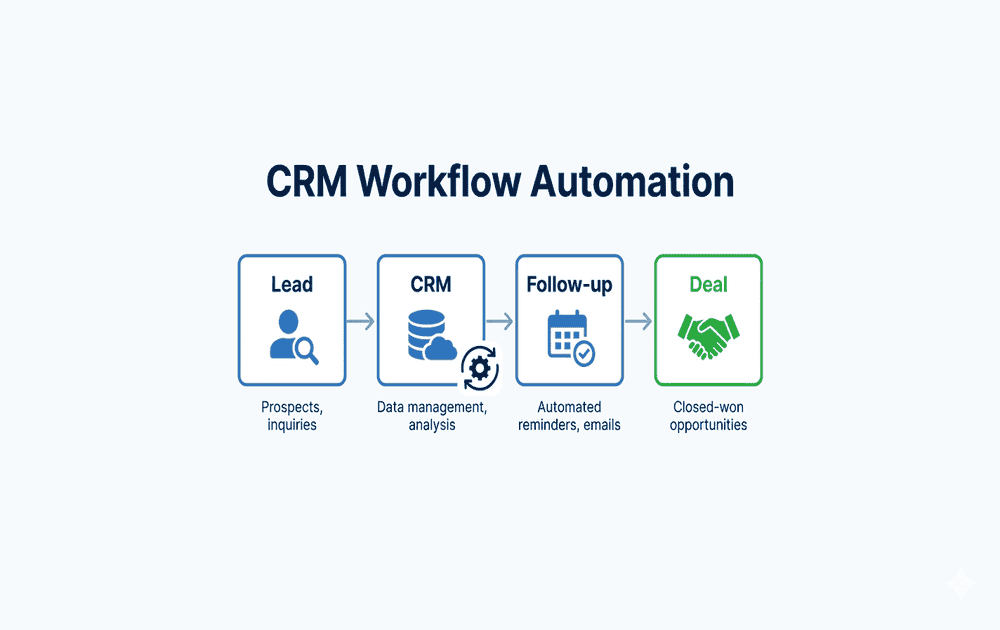
CRM Workflow Automation for Small Businesses (Step-by-Step Guide)
Managing leads, follow-ups, and customer relationships manually can quickly slow down growth for small businesses. As your pipeline grows, keeping track of every interaction, response, and task becomes difficult—and often inconsistent.
This is where CRM workflow automation for small businesses becomes essential.
Instead of relying on manual processes, you can automate key activities such as lead capture, follow-ups, task assignments, and pipeline updates. This not only saves time but also ensures that no opportunity is missed and every lead is handled systematically.
In this step-by-step guide, you’ll learn how CRM workflow automation works, what processes you should automate first, and how to build a simple, scalable system that supports your sales and customer management efforts.
🎯 What is CRM Workflow Automation?
CRM workflow automation is the process of using tools and predefined rules to automate repetitive tasks within your customer relationship management (CRM) system.
Instead of manually managing every step in your sales process, automation allows your CRM to handle routine actions in the background—so your team can focus on conversations, decision-making, and closing deals.
🔍 What Does CRM Workflow Automation Actually Do?
At its core, CRM automation connects different steps in your workflow and triggers actions automatically based on specific conditions.
For example:
- When a new lead fills out a form → it is automatically added to your CRM
- When a lead is added → a follow-up email is triggered
- When a lead replies → the deal stage is updated
- When no response is received → a reminder or follow-up is scheduled
👉 This creates a structured, hands-off system that runs continuously without manual intervention.
⚙️ Common Tasks You Can Automate in a CRM
Here are some of the most important tasks small businesses can automate:
- Lead assignment
Automatically assign new leads to the right team member - Follow-up reminders
Ensure timely communication without missing opportunities - Email sequences
Send structured outreach and follow-up emails - Deal stage updates
Move leads through the pipeline based on actions - Task creation
Automatically generate tasks for calls, demos, or check-ins
🧠 Why CRM Workflow Automation Matters
Without automation:
- Leads can be missed
- Follow-ups may be delayed
- Processes become inconsistent
- Growth becomes difficult to scale
With automation:
- Every lead is tracked and managed
- Follow-ups happen consistently
- Your workflow becomes predictable and measurable
🎯 The Real Goal of CRM Automation
The goal is not just to save time—it’s to build a reliable and repeatable system that supports your entire sales process.
👉 In simple terms:
Reduce manual effort, improve consistency, and create a system that scales with your business.
🔍 Why CRM Automation Matters for Small Businesses
Small businesses often operate with limited time, smaller teams, and multiple responsibilities. Managing leads, follow-ups, and customer interactions manually can quickly become overwhelming—and this is where opportunities are often missed.
This is why CRM automation for small businesses is not just helpful—it’s essential for building a scalable and efficient system.
⚙️ Key Benefits of CRM Workflow Automation
1. ⏱️ Saves Time on Repetitive Tasks
Tasks like updating records, sending follow-ups, and assigning leads can take hours when done manually.
With automation:
- These tasks happen instantly
- Your team focuses on high-value activities like conversations and closing deals
2. ⚡ Improves Response Speed
In sales, timing matters.
CRM automation ensures:
- Instant responses to new leads
- Faster follow-ups
- Better chances of engagement
👉 Faster response = higher conversion potential
3. ❌ Reduces Human Error
Manual processes often lead to:
- Missed follow-ups
- Incorrect data entries
- Lost leads
Automation ensures:
- Consistent data handling
- Reliable workflows
- Fewer mistakes
4. 🔁 Maintains Consistency in Communication
Consistency is key to building trust.
With CRM automation:
- Every lead follows a structured journey
- Follow-ups happen on time
- Messaging stays aligned
👉 This creates a professional and reliable experience for prospects.
5. 📈 Helps You Scale Without Increasing Team Size
As your business grows, managing more leads manually becomes unsustainable.
Automation allows you to:
- Handle more leads efficiently
- Manage multiple workflows
- Scale operations without hiring immediately
6. 🧠 Brings Structure to Your Sales Process
Many small businesses struggle with unstructured workflows.
CRM automation helps:
- Define clear stages
- Track progress
- Build a repeatable system
This works best when combined with a structured lead generation workflow for small businesses and a clear lead qualification workflow.
🎯 Real Impact on Small Businesses
Instead of reacting to tasks manually, you move to a system where:
- Leads are captured automatically
- Follow-ups are scheduled without effort
- Tasks are organized and tracked
👉 You shift from manual work → system-driven growth
✅ Key Takeaway
CRM automation is not just about efficiency—it’s about building a foundation for consistent and scalable growth.
👉 Instead of managing everything manually, you create a system that works continuously in the background, supporting your business as it grows.
🧠 Define Your CRM Workflow Before Automation
Before implementing any CRM tool or automation, it’s critical to define a clear workflow.
Many small businesses make the mistake of jumping directly into tools without understanding their process. This often leads to confusion, poor automation setup, and inconsistent results.
👉 CRM automation only works effectively when it is built on a well-defined workflow.
🔍 What is a CRM Workflow?
A CRM workflow is a structured sequence of steps that a lead follows—from the first interaction to becoming a customer.
It defines:
- How leads enter your system
- How they are managed
- How they move through your sales pipeline
- What actions are taken at each stage
👉 Think of it as a blueprint for your sales process.
⚙️ A Typical CRM Workflow for Small Businesses
A simple and effective CRM workflow includes the following stages:
1. 📥 Lead Capture
This is the starting point where potential customers enter your system.
Leads can come from:
- Website forms
- Landing pages
- Social media
- Cold outreach
👉 Goal: Capture and store lead information automatically in your CRM.
You can also streamline your prospecting process using tools like Apollo.io, which helps you find and capture high-quality leads efficiently—learn more in this detailed guide on Apollo.io for lead generation.
2. 🎯 Lead Qualification
Not all leads are ready to buy. This step helps you identify high-quality prospects.
You evaluate:
- Fit (industry, company size, role)
- Intent (interest level, engagement)
This step becomes more effective when using a structured lead qualification workflow.
3. 📩 Outreach
Once leads are qualified, you initiate communication.
This includes:
- Cold emails
- Introductory messages
- Initial contact sequences
👉 Messaging should be relevant and personalized.
To implement high-converting outreach campaigns, you can explore tools like Reply.io—check out this complete Reply.io review and setup guide to understand how to automate your email sequences effectively.
4. 🔁 Follow-Ups
Most conversions don’t happen from the first message.
A structured follow-up process ensures:
- Consistent communication
- Higher response rates
- Better engagement
👉 This is where automation adds significant value.
5. 📊 Deal Tracking
As leads respond and engage, they move through different stages in your pipeline.
Examples:
- Contacted
- Interested
- Demo scheduled
- Proposal sent
👉 CRM helps track and manage this progression.
6. 💰 Conversion
This is the final stage where a lead becomes a customer.
At this point:
- Deals are closed
- Customer data is updated
- Onboarding may begin
🔗 How These Steps Work Together
Each step in the workflow is connected.
👉 Example flow:
Lead Capture → Qualification → Outreach → Follow-Up → Deal Tracking → Conversion
When structured properly, this creates a smooth and predictable sales system.
⚠️ Common Mistake to Avoid
A major mistake is trying to automate without defining these steps clearly.
This can result in:
- Broken workflows
- Missed follow-ups
- Poor lead management
👉 Automation should support your workflow—not replace the need to define it.
🚀 Why This Step is Critical Before Automation
When your workflow is clearly defined:
- Automation becomes easier to implement
- Tools like CRM systems work more effectively
- Your sales process becomes scalable
This approach works best when combined with a structured lead generation workflow for small businesses and a clear cold outreach workflow.
✅ Key Takeaway
Before automating anything, focus on building a clear CRM workflow.
👉 A well-defined workflow ensures that:
- Every lead is handled systematically
- Your process is consistent
- Your automation delivers real results
⚙️ Key CRM Workflow Automation Processes
1. 📥 Lead Capture Automation
Lead capture is the first and most critical step in any CRM workflow. If leads are not captured properly, the rest of your automation process will not work effectively.
Lead capture automation ensures that every potential customer entering your system is recorded instantly—without any manual effort.
🔍 What is Lead Capture Automation?
Lead capture automation is the process of automatically collecting and storing lead information in your CRM from multiple sources.
Instead of manually adding contacts, your system captures and organizes leads in real time.
📊 Common Lead Sources You Can Automate
You can automatically collect leads from:
- Website forms
Contact forms, demo requests, or inquiry forms - Landing pages
Campaign-specific pages designed for conversions - Email sign-ups
Newsletter subscriptions or lead magnets - Social media platforms
LinkedIn forms, Facebook lead ads, or direct inquiries
⚙️ How Lead Capture Automation Works (Simple Flow)
👉 Example workflow:
- A visitor fills out a form on your website
- Their details (name, email, company) are captured instantly
- The lead is automatically added to your CRM
- A follow-up action is triggered (email, task, or assignment)
📌 Example:
When someone fills out a form → they are automatically added to your CRM and assigned for follow-up.
🧠 Why Lead Capture Automation is Important
Without automation:
- Leads may be missed or delayed
- Manual entry takes time and creates errors
- Follow-ups may not happen on time
With automation:
- Every lead is captured instantly
- Data is stored accurately
- Your workflow starts immediately
👉 This ensures no opportunity is lost.
🚀 Best Practices for Lead Capture Automation
To get the best results:
- Keep forms simple (avoid too many fields)
- Capture essential information only (name, email, role, company)
- Use clear call-to-actions (e.g., “Get Demo”, “Request Info”)
- Connect all sources directly to your CRM
⚠️ Common Mistakes to Avoid
- Not connecting forms to your CRM
- Collecting too much unnecessary data
- Delaying follow-up after capture
- Ignoring lead source tracking
🔗 How This Connects to the Next Step
Once leads are captured, the next step is to filter and prioritize them.
After capturing leads, you can improve efficiency by using a structured lead qualification workflow to identify high-quality prospects.
✅ Key Takeaway
Lead capture automation ensures that every potential customer enters your system instantly and accurately.
👉 It forms the foundation of your entire CRM workflow—because without captured leads, there is nothing to manage, qualify, or convert.
If you’re doing LinkedIn prospecting, using the Apollo.io Chrome extension can significantly speed up lead capture—here’s a complete guide on how to use the Apollo.io Chrome extension effectively.
2. 🎯 Lead Assignment Automation
Once leads are captured, the next critical step is assigning them to the right person—instantly and intelligently.
Manual lead assignment often causes delays, confusion, and missed opportunities. Lead assignment automation ensures that every lead is routed to the most suitable team member without any manual effort.
🔍 What is Lead Assignment Automation?
Lead assignment automation is the process of automatically distributing incoming leads to sales or support team members based on predefined rules.
Instead of manually checking and assigning leads, your CRM system routes them in real time using logic such as location, industry, or availability.
📊 Key Criteria for Smart Lead Assignment
You can assign leads automatically based on:
📍 Location (Geography-Based Routing)
Leads are assigned to team members based on region, city, or country.
👉 Ideal for businesses with regional sales teams or territory-based operations.
🏢 Industry (Specialized Assignment)
Leads are routed to team members who specialize in specific industries (e.g., healthcare, SaaS, retail).
👉 Improves communication quality and conversion rates.
⏱️ Team Member Availability (Round-Robin / Load-Based)
Leads are distributed based on who is available or has fewer active leads.
👉 Ensures faster response time and balanced workload.
⚙️ How Lead Assignment Automation Works (Simple Flow)
👉 Example workflow:
A new lead enters your CRM system
The system checks predefined rules (location, industry, availability)
The lead is automatically assigned to the most relevant team member
A notification or task is triggered for immediate follow-up
📌 Example:
If a lead from New York in the SaaS industry submits a form →
They are automatically assigned to the SaaS sales specialist handling the New York region.
🧠 Why Lead Assignment Automation is Important
Without automation:
- Leads may sit unassigned for hours or days
- Sales reps may compete or duplicate efforts
- Response times become slow and inconsistent
With automation:
- Leads are assigned instantly
- Response time improves significantly
- Workload is distributed fairly
- Conversion chances increase
👉 This ensures every lead gets the right attention at the right time.
🚀 Best Practices for Lead Assignment Automation
To maximize performance:
- Define clear assignment rules (location, industry, deal size)
- Use round-robin distribution for fairness
- Set backup rules if a team member is unavailable
- Enable instant notifications (email or CRM alerts)
- Regularly review and optimize assignment logic
⚠️ Common Mistakes to Avoid
- Assigning all leads to one person
- Not updating rules as your team grows
- Ignoring time zones or working hours
- No fallback rule for unavailable team members
🔗 How This Connects to the Next Step
Once leads are assigned, the next step is to evaluate their quality and prioritize them effectively.
After assignment, you should implement lead qualification and scoring automation to focus on high-value prospects.
✅ Key Takeaway
Lead assignment automation ensures that every lead is routed instantly to the right person based on smart criteria.
👉 It plays a crucial role in improving response time, team efficiency, and overall conversion rates in your CRM workflow.
3. 🧠 Lead Qualification Automation
After leads are assigned, not all of them are equally valuable. Some are ready to buy, while others are just exploring.
Lead qualification automation helps you identify which leads deserve immediate attention—so your team focuses on high-impact opportunities instead of wasting time on low-intent prospects.
🔍 What is Lead Qualification Automation?
Lead qualification automation is the process of evaluating and categorizing leads based on predefined rules or scoring systems.
Your CRM automatically analyzes lead data (behavior, profile, engagement) and determines how likely they are to convert.
📊 How You Can Qualify Leads Automatically
You can use automation to:
⭐ Prioritize High-Quality Leads
Identify leads that match your ideal customer profile and show strong intent.
👉 Example: Decision-makers, high-budget companies, or frequent website visitors.
🚫 Filter Low-Intent Prospects
Detect leads that are unlikely to convert or are not ready yet.
👉 Example: Incomplete data, low engagement, or irrelevant audience.
⚙️ How Lead Qualification Automation Works (Simple Flow)
👉 Example workflow:
A lead enters your CRM
The system evaluates the lead using predefined criteria (profile + behavior)
A score is assigned (e.g., 1–100)
Based on the score, the lead is categorized (Hot, Warm, Cold)
High-scoring leads are prioritized for immediate follow-up
📌 Example:
A lead who:
- Visits your pricing page multiple times
- Downloads a resource
- Has a company email and job title
👉 Gets a high score and is marked as a “Hot Lead” for priority outreach.
🧠 Why Lead Qualification Automation is Important
Without automation:
- Sales teams waste time on unqualified leads
- High-value prospects may be ignored or delayed
- No clear prioritization system exists
With automation:
- You focus only on high-potential leads
- Sales productivity increases
- Conversion rates improve
👉 This ensures your team spends time where it matters most.
🧮 Common Lead Scoring Factors
Your CRM can score leads based on:
👤 Demographic Data
Job title, company size, industry
🌐 Behavioral Data
Website visits, page views, clicks
📩 Engagement Level
Email opens, replies, downloads
💰 Buying Intent Signals
Pricing page visits, demo requests
🚀 Best Practices for Lead Qualification Automation
To get the best results:
- Define your Ideal Customer Profile (ICP) clearly
- Assign scores to both profile and behavior
- Use simple scoring first (don’t overcomplicate)
- Continuously refine scoring based on results
- Align sales and marketing teams on qualification criteria
⚠️ Common Mistakes to Avoid
Overcomplicating scoring rules
Ignoring behavioral signals
Not updating scoring criteria over time
Treating all leads the same
📌 You can refine this further using a structured lead qualification workflow to improve accuracy and consistency across your CRM process.
🔗 How This Connects to the Next Step
Once leads are qualified, the next step is to engage them with the right communication at the right time.
After qualification, you can implement automated follow-ups and email workflows to nurture and convert leads efficiently.
✅ Key Takeaway
Lead qualification automation helps you identify and prioritize the most valuable leads using smart scoring and rules.
👉 It ensures your team focuses on high-intent prospects, improving efficiency, conversions, and overall CRM performance.
4. 📧 Email & Outreach Automation
Once your leads are qualified, the next step is to engage them consistently and at the right time.
Manually sending emails or follow-ups is time-consuming and often inconsistent. Email & outreach automation ensures that every lead receives timely, personalized communication—without manual effort.
🔍 What is Email & Outreach Automation?
Email & outreach automation is the process of sending pre-defined, behavior-based emails and messages to leads automatically through your CRM or marketing tools.
These workflows are triggered based on user actions, lead status, or time delays—ensuring continuous engagement throughout the customer journey.
📊 Key Types of Automated Outreach You Can Set Up
You can automate:
👋 Welcome Emails (First Impression Automation)
Sent immediately after a lead enters your system.
👉 Introduces your brand, sets expectations, and builds trust.
📩 Cold Outreach Sequences (Lead Generation & Prospecting)
Automated email sequences sent to potential leads who haven’t interacted yet.
👉 Helps initiate conversations and generate new opportunities.
🔁 Follow-Up Emails (Conversion Boosters)
Triggered based on actions or time delays (no reply, link click, etc.).
👉 Ensures no lead is forgotten and increases response rates.
⚙️ How Email & Outreach Automation Works (Simple Flow)
👉 Example workflow:
A lead signs up or is added to your CRM
A welcome email is sent instantly
If no response → a follow-up email is triggered after 2 days
If the lead clicks a link → a targeted email is sent
If no engagement → the lead enters a nurture sequence
📌 Example:
A new lead downloads your guide →
They receive a welcome email →
After 2 days, a follow-up email is sent →
If they click your pricing link → they receive a demo invitation email.
🧠 Why Email & Outreach Automation is Important
Without automation:
- Leads may not receive timely responses
- Follow-ups are often missed
- Communication becomes inconsistent
With automation:
- Every lead gets instant and consistent communication
- Engagement increases across the funnel
- Conversion rates improve significantly
👉 This ensures continuous interaction without manual workload.
✉️ Key Elements of High-Converting Emails
To maximize results:
Clear Subject Line
Grab attention and improve open rates
Personalization
Use name, company, or behavior-based triggers
Value-Driven Content
Focus on solving problems, not just selling
Strong Call-to-Action (CTA)
Guide the user (e.g., “Book a Demo”, “Reply Now”)
🚀 Best Practices for Email & Outreach Automation
- Start with simple sequences (3–5 emails)
- Use personalization tokens (name, company, role)
- Segment your audience based on behavior
- Test subject lines and email timing
- Keep emails short, clear, and actionable
⚠️ Common Mistakes to Avoid
- Sending too many emails (spamming leads)
- Using generic, non-personalized messages
- Ignoring user behavior triggers
- Not optimizing for mobile devices
🔗 How This Connects to the Next Step
Once leads are engaged through emails, the next step is to track their interactions and manage deals effectively.
After outreach, you can implement pipeline and deal management automation to move leads through your sales funnel.
✅ Key Takeaway
Email & outreach automation ensures consistent, timely, and personalized communication with every lead.
👉 It helps you nurture relationships, increase engagement, and convert leads into customers—automatically and efficiently.
5. 🔁 Follow-Up Automation
Most leads don’t convert on the first interaction. In fact, consistent follow-ups are often the key difference between losing a lead and closing a deal.
Follow-up automation ensures that every lead is nurtured with timely reminders and messages—without relying on manual tracking or memory.
🔍 What is Follow-Up Automation?
Follow-up automation is the process of automatically sending reminders, emails, or tasks to engage leads based on time delays or user actions.
Instead of manually remembering when to follow up, your CRM handles it for you—ensuring no lead is forgotten.
📊 Key Follow-Up Sequences You Can Automate
You can set up structured follow-up sequences like:
📅 Day 2 Follow-Up (First Reminder)
Sent shortly after initial contact if there is no response.
👉 Keeps your brand fresh in the lead’s mind.
📅 Day 5 Follow-Up (Second Touchpoint)
A gentle reminder with added value (case study, benefit, or insight).
👉 Builds trust and encourages engagement.
📅 Final Check-In (Last Attempt)
A closing message to re-engage or confirm interest.
👉 Helps you close, nurture, or disqualify the lead.
⚙️ How Follow-Up Automation Works (Simple Flow)
👉 Example workflow:
A lead receives your initial email
No response after 2 days → Follow-up email is triggered
No response after 5 days → Second follow-up is sent
Still no response → Final check-in message is delivered
Lead is either re-engaged or moved to a nurture list
📌 Example:
A prospect receives a demo invitation →
They don’t respond →
Day 2: Reminder email is sent →
Day 5: Value-based follow-up (case study) →
Final: “Should I close your file?” message
🧠 Why Follow-Up Automation is Important
Without automation:
- Leads are easily forgotten
- Sales teams rely on memory or manual tracking
- Opportunities are lost due to delayed responses
With automation:
- Every lead is consistently followed up
- Response rates increase significantly
- Sales teams stay organized and efficient
👉 This ensures no opportunity slips through the cracks.
✉️ What to Include in Effective Follow-Ups
To improve results:
Be Short and Clear
Respect the lead’s time
Add Value in Each Follow-Up
Share insights, benefits, or resources
Use Different Angles
Don’t repeat the same message
Include a Clear CTA
Encourage action (reply, book call, click link)
🚀 Best Practices for Follow-Up Automation
- Limit sequences to 3–5 follow-ups
- Space emails properly (avoid overwhelming leads)
- Personalize messages based on behavior
- Use a mix of formats (email, task reminders, calls)
- Track engagement and adjust timing
⚠️ Common Mistakes to Avoid
- Following up too aggressively (can feel spammy)
- Sending the same message repeatedly
- Stopping follow-ups too early
- Not tracking engagement data
🔗 How This Connects to the Next Step
Once consistent follow-ups are in place, the next step is to track lead progress and manage deals effectively.
After follow-ups, you can implement pipeline and deal stage automation to move leads toward conversion.
✅ Key Takeaway
Follow-up automation ensures that every lead is nurtured through timely, structured communication.
👉 It increases response rates, improves conversions, and guarantees that no lead is missed in your CRM workflow.
6. 📊 Pipeline & Deal Management Automation
Once leads start engaging and responding, the next step is to move them through your sales pipeline efficiently.
Manually updating deal stages can lead to errors, delays, and confusion. Pipeline & deal management automation ensures that every deal progresses automatically based on real actions—keeping your sales process accurate and organized.
🔍 What is Pipeline & Deal Management Automation?
Pipeline & deal management automation is the process of automatically updating deal stages in your CRM based on lead activities and interactions.
Instead of manually moving deals from one stage to another, your system tracks actions (like replies or meetings) and updates the pipeline in real time.
📊 Key Actions That Can Trigger Stage Updates
You can automate deal progression based on:
📩 Email Replies (Engagement Trigger)
When a lead responds to your email, the deal moves to an “Engaged” or “Contacted” stage.
👉 Helps identify active prospects instantly.
📅 Meeting Booked (High-Intent Signal)
When a lead schedules a call or demo, the deal advances to a “Qualified” or “Meeting Scheduled” stage.
👉 Indicates strong buying intent.
📄 Proposal Sent (Conversion Stage)
When a proposal or quote is sent, the deal moves to a “Negotiation” or “Proposal” stage.
👉 Keeps your pipeline aligned with sales progress.
⚙️ How Pipeline Automation Works (Simple Flow)
👉 Example workflow:
A lead replies to your email
The CRM automatically updates the deal to “Engaged”
The lead books a meeting → stage updates to “Qualified”
A proposal is sent → deal moves to “Negotiation”
If accepted → deal is marked as “Won”
📌 Example:
A prospect replies to your outreach →
They are moved to “Interested” →
They book a demo → moved to “Qualified” →
You send a proposal → moved to “Proposal Stage”
🧠 Why Pipeline & Deal Automation is Important
Without automation:
- Sales reps forget to update deal stages
- Pipeline data becomes inaccurate
- Forecasting and reporting are unreliable
With automation:
- Deal stages update in real time
- Sales pipeline stays clean and organized
- Better visibility into revenue and performance
👉 This ensures a smooth and predictable sales process.
📈 Common Pipeline Stages You Can Automate
Typical stages include:
New Lead
Contacted
Qualified
Meeting Scheduled
Proposal Sent
Negotiation
Closed Won / Closed Lost
🚀 Best Practices for Pipeline Automation
- Define clear stages for your sales funnel
- Map actions to each stage (reply, meeting, proposal)
- Keep pipeline stages simple and logical
- Use automation triggers instead of manual updates
- Regularly review pipeline performance
⚠️ Common Mistakes to Avoid
- Too many pipeline stages (creates confusion)
- Not aligning stages with real customer actions
- Manual overrides that break automation
- Ignoring pipeline data insights
🔗 How This Connects to the Next Step
Once deals are moving through your pipeline, the next step is to monitor performance and make data-driven decisions.
After pipeline automation, you should implement reporting and analytics automation to track conversions and optimize your CRM workflow.
✅ Key Takeaway
Pipeline & deal management automation ensures that every deal progresses accurately based on real-time actions.
👉 It improves visibility, reduces manual work, and helps you close deals faster with a structured CRM workflow.
7. 🔔 Task & Notification Automation
Even with a well-structured CRM workflow, things can fall apart if your team misses important actions or delays responses.
Task & notification automation ensures that your team is always informed, aligned, and taking the right actions at the right time—without manual tracking.
🔍 What is Task & Notification Automation?
Task & notification automation is the process of automatically creating tasks, sending alerts, and reminding team members about important activities within your CRM.
It acts as an internal system that keeps your sales and marketing teams proactive and accountable.
📊 Key Automations You Can Set Up
You can automate:
📢 Notify Sales Team of New Leads
Instant alerts when a new lead enters the system or gets assigned.
👉 Ensures immediate action and faster response time.
✅ Create Tasks Automatically
Tasks are generated based on triggers (new lead, stage change, follow-up needed).
👉 Keeps workflows structured and eliminates manual task creation.
⏰ Send Reminders (Follow-Ups & Deadlines)
Automated reminders for pending actions, meetings, or deal updates.
👉 Prevents delays and missed opportunities.
⚙️ How Task & Notification Automation Works (Simple Flow)
👉 Example workflow:
A new lead is captured and assigned
The sales rep receives an instant notification
A task is automatically created (e.g., “Call within 24 hours”)
If the task is not completed → a reminder is triggered
Manager or team gets notified if delays continue
📌 Example:
A lead submits a contact form →
Sales rep gets notified instantly →
A task “Follow up with lead” is created →
If no action in 24 hours → reminder notification is sent
🧠 Why Task & Notification Automation is Important
Without automation:
- Team members may forget important actions
- Follow-ups are delayed or missed
- Communication gaps occur between teams
With automation:
- Everyone knows what to do and when
- Tasks are clearly assigned and tracked
- Response times improve significantly
👉 This ensures smooth execution of your entire CRM workflow.
🛠️ Common Task Triggers You Can Use
You can create tasks based on:
- New lead assignment
- Email replies or engagement
- Meeting scheduling
- Deal stage changes
- Inactivity or no response
🚀 Best Practices for Task & Notification Automation
- Keep notifications relevant (avoid overload)
- Set clear deadlines for tasks
- Use priority levels (high, medium, low)
- Align tasks with your sales process
- Enable multi-channel alerts (email, CRM, mobile)
⚠️ Common Mistakes to Avoid
- Sending too many notifications (causes fatigue)
- Creating vague or unclear tasks
- Not setting deadlines or priorities
- Ignoring overdue task tracking
🔗 How This Connects to the Next Step
Once tasks and notifications are automated, the next step is to track performance and optimize your workflow.
After this, you should implement reporting & analytics automation to measure results and improve efficiency.
✅ Key Takeaway
Task & notification automation keeps your team informed, organized, and accountable at every stage.
👉 It ensures timely actions, reduces delays, and helps your business respond faster—leading to better conversions and smoother CRM operations.
🔁 Example CRM Workflow (Simple System)
Now that you understand each component, let’s bring everything together into a simple, real-world CRM workflow.
This step-by-step system shows how automation connects every stage—from capturing a lead to closing a deal—without manual intervention.
⚙️ Complete CRM Workflow (Step-by-Step Flow)
👉 Here’s how a fully automated CRM system works:
Step 1: Lead Captured
A visitor fills out a form, signs up, or interacts with your business.
👉 Their data is instantly stored in your CRM.
Step 2: Lead Assigned to Sales Rep
The system automatically assigns the lead based on rules (location, availability, or expertise).
👉 No delays, no confusion.
Step 3: Lead Qualification & Scoring
The CRM evaluates the lead using predefined criteria and assigns a score.
👉 High-quality leads are prioritized for faster action.
Step 4: Outreach Sequence Triggered
An automated email sequence starts (welcome email, introduction, or cold outreach).
👉 Engagement begins instantly.
Step 5: Follow-Ups Automated
If the lead doesn’t respond, follow-ups are sent automatically (Day 2, Day 5, final check-in).
👉 Consistent communication is maintained.
Step 6: Deal Tracked in Pipeline
As the lead engages (replies, books meetings), the deal moves through pipeline stages automatically.
👉 Sales progress is tracked in real time.
📌 Real Example (Putting It All Together)
Let’s say a potential customer visits your website and requests a demo:
They fill out the form → lead is captured
The CRM assigns them to the right sales rep
The system scores them as a high-intent lead
A welcome email is sent instantly
Follow-ups are triggered if no response
They book a meeting → deal moves to “Qualified”
A proposal is sent → deal moves to “Negotiation”
👉 All of this happens automatically with minimal manual input.
🧠 Why This Automated Workflow Matters
Without a structured workflow:
- Processes are disconnected
- Teams rely on manual effort
- Leads fall through the cracks
With automation:
- Every step is connected and seamless
- Your team works more efficiently
- Leads are nurtured and converted faster
👉 This creates a predictable and scalable sales system.
🚀 Best Practices to Build an Effective CRM Workflow
To get the best results:
- Start simple (don’t automate everything at once)
- Focus on high-impact steps first (capture, assignment, follow-up)
- Continuously optimize based on performance data
- Align your sales and marketing processes
- Test and refine workflows regularly
⚠️ Common Mistakes to Avoid
- Overcomplicating workflows in the beginning
- Not testing automation before going live
- Ignoring lead behavior and data insights
- Lack of coordination between teams
🔗 How This Fits Into Your Overall Strategy
This workflow is the foundation of CRM automation for small businesses.
Once implemented, you can enhance it further with:
- Advanced segmentation
- AI-based personalization
- Predictive lead scoring
- Conversion tracking and analytics
✅ Key Takeaway
A well-structured CRM workflow connects every stage—from lead capture to deal closing—into one seamless automated system.
👉 When implemented correctly, it saves time, improves response speed, and significantly increases your chances of converting leads into customers.
🛠️ Tools for CRM Workflow Automation
To successfully implement CRM workflow automation, you need the right set of tools working together.
The goal is not just to use multiple tools—but to create a connected system where your CRM, outreach, and automation platforms work seamlessly to capture, manage, and convert leads.
🔍 What Are CRM Automation Tools?
CRM automation tools are software solutions that help you automate repetitive tasks such as lead capture, assignment, follow-ups, and deal tracking.
They reduce manual work, improve accuracy, and ensure your entire sales process runs smoothly.
📊 Categories of Tools You Need
To build a complete CRM automation system, you typically need three types of tools:
🧩 1. CRM Platforms (Core System)
CRM platforms act as the central hub where all your lead data, interactions, and deals are managed.
Popular CRM Tools:
- HubSpot CRM
- Zoho CRM
- Salesforce
- Pipedrive
🔧 What They Help You Do:
➢ Store and organize leads
➢ Automate lead assignment and scoring
➢ Manage pipelines and deals
➢ Track communication and activities
📩 2. Outreach Tools (Communication & Engagement)
Outreach tools help you automate email sequences, cold outreach, and follow-ups at scale.
These tools are essential for consistent communication and lead nurturing.
Popular Outreach Tools:
- Apollo.io
- Reply.io
- Mailchimp
- Lemlist
🔧 What They Help You Do:
➢ Send automated email sequences
➢ Personalize outreach at scale
➢ Track opens, clicks, and replies
➢ Manage follow-up campaigns
If you’re comparing outreach platforms, this detailed Apollo.io vs Reply.io comparison guide will help you choose the right tool based on your business needs and automation goals.
⚙️ 3. Automation Tools (Integration & Workflow)
Automation tools connect different platforms and trigger actions between them.
They act as the “bridge” that ensures your entire workflow runs automatically.
Popular Automation Tools:
- Zapier
- Make (formerly Integromat)
- ActiveCampaign
🔧 What They Help You Do:
➢ Connect CRM with forms, emails, and apps
➢ Trigger workflows based on actions
➢ Automate repetitive tasks across tools
➢ Build end-to-end automation systems
⚙️ How These Tools Work Together (Simple Setup)
👉 Example system:
A user fills out a website form
The lead is captured in your CRM (HubSpot/Zoho)
Automation tool (Zapier/Make) triggers actions
Outreach tool (Apollo/Reply.io) starts email sequence
CRM updates deal stage based on engagement
🧠 How to Choose the Right Tools (Beginner-Friendly)
If you’re just starting:
1.Start with an all-in-one CRM (like HubSpot or Zoho)
2.Add outreach tools as your lead generation grows
3.Use automation tools only when needed (to connect gaps)
👉 Keep your system simple first—then scale.
🚀 Best Practices for Tool Selection
- Choose tools that integrate easily
- Avoid using too many tools at the beginning
- Prioritize ease of use over advanced features
- Ensure tools support automation workflows
- Consider scalability as your business grows
⚠️ Common Mistakes to Avoid
- Using too many disconnected tools
- Overpaying for features you don’t need
- Not integrating tools properly
- Ignoring automation capabilities
🔗 How This Connects to Your CRM Workflow
These tools power every step of your CRM automation:
Lead capture → CRM platform
Outreach & follow-ups → Outreach tools
Workflow automation → Integration tools
👉 Together, they create a fully automated, efficient system.
✅ Key Takeaway
The right combination of CRM, outreach, and automation tools allows you to build a powerful, end-to-end automated workflow.
👉 Start simple, connect your tools strategically, and scale your automation as your business grows.
⚖️ Manual vs Automated CRM Workflows
Understanding the difference between manual and automated CRM workflows is essential for improving efficiency, scalability, and overall business performance.
While manual processes may work in the early stages, automation becomes critical as your lead volume and operations grow.
📊 Key Differences Between Manual and Automated CRM Workflows
| Manual CRM Workflow | Automated CRM Workflow |
|---|---|
| ⏳ Time-consuming processes that require constant manual input | ⚡ Time-efficient workflows that run automatically |
| ❌ Inconsistent follow-ups and delayed responses | ✅ Consistent, timely communication with every lead |
| ⚠️ High risk of human errors and missed updates | 🎯 Reduced errors with accurate, system-driven actions |
| 📉 Difficult to scale as lead volume increases | 📈 Easy to scale without increasing workload |
| 🔄 Requires manual tracking of tasks and activities | 🤖 Automatic task creation, reminders, and tracking |
| 🧩 Disconnected processes across teams | 🔗 Fully integrated and streamlined workflow |
| 🕒 Slower response time to leads | 🚀 Faster response and better customer experience |
🧠 Why Automation is a Game-Changer
Manual CRM workflows often lead to delays, missed opportunities, and inefficiencies—especially as your business grows.
Automated workflows, on the other hand:
- Save time by eliminating repetitive tasks
- Ensure every lead is followed up consistently
- Improve team productivity and accountability
- Increase conversion rates through faster response
👉 This gives your business a strong competitive advantage.
🚀 When Should You Switch to Automation?
You should start using CRM automation if:
- You are generating leads regularly
- Your team is missing follow-ups
- Manual tracking is becoming overwhelming
- You want to scale your sales process
👉 Even small businesses can benefit from basic automation early on.
⚠️ Common Misconception
Many believe automation is complex or only for large businesses.
👉 In reality, modern CRM tools make it easy for small businesses to automate workflows without technical expertise.
🔗 How This Fits Into Your CRM Strategy
Switching from manual to automated workflows is not just an upgrade—it’s a transformation.
It connects all your processes:
- Lead capture
- Assignment
- Follow-ups
- Pipeline management
👉 Creating a seamless, efficient system.
✅ Key Takeaway
Manual CRM workflows slow you down and limit growth, while automated workflows streamline operations and improve results.
👉 If you want to save time, reduce errors, and scale your business efficiently, CRM automation is no longer optional—it’s essential.
⚠️ Common CRM Automation Mistakes to Avoid
While CRM workflow automation can significantly improve efficiency, implementing it incorrectly can lead to poor results, missed opportunities, and even lost leads.
Avoid these common mistakes to ensure your automation system delivers maximum performance and real business value.
🚫 1. Automating Without a Clear Workflow
Jumping into automation without a defined process can create confusion instead of efficiency.
👉 Why it’s a problem:
Your automation may trigger the wrong actions, assign leads incorrectly, or create disconnected workflows.
👉 What to do instead:
Map your entire CRM workflow first (lead capture → assignment → qualification → follow-up → deal stage) before automating anything.
⚙️ 2. Over-Automation (Losing Human Touch)
Automation is powerful—but too much of it can make your communication feel robotic and impersonal.
👉 Why it’s a problem:
Leads may disengage if emails and messages lack personalization or feel generic.
👉 What to do instead:
Balance automation with personalization by using names, company details, and behavior-based triggers.
Keep critical touchpoints (like demos or negotiations) human-driven.
🎯 3. Ignoring Lead Quality
Not all leads are worth the same effort. Automating without proper qualification can waste time and resources.
👉 Why it’s a problem:
Your team may spend time on low-intent or irrelevant leads instead of focusing on high-value prospects.
👉 What to do instead:
Implement lead scoring and qualification rules to prioritize high-quality leads and filter out low-value ones.
📊 4. Not Tracking Performance
Automation without tracking is like running a system blindly—you won’t know what’s working or what needs improvement.
👉 Why it’s a problem:
You miss insights on conversion rates, response times, and workflow efficiency.
👉 What to do instead:
Track key metrics like:
- Lead response time
- Email open and reply rates
- Conversion rates
- Pipeline movement
👉 Use this data to continuously optimize your workflows.
🧠 Pro Tip for Better Results
Start simple, test your workflows, and optimize gradually.
Automation should improve your process—not complicate it.
✅ Key Takeaway
Avoiding these common mistakes ensures your CRM automation works efficiently, stays personalized, and delivers measurable results.
👉 The right balance of strategy, automation, and optimization is what turns your CRM workflow into a high-performing growth system.
📊 How to Measure CRM Automation Success
Implementing CRM automation is only half the job—the real value comes from tracking performance and continuously optimizing your system.
By measuring the right metrics, you can identify what’s working, fix what’s not, and improve your overall conversion and efficiency.
🔍 Why Measuring CRM Automation Matters
Without tracking performance:
- You won’t know if your automation is effective
- You may lose leads without realizing it
- Your workflows may become inefficient over time
With proper tracking:
- You gain clear insights into your sales process
- You can optimize workflows for better results
- You improve ROI from your CRM system
👉 Data-driven decisions lead to better growth.
📊 Key Metrics to Track for CRM Automation Success
📩 1. Response Rate (Engagement Performance)
What it measures:
The percentage of leads who respond to your emails or outreach.
👉 Why it matters:
Indicates how effective your messaging and timing are.
👉 How to improve:
- Use personalized subject lines and content
- Optimize send times
- Segment your audience properly
💰 2. Lead Conversion Rate (Revenue Impact)
What it measures:
The percentage of leads that convert into customers.
👉 Why it matters:
Shows how effective your entire CRM workflow is—from capture to closing.
👉 How to improve:
- Focus on high-quality leads
- Improve lead qualification and scoring
- Optimize your follow-up and sales process
🔁 3. Follow-Up Effectiveness (Nurturing Success)
What it measures:
How well your follow-up sequences re-engage leads and drive responses.
👉 Why it matters:
Most conversions happen after multiple touchpoints.
👉 How to track:
- Replies after follow-up emails
- Clicks on follow-up links
- Meetings booked after reminders
👉 How to improve:
- Add value in every follow-up
- Test different messaging angles
- Adjust timing between follow-ups
⏱️ 4. Time Saved (Efficiency Gain)
What it measures:
The amount of manual work reduced through automation.
👉 Why it matters:
Time saved directly impacts productivity and scalability.
👉 How to evaluate:
- Reduction in manual data entry
- Faster lead response time
- Fewer missed follow-ups
👉 Result:
Your team can focus more on closing deals instead of repetitive tasks.
📈 Bonus Metrics for Deeper Insights
To further optimize your CRM automation, you can also track:
Lead Response Time – How quickly your team engages with new leads
Email Open & Click Rates – Effectiveness of subject lines and content
Pipeline Conversion Rate – Movement between deal stages
Deal Closure Rate – Percentage of deals successfully closed
🚀 Best Practices for Measuring CRM Performance
- Track metrics consistently (weekly or monthly)
- Use CRM dashboards for real-time insights
- Set benchmarks and goals for each metric
- Continuously test and optimize workflows
- Align sales and marketing teams with data
⚠️ Common Mistakes to Avoid
- Tracking too many metrics without focus
- Ignoring data insights and not taking action
- Not setting clear goals or benchmarks
- Measuring once and not optimizing regularly
🔗 How This Improves Your CRM Workflow
When you track and optimize these metrics:
➢ Your automation becomes smarter
➢ Your team becomes more efficient
➢ Your conversions improve over time
👉 Turning your CRM into a predictable growth engine.
✅ Key Takeaway
Measuring CRM automation success is essential to ensure your workflows are delivering real results.
👉 Focus on key metrics like response rate, conversion rate, follow-up effectiveness, and time saved to continuously improve performance and scale your business efficiently.
🎯 Best Practices for CRM Automation
Implementing CRM automation is not just about setting up workflows—it’s about building a system that is efficient, scalable, and conversion-focused.
These best practices will help you avoid common pitfalls and create a high-performing automation system that delivers real business results.
🚀 1. Start Simple (Avoid Overcomplication)
One of the biggest mistakes is trying to automate everything at once.
👉 Why it matters:
Complex workflows can break easily, become hard to manage, and create confusion for your team.
👉 What to do instead:
Start with core processes like:
- Lead capture
- Lead assignment
- Basic follow-ups
👉 Once these are stable, gradually expand your automation.
🎯 2. Focus on High-Impact Tasks First
Not all tasks need automation—focus on areas that save the most time and directly impact conversions.
👉 High-impact areas include:
- Lead capture and data entry
- Lead assignment and routing
- Email outreach and follow-ups
- Pipeline stage updates
👉 Result:
You get maximum ROI from automation with minimal effort.
🤝 3. Maintain Personalization (Human Touch Matters)
Automation should enhance communication—not replace the human element.
👉 Why it matters:
Generic, robotic messages reduce engagement and trust.
👉 How to do it right:
- Use personalization tokens (name, company, role)
- Trigger messages based on behavior (clicks, visits, replies)
- Add human interaction at key stages (calls, demos, negotiations)
👉 This balance improves response rates and conversions.
🔄 4. Continuously Optimize Your Workflows
CRM automation is not a “set it and forget it” system.
👉 Why it matters:
Customer behavior, market trends, and business needs change over time.
👉 What to track and improve:
- Email open and reply rates
- Lead conversion rates
- Pipeline movement
- Task completion rates
👉 Use this data to refine your workflows regularly.
📊 5. Align Sales & Marketing Teams
Automation works best when both teams follow the same process and goals.
👉 Why it matters:
Misalignment leads to poor lead quality, missed follow-ups, and inconsistent messaging.
👉 What to do:
- Define clear lead qualification criteria
- Align messaging across campaigns
- Share performance data between teams
⚙️ 6. Use Clear Triggers and Conditions
Automation depends on logic—so your triggers must be accurate and meaningful.
👉 Examples of strong triggers:
Form submission → Start outreach
Email reply → Move to engaged stage
Meeting booked → Update pipeline
👉 Clear triggers ensure smooth and reliable workflows.
🧪 7. Test Before Scaling
Before applying automation across your entire system, test it on a small scale.
👉 Why it matters:
Prevents errors, broken workflows, and poor user experience.
👉 What to test:
- Email sequences
- Task creation
- Lead assignment rules
- Automation timing
⚠️ Quick Reminder
While applying these best practices, avoid common mistakes like:
- Over-automating without strategy
- Ignoring personalization
- Skipping lead qualification
- Not tracking performance
👉 Even the best automation strategy fails without proper execution.
🔗 How This Strengthens Your CRM Strategy
By following these best practices:
- Your workflows become more efficient
- Your team becomes more productive
- Your lead conversion process improves
👉 Ultimately creating a scalable and high-performing CRM system.
✅ Key Takeaway
Effective CRM automation is built on simplicity, strategy, and continuous improvement.
👉 Start small, focus on high-impact areas, maintain personalization, and keep optimizing—this is the formula for long-term success.
To fully implement CRM automation in your business, you can start with practical tools like Apollo.io and Reply.io—explore our in-depth guides to get started step-by-step.
🚀 Conclusion
CRM workflow automation is no longer a luxury—it’s a necessity for small businesses that want to grow efficiently and stay competitive.
Instead of relying on manual processes, you create a structured system that:
- Saves time by eliminating repetitive tasks
- Improves consistency across every customer interaction
- Scales effortlessly as your business grows
But the real power of CRM automation goes beyond efficiency.
It helps you build a predictable, repeatable sales process—where every lead is captured, nurtured, and moved toward conversion without delays or missed opportunities.
🧠 Final Insight
The goal is not to automate everything at once.
👉 Start small, focus on high-impact workflows, and improve step by step.
👉 As your system evolves, your results compound.
🎯 What to Do Next
If you’re just getting started:
┈➤ Set up your lead capture and assignment automation
┈➤ Add basic email and follow-up sequences
┈➤ Track performance and optimize regularly
👉 This simple foundation can transform how your business handles leads and sales.
✅ Final Takeaway
A well-built CRM automation system turns your business into a smart, scalable growth engine.
👉 When done right, it ensures no lead is missed, no follow-up is delayed, and every opportunity is maximized.
Frequently Asked Questions (FAQs)
-
What is CRM workflow automation?
CRM workflow automation is the process of using software to automate repetitive tasks such as lead capture, assignment, follow-ups, and deal tracking.
👉 It helps businesses manage leads and sales processes more efficiently without manual effort. -
Why is CRM automation important for small businesses?
CRM automation helps small businesses:
Save time on repetitive tasks
Respond to leads faster
Improve follow-up consistency
Increase conversion rates
👉 It allows small teams to operate like larger, more efficient organizations. -
What tasks can be automated in a CRM?
You can automate:
Lead capture from forms and landing pages
Lead assignment based on rules
Email outreach and follow-ups
Lead scoring and qualification
Pipeline and deal stage updates
Task creation and notifications -
How do I start CRM automation as a beginner?
Start with the basics:
Set up lead capture forms connected to your CRM
Automate lead assignment
Create simple email and follow-up sequences
Track performance metrics
👉 Begin simple and expand gradually as you gain confidence. -
What is lead scoring in CRM automation?
Lead scoring is a method of assigning points to leads based on their profile and behavior.
👉 It helps you identify high-quality leads and prioritize them for faster conversion. -
How does CRM automation improve sales performance?
CRM automation improves sales by:
Reducing response time
Ensuring consistent follow-ups
Prioritizing high-intent leads
Keeping the sales pipeline organized
👉 This leads to better efficiency and higher conversion rates. -
What are the best CRM tools for automation?
Popular CRM automation tools include:
HubSpot CRM
Zoho CRM
Salesforce
Pipedrive
👉 These tools offer built-in automation features for small to large businesses. -
Can CRM automation feel too robotic?
Yes, if not implemented correctly.
👉 Over-automation without personalization can make communication feel generic.
To avoid this, use personalization and add human touchpoints where needed. -
How do I measure the success of CRM automation?
You can track key metrics like:
Response rate
Lead conversion rate
Follow-up effectiveness
Time saved
👉 These metrics help you optimize and improve your workflows. -
Is CRM automation expensive for small businesses?
Not necessarily.
👉 Many tools offer free or affordable plans, and the time saved often outweighs the cost.
You can start small and scale as your business grows. -
What are common mistakes in CRM automation?
Common mistakes include:
Automating without a clear workflow
Over-automation
Ignoring lead quality
Not tracking performance
👉 Avoiding these ensures better results from your system. -
How long does it take to see results from CRM automation?
You can start seeing improvements in:
Response time (immediately)
Efficiency (within weeks)
Conversions (within 1–3 months)
👉 Results improve as you optimize your workflows over time.