
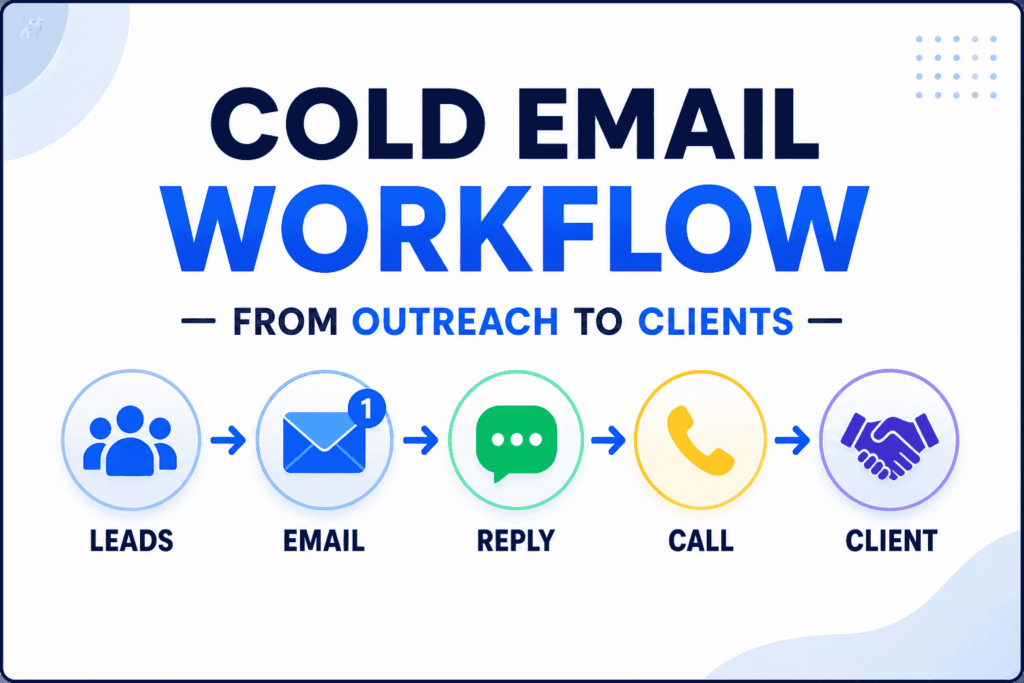
Cold Email Workflow for Beginners: Step-by-Step System to Get Leads & Replies
Table of Contents
Why Most Beginners Fail at Cold Email
Most beginners struggle with cold email not because it doesn’t work—but because the process is unclear.
Common Problems
• No clear workflow
Sending emails randomly without a structured process
• Low reply rates
Messages don’t connect with the right audience
• Confusing tools
Too many tools without knowing how they fit together
👉 The result: wasted effort, inconsistent outreach, and no real leads
Practical Insight
Cold email works—but only when it’s treated as a system, not a one-time activity
A structured cold email workflow helps you:
• Target the right prospects
• Send relevant messages
• Follow up consistently
• Turn replies into real opportunities
Key Takeaway
If your outreach feels random, your results will be random
👉 Build a system—and results become predictable
What You’ll Learn
In this guide, you’ll learn how to build a complete cold email workflow that actually works.
By the end, you’ll be able to:
• Build a structured cold email workflow from scratch
• Use simple tools to automate and manage outreach
• Write clear, effective emails that get replies
• Turn cold outreach into consistent leads and client opportunities
What Makes This Different
This is not just theory—you’ll learn a practical system you can implement immediately
Key Outcome
Instead of guessing what works, you’ll have a clear, repeatable workflow for lead generation
If you’re new to outbound strategies, explore our complete guide on outbound marketing workflow to understand how cold email fits into a larger lead generation system.
Quick Summary
- Cold Email Workflow = Lead sourcing → Outreach → Follow-ups
- Goal = Conversations → Leads → Clients
- Tools = Simple setup (No complex stack needed)
👉 Follow a structured workflow, and cold email becomes predictable — not random
What is a Cold Email Workflow?
A cold email workflow is a structured, step-by-step system used to generate leads through targeted email outreach.
👉 Instead of sending random emails, it connects every stage of the process into a clear, repeatable workflow
What a Cold Email Workflow Helps You Do
A well-built cold email workflow allows you to:
• Find the right prospects based on your target audience
• Send personalized, relevant emails
• Follow up consistently to increase reply rates
• Convert responses into leads and client
👉 Each step is designed to work together—not in isolation
How the Cold Email Workflow Works
A typical cold email workflow follows this flow:
Lead Sourcing → Email Outreach → Follow-Ups → Replies → Conversion
👉 This creates a complete outreach system, not just a one-time action
Why This Approach Works
Most beginners fail because they treat cold email as a single task.
👉 High-performing workflows focus on:
• Consistency over one-time effort
• Structured execution instead of guesswork
• Continuous improvement through testing
Real-World Insight
Successful outreach is not about sending more emails—it’s about building a system that improves over time
👉 When your cold email workflow is structured:
• Each step feeds the next
• Results become measurable
• Performance improves with iteration
Key Takeaway :
A cold email workflow is not just sending emails—it’s a connected system of targeting, outreach, follow-ups, and conversion
👉 When executed properly, it becomes a predictable lead generation process
Why You Need a Cold Email Workflow
Cold email can generate leads—but only when it’s built on a structured system.
👉 Without a defined cold email workflow, outreach becomes inconsistent and difficult to scale
What Happens Without a Workflow
When you don’t have a structured process:
• Random emails
No clear targeting or messaging strategy
• No consistency
Irregular sending and missed follow-ups
• Low reply rates
Messages don’t reach the right people at the right time
👉 The result: wasted effort and unpredictable outcomes
What Changes With a Cold Email Workflow
With a structured cold email workflow in place:
• Predictable outreach
You follow a repeatable system instead of guessing
• Better reply rates
Targeted messaging and consistent follow-ups improve responses
• Scalable lead generation
You can increase volume without losing quality
System vs Random Outreach
👉 The key difference:
• Random outreach → inconsistent results
• Workflow-based outreach → measurable and improvable results
👉 A cold email workflow turns outreach into a process you can track, optimize, and scale
Real-World Insight
Successful businesses don’t rely on one-time campaigns.
👉 They build workflows that:
• Run consistently
• Improve over time
• Generate ongoing opportunities
Key Takeaway :
A cold email workflow is not just about sending emails—it’s about building a repeatable system for lead generation
👉 Once you have the system, results become predictable and scalable
Quick Cold Email Workflow Setup Checklist
Use this simple checklist to build your cold email workflow from scratch.
👉 Follow each step, and you’ll have a complete system ready to generate leads and replies.
✅ Step-by-Step Setup
✔ Define your target audience (ICP)
Identify your niche, ideal customer profile, and key pain points
👉 The more specific your targeting, the better your results
✔ Build a targeted lead list
Collect relevant prospects with verified business emails
👉 Focus on quality leads—not just volume
✔ Set up your outreach tool
Prepare your email sending system using tools like
• Instantly.ai
• Reply.io
👉 This enables automation, follow-ups, and tracking
✔ Write a simple email sequence
Create:
• 1 main email
• 2–3 follow-ups
👉 Keep emails short, relevant, and problem-focused
✔ Start sending consistently
Begin with 20–50 emails per day and scale gradually
👉 Consistency matters more than volume in the beginning
✔ Track replies and manage leads
Use a simple system or CRM like
• HubSpot CRM
👉 Track conversations, responses, and next steps
How This Checklist Fits Your Cold Email Workflow
👉 This checklist covers the core stages:
Targeting → Lead Generation → Outreach → Follow-Ups → Conversion
👉 When followed correctly, it creates a complete and structured cold email workflow
Practical Insight
👉 Most beginners overcomplicate setup
But in reality:
• You don’t need many tools
• You don’t need advanced systems
• You just need to complete these steps properly
Key Takeaway :
A simple checklist is enough to build a working cold email workflow
👉 Focus on execution, then improve each step over time
Core Components of a Cold Email Workflow
A successful cold email workflow is built by connecting a few essential components into one structured system.
👉 Each component plays a specific role—and together, they create a complete lead generation process
1. Target Audience (Foundation of your workflow)
Your results depend heavily on who you target.
Define clearly:
• Industry
• Job role
• Company size
• (Optional) Geography
Example:
“SMB founders (1–50 employees)”
Practical insight:
The more specific your targeting, the higher your reply rate
Instead of targeting broadly:
❌ “Businesses”
✔ “Ecommerce store owners struggling with low conversion”
1.1. How to define a High-converting ICP (Ideal Customer Profile)
Your cold email workflow is only as strong as your targeting.
👉 If you target the wrong audience, even the best emails won’t get replies
What is an ICP?
An Ideal Customer Profile (ICP) defines the type of prospect most likely to:
• Need your solution
• Respond to your outreach
• Convert into a client
👉 A clear ICP improves every stage of your cold email workflow
Core elements of a strong ICP
• Who they are
Define basic attributes:
• Industry
• Job role
• Company size
• Geography (optional)
Example:
“Ecommerce founders (1–50 employees) in the US”
• What problem they face
Identify a specific pain point your audience is experiencing.
Example:
• Low email reply rates
• Poor lead generation
• Inconsistent sales pipeline
Tip:
Focus on one clear problem—not multiple
• Why they would respond
This is the most important part.
Ask:
• Why would this person care about your message?
• What makes your offer relevant to them right now?
Example:
“They are actively trying to improve outreach or hiring sales reps”
How ICP improves your cold email workflow
A well-defined ICP directly impacts:
• Targeting → You reach the right people
• Messaging → Your emails feel relevant
• Conversion → Higher chances of replies and clients
👉 Without an ICP, your workflow becomes random
Simple ICP framework (Practical approach)
Use this structure:
• Audience: Who they are
• Problem: What they struggle with
• Trigger: Why now
Example:
• Audience: SMB founders
• Problem: Not getting enough leads
• Trigger: Looking for growth strategies
Real-world Insight
Most beginners try to target everyone.
👉 High-performing campaigns focus on a narrow, specific audience
👉 Narrow targeting = higher relevance = better results
Common mistakes in defining ICP
• Targeting too broadly (“all businesses”)
• Ignoring specific problems
• Not understanding buyer intent
👉 Specificity always wins in cold email
Key takeaway :
A strong ICP is the foundation of a successful cold email workflow
👉 The clearer your audience, the better your results
Not sure how to find the right prospects? Read our lead generation system guide for SMBs to learn how to identify and source high-quality leads.
2. Lead Generation (Building your prospect list)
This step is about finding the right people to contact.
Use tools like:
• Apollo.io
Collect key data:
• Name
• Email
• Company
• Role
Best practice:
• Focus on relevance over volume
• Verify emails to avoid bounce rates
• Build small, targeted lists (50–100 leads to start)
Want a step-by-step walkthrough? Check our detailed Apollo.io guide to learn how to find and export targeted leads efficiently.
3. Outreach Setup (Email sending system)
This is where your cold email workflow becomes automated and scalable.
Use tools like:
• Instantly.ai
OR
• Reply.io
These tools help you:
• Send emails at scale
• Automate follow-ups
• Track replies and performance
Practical insight:
Start simple—one campaign, one audience, one message
4. Email Copy (What drives replies)
Your message is the most critical part of your cold email workflow.
Keep it:
• Short (2–5 lines)
• Relevant to the prospect
• Focused on a specific problem
Structure that works:
• Personalization
• Problem
• Simple value
• Soft call-to-action
Example mindset:
Don’t sell—start a conversation
4.1. Personalization in Cold Email
Personalization is one of the most important parts of a successful cold email workflow.
👉 It’s what makes your email feel relevant instead of generic
Why personalization matters
Without personalization:
• Emails feel automated
• Prospects ignore or delete them
• Reply rates stay low
With personalization:
• Emails feel relevant
• Trust increases
• Conversations start more easily
Levels of personalization
Not all personalization is the same. Here are the three practical levels
✔ Basic personalization (minimum level)
• Name
• Company nam
Example:
“Hey John, noticed your company Acme is growing…
Use case:
Good for scaling—but limited impact
✔ Medium personalization (most effective balance)
• Role-based insight
• Industry-specific problem
Example:
“Noticed you’re handling marketing—many teams struggle with low email reply rates”
Why this works:
• Feels relevant
• Easy to scale
• Strong improvement in reply rates
✔ Advanced personalization (high impact, lower scale)
• LinkedIn activity
• Recent company updates
• Specific achievements
Example:
“Saw your recent post about scaling your sales team—many teams face challenges with outreach consistency”
Use case:
• High-value prospects
• Smaller, targeted campaigns
How to use personalization in your cold email workflow
The goal is not to over-personalize—it’s to stay relevant
Best approach:
• Use medium-level personalization for most campaigns
• Add advanced personalization for high-priority leads
This keeps your workflow:
• Scalable
• Efficient
• Effective
Before vs After Personalization
❌ Generic message:
“I help businesses grow”
✔ Personalized message:
“Noticed you’re hiring SDRs—many teams struggle with reply rates”
The second message:
• Feels specific
• Connects to a real problem
• Increases chances of reply
Common Personalization Mistakes
• Overcomplicating personalization
• Using fake or irrelevant details
• Writing long, forced intros
👉 Keep it simple and natural
Real-world Insight
High-performing cold email campaigns don’t rely on heavy personalization.
👉 They rely on relevant personalization at scale
Key takeaway :
Personalization is not about adding more—it’s about being relevant
👉 Even simple personalization can significantly improve your cold email workflow performance
You can also explore our cold email templates guide for more proven message frameworks and examples.
5. Follow-Up System (Where most results come from)
Most replies don’t come from the first email.
👉 They come from follow-ups
Best practice:
• Send 2–4 follow-ups
• Maintain 2–3 day gaps
• Keep messages simple and polite
Practical insight:
Consistency in follow-ups often doubles your reply rate
6. Conversion Process (Turn replies into clients)
Once someone replies, your goal is not to sell immediately—but to start a conversation.
Typical flow:
Reply → Conversation → Call → Client
Keep it simple:
• Understand their needs
• Offer value
• Move to a call if relevant
Best practice:
Focus on building trust before pitching
How These Components Work Together
👉 When combined, these components create a complete cold email workflow:
Targeting → Lead Generation → Outreach → Follow-Ups → Conversion
👉 Each step supports the next—making your system:
• Structured
• Repeatable
• Scalable
Key Takeaway :
A strong cold email workflow is not built on one step—it’s the combination of all components working together
👉 When executed properly, it becomes a reliable system for generating leads and clients
6.1. Cold Email Templates (Copy, customize & start)
A strong cold email workflow doesn’t need complex scripts.
👉 You just need simple, relevant messages that start conversations.
Template 1: First Outreach Email
Subject: Quick question
Email:
Hey {{Name}},
Noticed you’re working on {{problem}}.
We’ve helped similar businesses improve {{result}}.
Would it be worth sharing a quick idea?
Why this works
• Short and easy to read
• Focuses on the prospect’s problem
• Creates curiosity instead of selling
Template 2: Follow-Up Email
Email:
Hey {{Name}},
Just checking if this is relevant for you?
Why this works
• Simple and non-pushy
• Keeps the conversation open
• Increases reply chances significantly
How to customize these templates
To make these templates effective in your cold email workflow:
• Replace {{problem}} with a real pain point
• Replace {{result}} with a clear benefit
• Keep personalization simple and relevant
Example:
“Noticed you’re working on lead generation—many teams struggle with low reply rates.”
Best practices for better replies
• Keep emails under 5 lines
• Avoid selling in the first email
• Focus on starting a conversation
• Use a simple, clear call-to-action
Common mistakes to avoid
• Writing long, detailed emails
• Using generic, copy-paste messages
• Overcomplicating personalization
👉 Simplicity performs better in most cold email campaigns
Key takeaway :
You don’t need perfect copy—you need clear, relevant, and simple messaging
👉 That’s what makes a cold email workflow effective
📌 Save this for later
👉 Bookmark or save this template to quickly use in your next outreach campaign
6.2. Handling replies & objections in a cold email workflow
Getting replies is only half the job in a cold email workflow.
👉 What you do after someone responds determines whether it becomes a lead—or a lost opportunity
Why objection handling matters
Most prospects won’t say “yes” immediately.
Instead, you’ll get responses like:
• “Not interested”
• “Send more info”
• “Too busy”
👉 These are not rejections—they are entry points for conversation
Core response approach (simple & effective)
When replying to objections:
• Keep it short
• Add value
• Don’t push
👉 Your goal is to continue the conversation—not force a sale
How to respond to common objections
❌ “Not interested”
Don’t stop here—respond with relevance
Example reply:
“Got it—quick question, are you currently working on improving your lead generation, or not a priority right now?”
Why it works:
• Opens conversation
• Shows understanding
• Keeps it low-pressure
❌ “Send more info”
Avoid sending long explanations
Example reply:
“Happy to—quick context: we help businesses improve cold email reply rates. Would it make sense to share a quick idea specific to your setup?”
Why it works:
• Keeps message simple
• Moves toward conversation
• Avoids overwhelming the prospect
❌ “Too busy”
Respect their time and keep it light
Example reply:
“Totally understand—would it help if I send a quick 2-line idea you can review when convenient?”
Why it works:
• Reduces friction
• Keeps engagement alive
• Shows flexibility
Objection handling in your cold email workflow
This stage connects:
Reply → Conversation → Call → Client
Strong objection handling improves:
• Conversion rates
• Meeting bookings
• Client acquisition
Real-world insight
Most beginners lose leads after the first reply.
👉 Not because of poor leads—but because of weak follow-up responses
👉 The real skill is continuing the conversation naturally
Common mistakes in handling replies
• Sending long messages
• Being too salesy
• Ignoring the prospect’s concern
• Pushing for a call too earl
👉 Keep it simple and conversational
Key takeaway :
Replies are opportunities—not final decisions
A strong cold email workflow includes:
- Getting replies
- Handling objections
- Converting conversations into clients
Step-by-Step Cold Email Workflow (Beginner-friendly)
This section breaks down a complete cold email workflow into simple, actionable steps.
👉 Follow this process, and you can go from zero setup → first replies → potential clients
Step 1: Define your offer
Start with a clear, simple offer.
Example:
“I help businesses generate leads using cold email”
Best practices:
• Focus on one specific problem
• Keep your offer easy to understand
• Avoid complex or vague messaging
Step 1.1 What makes a strong cold email offer (Drives conversions)
In any cold email workflow, your offer is what turns interest into action.
👉 Even with great targeting and messaging, a weak offer will not convert
Why your offer matters
Your offer answers one key question:
👉 “Why should this person respond to your email?
Without a clear offer:
• Prospects feel confused
• Emails get ignored
• Conversations don’t start
👉 A strong offer creates clarity and interest instantly
Core elements of a high-converting offer
✔ Clear outcome
Tell the prospect what result they can expect.
❌ “We provide digital marketing services”
✔ “We help businesses generate qualified leads consistently”
👉 Focus on results—not services
✔ Specific problem solved
Your offer should address one clear pain point.
Example problems:
• Low reply rates
• No consistent lead flow
• Poor conversion from outreach
Tip:
One problem = stronger message
✔ Simple value proposition
Keep your offer easy to understand.
❌ Complex:
“We provide multi-channel growth optimization solutions”
✔ Simple:
“We help you get more replies from cold email”
👉 Simplicity improves response rates
Before vs After (Offer clarity)
❌ Weak offer:
“We offer marketing services
✔ Strong offer:
“We help SaaS companies increase demo bookings by 30%”
The strong offer:
• Is specific
• Shows outcome
• Feels relevant
How to create your offer (simple framework)
Use this structure:
👉 We help [target audience] achieve [specific result] by solving [problem]
Example:
“We help SMB founders generate leads by improving cold email reply rates”
👉 This works well across different cold email workflows
Offer + Cold email workflow connection
Your offer impacts:
• Open → curiosity
• Reply → relevance
• Conversion → decision
👉 A strong offer improves every stage of your workflow
Real-world insight
Most beginners focus too much on tools and templates.
👉 In reality, offer clarity is what drives results
👉 Even simple emails perform well with a strong offer
Common mistakes in offer creation
• Being too generic
• Targeting multiple problems
• Using complex language
• Not showing a clear result
👉 Clear and specific offers always outperform vague ones
Key takeaway :
A strong cold email offer is:
- Clear
- Specific
- Easy to understand
👉 That’s what turns your cold email workflow into a conversion-focused system
Step 2: Build a targeted lead list
Use tools like:
• Apollo.io
Start with:
• 50–100 leads (small and focused)
Best practices:
• Target a specific audience
• Collect verified business emails
• Prioritize quality over quantity
Step 3: Set up your outreach campaign
Use tools like:
• Instantly.ai
OR
• Reply.io
This allows you to:
• Send emails automatically
• Schedule follow-ups
• Track replies
Best practice:
Start with one simple campaign—don’t overcomplicate
Step 4: Write your email sequence
Create:
• 1 main email
• 2–3 follow-ups
Focus on:
• Problem → Value → Simple CTA
Practical insight:
Short, clear emails outperform long messages
Step 5: Start sending emails
Begin with:
• 20–50 emails per day
👉 Then scale gradually based on performance
Best practices:
• Maintain consistency daily
• Avoid sudden volume increases
• Monitor deliverability
Step 6: Track replies and manage leads
Track responses using:
• Spreadsheets or
• HubSpot CRM
Monitor:
• Replies
• Positive responses
• Conversations
Practical insight:
Tracking helps you understand what’s working—and what needs improvement
Step 7: Optimize and improve
Once your workflow is running:
• Improve targeting
• Test subject lines
• Adjust messaging
• Refine follow-ups
👉 Small improvements lead to better results over time
Real Cold Email Workflow Flow
👉 This is how your full system works:
Apollo.io → Leads → Instantly.ai → Emails → Replies → Clients
👉 This is the core of a working cold email workflow
Real-World Insight
Successful outreach is not about sending more emails—it’s about following a consistent process
👉 When you follow this step-by-step cold email workflow:
• You reduce guesswork
• You improve results
• You build a scalable system
Key takeaway :
A cold email workflow becomes effective when:
- Each step is executed consistently
- Performance is tracked
- Improvements are made over time
👉 That’s how you turn outreach into a predictable lead generation system
This process becomes even more powerful when combined with a full outbound strategy—see our outbound marketing workflow guide for a complete system view.
Email Deliverability Basics (Critical for cold email workflow)
Your cold email workflow only works if your emails actually reach the inbox.
👉 Deliverability is what determines whether your emails are seen—or ignored in spam
Why deliverability matters
Even the best email copy won’t work if:
• Emails land in spam
• Domains get flagged
• Accounts get restricted
👉 Good deliverability = higher open rates → better reply rates
Core Deliverability Practices
✔ Use a business email domain
Avoid free emails like Gmail for outreach.
👉 Use a custom domain (e.g., yourname@yourdomain.com)
Why it matters:
• Builds trust with recipients
• Improves inbox placement
• Looks more professional
✔ Warm up your email accounts
Before sending emails at scale:
• Start with low volume
• Gradually increase daily sends
• Use warm-up tools (automated if possible)
Practical insight:
Warming up builds your sender reputation over time
✔ Avoid spam trigger words
Certain words reduce deliverability:
• “Free money”
• “Guaranteed results”
• “Act now”
👉 Keep your email language natural and conversational
✔ Scale sending volume gradually
Start with:
• 20–50 emails/day
Then increase slowly based on performance
Best practice:
Sudden spikes in volume can harm your email reputation
Additional Best Practices
• Use plain text emails (avoid heavy formatting)
• Personalize emails to avoid spam filters
• Maintain consistent sending patterns
• Monitor bounce rates and reply rates
Real-world insight
Most beginners think cold email fails because of messaging.
👉 In reality, poor deliverability is often the hidden problem
👉 Fix deliverability first—then optimize your emails
Key takeaway :
A successful cold email workflow depends on:
- Good targeting
- Strong messaging
- Reliable email deliverability
👉 Without deliverability, your outreach won’t perform—no matter how good your system is
Cold Email Compliance Basics
A successful cold email workflow is not just about getting replies—it must also follow basic compliance and ethical practices.
👉 This protects your domain, builds trust, and ensures long-term results
🚫 Why compliance matters
Ignoring compliance can lead to:
• Emails marked as spam
• Domain reputation damage
• Account restrictions or bans
• Loss of trust from prospects
👉 Even if your outreach works initially, poor compliance can stop your campaigns quickly
✔️ Core cold email compliance practices
• Follow regulations like the CAN-SPAM Act
This law sets basic rules for commercial emails.
👉 You don’t need to overcomplicate it—just follow key principles
• Always include an unsubscribe option
Let recipients opt out easily.
Example:
“Let me know if this isn’t relevant, and I won’t follow up.”
Why it matters:
• Reduces spam complaints
• Builds credibility
• Keeps your outreach ethical
• Avoid misleading subject lines
Your subject line should match your message.
❌ “Important business update”
✔ “Quick question about your lead generation”
Best practice:
Be clear and honest—this improves both trust and open rates
• Use accurate sender information
Always send emails from a real identity.
✔ Your name
✔ Your company/domain
Why it matters:
• Increases trust
• Improves deliverability
• Looks professional
Ethical Outreach Mindset
Cold email works best when it’s helpful—not intrusive.
Focus on:
• Relevance
• Respect
• Clear communication
👉 You’re starting a conversation—not forcing a sale
Compliance + Deliverability Connection
Good compliance improves:
• Inbox placement
• Reply rates
• Long-term campaign performance
Poor practices lead to:
• Spam flags
• Low engagement
• Account issues
Key takeaway :
A strong cold email workflow is not just effective—it’s compliant and ethical
When done right, cold email becomes:
- Sustainable
- Trust-driven
- Scalable
Performance metrics to track in your cold email workflow
Tracking the right metrics is what turns a basic cold email workflow into a system you can improve and scale.
👉 Without tracking, you won’t know what’s working—or what needs fixing
Key metrics (what each one tells you)
• Open rate → subject line performance
Shows how many people opened your email
👉 If this is low:
• Improve subject lines
• Test different variations
• Reply rate → messaging effectiveness
Shows how many people responded
👉 If this is low:
• Improve targeting
• Make your message more relevant and clear
• Positive reply rate → lead quality
Shows how many replies are actually interested
👉 If this is low:
• Refine your audience
• Align your offer with the right problem
• Meetings booked → conversion step
Shows how many conversations turn into calls
👉 If this is low:
• Improve your call-to-action
• Make it easier to schedule
• Clients → final outcome
Shows how many leads convert into paying clients
👉 This is the ultimate measure of your workflow performance
How to use these metrics
👉 Think of your cold email workflow as a funnel:
Open → Reply → Positive Reply → Meeting → Client
👉 Each stage helps you identify where to improve
• Low opens → fix subject line
• Low replies → fix message
• Low conversions → fix offer or targeting
Real-world insight
High-performing outreach systems are built on continuous tracking and optimization
👉 They don’t guess—they improve based on data
Key takeaway :
👉What you track, you can improve
A data-driven cold email workflow becomes more effective over time
Tracking metrics is essential for growth—explore our lead scoring guide to identify high-quality prospects and improve conversion rates in your cold email workflow.
Expected Results from a Cold Email Workflow
Results vary—but here’s what beginners can realistically expect with consistent effort.
Typical benchmarks (Beginner stage)
• 3–8% reply rate
• 1–2 clients per month
👉 These numbers improve as your workflow becomes more optimized
What impacts your results
Your performance depends on:
• Targeting quality
• Messaging clarity
• Follow-up consistency
• Deliverability setup
Growth Overtime
👉 As you improve your cold email workflow:
• Reply rates increase
• Conversations improve
• Conversions become more predictable
👉 Small improvements in each step lead to better overall results
Practical Insight
Cold email is not instant—it’s a process that improves with execution
👉 Consistency + optimization = long-term results
Key Takeaway :
Don’t focus only on results—focus on improving each stage of your workflow
👉 That’s how you turn cold email into a reliable lead generation system
Mini case example (How a cold email workflow performs)
To understand how a cold email workflow works in real execution, here’s a simple example:
Campaign snapshot
• 100 targeted leads sourced
• 50 emails sent per day
• 3–5 replies within the first week
• 1 client converted in 2–3 weeks
What made this work
This wasn’t random outreach—it followed a structured workflow:
• Targeted a specific audience
• Used simple, relevant messaging
• Maintained consistent follow-ups
👉 Each step supported the next—leading to measurable results
Practical insight
Even with a small lead list, a well-executed cold email workflow can generate real opportunities
👉 You don’t need thousands of leads—you need the right system
Key Takeaway :
Consistency + targeting + follow-ups = predictable results
👉 That’s the foundation of a working cold email workflow
Scaling strategy (Turning Workflow into Growth System)
Once your cold email workflow starts generating replies, the next step is scaling.
How to scale your cold email workflow
• Increase sending volume gradually
Start small (20–50 emails/day) and scale based on performance
• Add multiple email accounts
Distribute sending across accounts to maintain deliverability
• Test multiple campaigns
Run variations with:
• Different audiences
• Different messaging
• Different subject lines
• Expand your target audience
Once one segment works, explore similar niches or roles
Smart scaling approach
👉 Don’t scale blindly—scale what works
• Identify high-performing campaigns
• Double down on winning targeting + messaging
• Improve underperforming areas
Real-world insight
High-performing outreach systems don’t rely on one campaign.
👉 They run multiple campaigns, test continuously, and optimize based on data
Growth mindset
Scaling is not just increasing volume—it’s improving efficiency
👉 A well-optimized cold email workflow becomes:
• More predictable
• More scalable
• More profitable over time
Key Takeaway :
Start simple → validate your workflow → then scale step by step
👉 That’s how you turn cold email into a sustainable lead generation system
Multi-Channel Outbound Strategy (Modern cold email workflow)
Today, a high-performing cold email workflow is not limited to email alone.
👉 Combining multiple channels increases visibility, trust, and response rates
Why multi-channel outreach matters
Relying only on cold email can limit your reach
Prospects may:
• Miss your email
• Ignore unfamiliar senders
• Respond better on other platforms
👉 Multi-channel outreach solves this by creating multiple touchpoints
Core Channels to Combine
✉️ Cold Email (Primary channel)
Your main outreach method.
Used for:
• Starting conversations
• Delivering your offer
• Structured follow-ups
💼 LinkedIn outreach
Adds a human layer to your outreach.
Used for:
• Sending connection requests
• Engaging with posts
• Following up after email
Example:
Send email → Connect on LinkedIn → Send short message
🔁 Follow-up messages (Cross-channel)
Reinforce your outreach across platforms.
Example flow:
• Day 1 → Send cold email
• Day 2–3 → LinkedIn connection request
• Day 4 → Follow-up email
• Day 5 → LinkedIn message
👉 This increases visibility without being repetitive
How multi-channel fits into your cold email workflow
Instead of a single-channel flow:
Email → Follow-up → Reply
You build a multi-touch system:
Email → LinkedIn → Follow-up → Reply → Conversation → Client
Real-world Insight
High-performing outbound strategies focus on consistent visibility
👉 Prospects often respond after multiple touchpoints—not the first message
👉 Multi-channel outreach increases:
• Reply rates
• Brand recognition
• Trust
Best Practices (Avoid common mistakes)
• Don’t send the same message on every platform
• Keep messages short and contextual
• Space out communication (don’t overwhelm)
👉 Each channel should support—not duplicate—your outreach
Key takeaway :
A modern cold email workflow is part of a multi-channel outbound system
Combining Email + LinkedIn + Follow-ups creates:
ㆍBetter engagement
ㆍMore opportunities
To understand how outreach fits into a complete growth strategy, explore our inbound vs outbound marketing guide and learn how both work together to generate consistent leads.
Common Mistakes in a Cold Email Workflow
Even a well-planned cold email workflow can fail if these common mistakes are not addressed.
👉 Most beginners don’t fail because cold email doesn’t work—they fail because of poor execution
❌ Poor targeting
Sending emails to the wrong audience leads to low replies.
👉 If your message isn’t relevant, it won’t get attention
Fix:
• Define a clear ideal customer profile (ICP)
• Focus on specific industries and roles
• Prioritize relevance over volume
❌ No follow-ups
Many campaigns stop after one email.
👉 This is one of the biggest mistakes
Fix:
• Send 2–4 follow-ups
• Maintain consistent gaps (2–3 days)
• Keep follow-ups simple and polite
👉 Most replies come after the first email
❌ Overcomplicating tools
Using too many tools can slow down your workflow.
👉 Complexity reduces execution
Fix:
• Use a simple setup
• Focus on execution, not tools
• Stick to essentials like:
• Lead sourcing
• Outreach
• Tracking
Practical insight
👉 Simplicity and consistency outperform complex setups in most cold email workflows
Key Takeaway :
Fixing small mistakes can significantly improve your results
👉 A clean, focused workflow performs better than a complicated one
When a Cold Email Workflow Doesn’t Work
Sometimes, even after execution, results may not come.
👉 This doesn’t mean cold email doesn’t work—it means something in the workflow needs adjustment
🚫 Wrong audience
If you’re targeting the wrong people:
• Low opens
• No replies
Fix:
Refine your targeting and align it with your offer
🚫 Weak offer
If your offer doesn’t solve a clear problem:
• People won’t respond
Fix:
• Make your offer specific
• Focus on a clear outcome or benefit
🚫 Poor messaging
If your emails are unclear or too generic:
• Low engagement
Fix:
• Keep emails short and relevant
• Personalize where needed
• Focus on the prospect’s problem
🚫 No consistency
Inconsistent outreach leads to inconsistent results.
Fix:
• Send emails regularly
• Maintain follow-ups
• Track performance
How to troubleshoot your cold email workflow
👉 Identify where the issue is:
• Low opens → fix subject lines or deliverability
• Low replies → improve messaging
• Low conversions → improve targeting or offer
Real-world insight
Every cold email workflow goes through optimization phases.
👉 Initial results may be slow—but improvements compound over time
Key Takeaway :
When cold email doesn’t work, don’t stop—optimize
👉 Small improvements in each step lead to better overall performance
Inbound vs Outbound (How they work together)
Understanding the difference between inbound and outbound helps you build a stronger cold email workflow and overall lead generation strategy.
Outbound marketing (Fast results)
Outbound methods like cold email are proactive.
👉 You reach out to potential customers directly
Key benefits:
• Faster lead generation
• Immediate conversations
• More control over targeting
👉 This is where a cold email workflow plays a key role in generating consistent outreach
Inbound marketing (Long-term growth)
Inbound methods attract leads over time.
👉 Examples include:
• SEO
• Content marketing
• Blogging
Key benefits:
• Builds trust and authority
• Generates organic traffic
• Creates long-term lead flow
How they work together
👉 The most effective strategy is combining both:
• Outbound → brings quick opportunities
• Inbound → builds long-term visibility
👉 While your cold email workflow generates immediate leads, inbound efforts support sustainable growth
Practical insight
Relying on only one method can limit your growth.
👉 Outbound gives speed
👉 Inbound gives stability
Key Takeaway :
Use outbound to start conversations
Use inbound to build authority
👉 Together, they create a balanced and scalable lead generation system
Best tools for a cold email workflow
You don’t need a complex stack to build an effective cold email workflow.
👉 A simple combination of the right tools is enough to run outreach, manage leads, and scale results
Core tool stack (simple & effective)
A working cold email workflow typically requires just three types of tools:
• Lead generation
• Outreach automation
• CRM for tracking
1. Lead generation tool
Use:
• Apollo.io
What it helps you do:
• Find targeted prospects
• Filter by industry, role, and company size
• Export verified business emails
Best practice:
Focus on building small, high-quality lead lists instead of large, generic ones
2. Outreach automation tool
Use:
• Instantly.ai
OR
• Reply.io
What it helps you do:
• Send emails at scale
• Automate follow-up sequences
• Track replies and engagement
Best practice:
Start with one simple campaign before testing multiple variations
Learn how to set up campaigns, automate follow-ups, and scale outreach in our complete Instantly.ai guide.
3. CRM tool (lead tracking & management)
Use:
• HubSpot CRM
What it helps you do:
• Track conversations and replies
• Manage leads and follow-ups
• Move prospects through your pipeline
Practical insight:
Even a simple CRM setup improves organization and conversion rates
How these tools work together
👉 Your complete cold email workflow looks like this:
Lead Generation → Outreach → Replies → Tracking → Conversion
👉 In practice:
Apollo.io → Leads → Instantly.ai → Emails → Replies → HubSpot CRM → Clients
Practical insight
High-performing workflows don’t rely on many tools.
👉 They rely on using a few tools effectively
Key takeaway :
A simple tool stack is enough to build a scalable cold email workflow
👉 Focus on execution—not tool complexity
Continue building your system:
• Explore our outbound marketing workflow guide for a complete campaign structure
• Learn how to build a lead generation system for SMBs
• Discover tools and strategies in our Apollo.io and Instantly.ai guides
Final thoughts
Building a cold email workflow doesn’t require complex systems or advanced tools.
👉 What matters most is execution
What to focus on
• Start with a simple setup
• Stay consistent with outreach
• Improve your workflow step by step
👉 You don’t need perfection—you need progress
What happens next
Once your cold email workflow is in place:
• You start getting replies
• Conversations begin
• Opportunities turn into clients
👉 That’s how cold email becomes a reliable lead generation system
Next steps to grow further
👉 Explore these guides to expand your system:
• Outbound Marketing Workflow Guide
• Lead Generation System for SMBs
👉 These will help you move from basic outreach → scalable growth
Final takeaway
👉 A simple, structured cold email workflow—executed consistently—can generate real results
👉 Start small, stay consistent, and scale with confidence
FAQs
-
What is a cold email workflow?
A cold email workflow is a structured process that includes lead generation, email outreach, follow-ups, and conversion.
👉 It helps you consistently reach prospects and turn conversations into leads and clients. -
How many emails should I send per day as a beginner?
Start with 20–50 emails per day per account.
👉 Gradually increase volume once your domain is warmed up and performance is stable. -
How many follow-ups should I send?
Most campaigns perform best with 2–4 follow-ups.
👉 Many replies come after the first email, so consistent follow-ups are critical. -
What tools do I need for a cold email workflow?
A simple setup is enough:
• Apollo.io → lead generation
• Instantly.ai or Reply.io → outreach
• HubSpot CRM → tracking -
What is a good reply rate for cold email?
A typical beginner reply rate is 3–8%.
👉 This improves with better targeting, messaging, and follow-ups. -
How long does it take to get results from cold email?
You can start seeing replies within a few days to a week.
👉 Converting leads into clients may take 2–4 weeks, depending on your offer and consistency. -
Do I need paid tools to run a cold email workflow?
Paid tools make the process easier and scalable, but you can start manually using spreadsheets and basic email.
👉 For better efficiency and deliverability, tools are recommended. -
Why am I not getting replies to my cold emails?
Common reasons include:
• Poor targeting
• Weak messaging
• No follow-ups
• Deliverability issues
👉 Fixing these areas usually improves results quickly. -
Is cold email still effective in 2026?
Yes—cold email remains effective when done properly.
👉 A structured cold email workflow with good targeting and messaging continues to generate leads across industries. -
What is the difference between cold email and email marketing?
• Cold email → sent to new prospects (outbound)
• Email marketing → sent to existing subscribers (inbound)
👉 Both serve different purposes but can work together. -
Can I automate my cold email workflow?
Yes—tools like Instantly.ai and Reply.io allow you to:
• Send emails at scale
• Automate follow-ups
• Track replies -
How do I avoid my emails going to spam?
To improve deliverability:
• Use a business domain
• Warm up email accounts
• Avoid spam trigger words
• Scale sending gradually