Table of Contents
How to Personalize Cold Emails at Scale (2026 Guide for Higher Replies & Conversions)
Why Personalization Is the Key to Cold Email Success
Cold email still works—but only when it feels genuinely personal and relevant.
One of the biggest reasons most cold outreach campaigns fail is simple: they sound generic. When prospects receive templated, copy-paste messages, they ignore them—or worse, mark them as spam. In today’s competitive B2B landscape, personalization is no longer a bonus—it’s a core requirement for getting replies and building real conversations.
But here’s the real challenge:
👉 How do you personalize cold emails effectively without sacrificing scale and efficiency?
This is where most businesses struggle. Writing fully custom emails for every prospect is not scalable, while fully automated messages often lack relevance.
The solution lies in combining structured personalization frameworks with automation tools to create emails that feel human—while still reaching hundreds or thousands of prospects.
In this guide, you’ll learn:
- How to personalize cold emails at scale without losing authenticity
- Proven frameworks that improve open and reply rates
- Tools like Smartlead.ai that automate personalization efficiently
- Real-world examples and strategies you can apply immediately
👉 By the end, you’ll be able to build a scalable, high-converting cold email system that balances personalization with performance.
🧩 What Does “Personalization at Scale” Mean?
Personalization at scale is the process of sending highly relevant, customized cold emails to a large number of prospects—without writing each message manually.
Instead of choosing between:
- ❌ Generic mass emails (low response, high spam risk)
- ❌ Fully manual emails (high quality, but not scalable)
👉 You combine the best of both approaches.
⚙️ How It Actually Works
You create:
- A structured email template (core message)
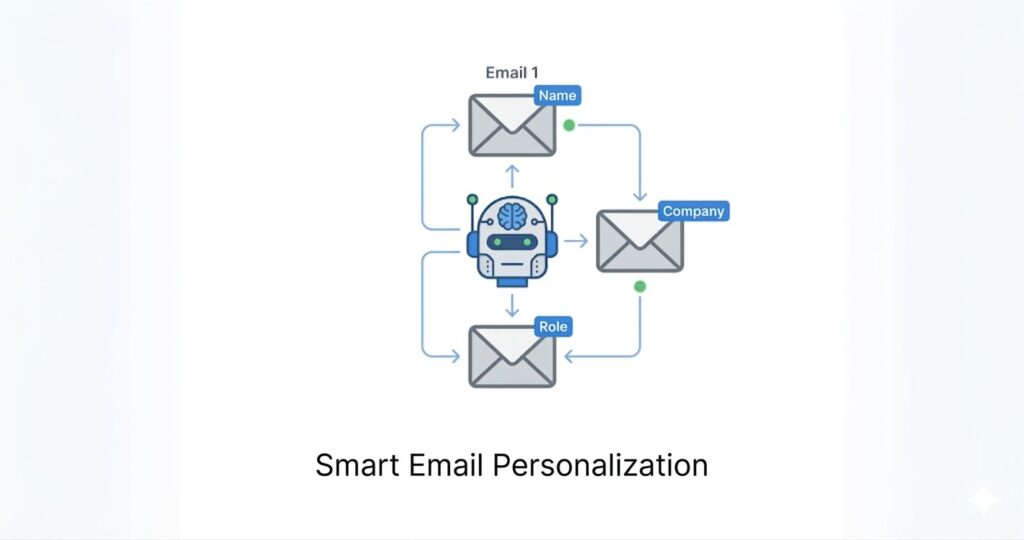
- Dynamic personalization fields (name, company, role, etc.)
- Contextual inputs (industry, pain points, triggers)
Then use tools like Smartlead.ai to automatically customize each email for every recipient.
🔍 What Gets Personalized?
At scale, you can personalize multiple layers of your email:
- Basic details → Name, company, job role
- Contextual data → Industry, use case, challenges
- Advanced signals → Recent activity, hiring trends, company updates
👉 This makes each email feel relevant and human, not automated.
📊 Simple Comparison
Generic Outreach:
- Same message to everyone
- Low engagement
- High ignore rate
Personalization at Scale:
- Tailored message per prospect
- Higher open & reply rates
- Better conversions
💡 Real Value Insight
The goal is not just to “insert names” into emails—
👉 It’s to deliver the right message to the right person at the right time, using automation.
🔑 Key Takeaway
Personalization at scale allows you to:
- Maintain quality communication
- Reach hundreds or thousands of prospects
- Build a repeatable, high-converting outreach system
👉 It’s the foundation of modern cold email success.
👉 This strategy works best when combined with a full system—here’s how to build a complete B2B lead generation workflow step by step.
🎯 What Can Be Personalized in Cold Emails?
Effective personalization goes far beyond just adding a first name. To truly stand out in crowded inboxes, you need to tailor your message using multiple layers of relevant data that make your email feel specific, timely, and valuable.
Here are the key elements you should personalize—and how to use them effectively:
👤 1. Name (Basic Personalization)
Using the recipient’s first name is the most basic form of personalization.
👉 Example:
“Hi John,” instead of “Hi there,”
✔ Helps create a human tone
✘ But alone, it’s not enough to drive replies
🏢 2. Company (Contextual Relevance)
Mentioning the company shows that your email is not random.
👉 Example:
“Noticed your team at [Company] is expanding…”
✔ Adds immediate context
✔ Builds credibility
🏭 3. Industry (Targeted Messaging)
Different industries have different challenges and goals.
👉 Example:
“For SaaS companies like yours, scaling outbound can be challenging…”
✔ Makes your message more relevant
✔ Improves engagement
💼 4. Job Role (Pain Point Alignment)
Tailor your message based on the recipient’s role and responsibilities.
👉 Example:
- Marketing Head → Lead generation & ROI
- Sales Manager → Pipeline & conversions
- Founder → Growth & scaling
✔ Aligns your offer with what they actually care about
🔍 5. Recent Activity (High-Impact Personalization)
Referencing something the prospect recently did adds strong relevance.
👉 Examples:
- LinkedIn post
- New hiring activity
- Product launch
- Funding news
✔ Shows real research
✔ Significantly improves reply rates
⚠️ 6. Pain Points (Conversion Driver)
The most powerful personalization is addressing a specific problem the prospect is likely facing.
👉 Example:
“Many agencies struggle with low reply rates in cold outreach…”
✔ Makes your message relatable
✔ Positions your solution naturally
🧠 7. Advanced Personalization (Pro Level)
For even better results, you can personalize using:
- Tech stack (tools they use)
- Website observations
- Competitor insights
- Growth signals (hiring, expansion)
👉 This is where tools like Smartlead.ai help scale deep personalization efficiently.
📊 Personalization Levels (Quick Understanding)
Basic → Name, company
Contextual → Industry, role
Advanced → Activity, insights, pain points
👉 The deeper your personalization, the higher your chances of getting a reply.
💡 Real Value Insight
Most cold emails fail because they rely only on surface-level personalization.
👉 To stand out, you need to combine:
- Data
- Context
- Relevance
🔑 Key Takeaway
The goal of personalization is not just to customize emails—it’s to make every message feel:
👉 Relevant, thoughtful, and written specifically for that individual
When done right, personalization transforms cold emails into meaningful conversations that convert.
⚙️ Why Personalization Matters in Cold Email
Personalization is the single biggest factor that determines whether your cold email gets opened, read, and replied to—or ignored completely.
In today’s inbox environment, prospects receive dozens (sometimes hundreds) of outreach emails every week. Generic messages get filtered out instantly, while personalized emails stand out because they feel relevant and intentional.
👉 In simple terms:
People don’t respond to cold emails—they respond to relevant messages that feel written for them.
📈 Key Benefits of Personalization
🚀 Higher Open Rates
Your subject line is the first impression. When it includes personalized elements like:
- Name
- Company
- Specific context
👉 It immediately grabs attention and increases curiosity.
Example:
- ❌ “Quick question”
- ✅ “John, quick idea for [Company]’s outbound strategy”
✔ Result: More opens → More opportunities to engage
💬 Better Reply Rates
Once your email is opened, relevance determines whether the reader responds.
Personalized emails:
- Speak directly to the recipient’s role
- Address specific challenges
- Offer targeted solutions
👉 This makes the message feel valuable—not promotional.
✔ Result: Higher engagement and meaningful conversations
📬 Improved Deliverability
Email providers track how recipients interact with your emails.
Generic emails often lead to:
- Low engagement
- Spam complaints
- Ignored messages
Personalized emails, on the other hand:
- Get opened
- Get replies
- Build positive sender reputation
👉 Tools like Smartlead.ai help maintain deliverability while scaling personalized campaigns.
✔ Result: More emails land in the primary inbox instead of spam
💰 Stronger Conversions
Personalization directly impacts your bottom line.
When your message:
- Matches the prospect’s needs
- Feels relevant
- Offers clear value
👉 The chances of booking calls, demos, or deals increase significantly.
✔ Result: Better ROI from every campaign
📊 Real Performance Insight
👉 Personalized cold email campaigns can generate 2–3x higher reply rates compared to generic outreach.
But the real impact goes beyond replies:
- Higher-quality conversations
- Better-qualified leads
- Faster sales cycles
👉 In many cases, fewer but highly personalized emails outperform large-volume generic campaigns.
🧠 Strategic Insight (Important)
There are two ways to scale cold email:
- ❌ Volume-first approach → Send more emails (Low efficiency)
- ✅ Relevance-first approach → Send smarter emails (High efficiency)
👉 Personalization shifts your strategy from:
“Send more” → “Convert more”
🔑 Key Takeaway
Personalization is not just a tactic—it’s the foundation of successful cold email outreach.
👉 When you focus on relevance, context, and value:
- Your emails get noticed
- Your messages get responses
- Your campaigns generate real results
In short:
👉 Better personalization = better performance across every stage of your outreach funnel
🔄 Types of Personalization in Cold Email (From Basic to High-Converting)
Not all personalization delivers the same results. To build high-performing cold email campaigns, you need to understand the different levels of personalization and when to use each.
👉 The deeper your personalization, the higher your chances of getting replies—but also the more effort or systemization required.
🟢 1. Basic Personalization (Low Effort, Low Impact)
This is the most common level used in cold emails.
What it includes:
- First name
- Company name
- Job role or title
👉 Example:
“Hi John, I came across your profile at [Company]…”
Why it works:
- Adds a human touch
- Avoids completely generic messaging
Limitations:
- Easy to automate, but widely used
- Doesn’t create strong differentiation
👉 Insight:
Basic personalization is necessary—but not enough to drive strong engagement on its own.
🟡 2. Contextual Personalization (Moderate Effort, Strong Impact)
This level focuses on aligning your message with the recipient’s context, role, and industry.
What it includes:
- Industry-specific messaging
- Role-based challenges
- Use-case relevance
👉 Example:
“Many SaaS companies struggle with scaling outbound while maintaining deliverability…”
Why it works:
- Feels more relevant and targeted
- Connects your message to real business problems
Best use case:
- Segment-based campaigns
- Industry-specific outreach
👉 Insight:
Contextual personalization significantly improves reply rates because it shows you understand the prospect’s situation—even without deep research.
🔴 3. Deep Personalization (High Effort, Highest Conversions)
This is the most powerful form of personalization and often the biggest differentiator in competitive outreach.
What it includes:
- Recent LinkedIn activity (posts, comments)
- Company updates (funding, hiring, product launches)
- Website observations
- Custom insights or suggestions
👉 Example:
“Noticed your recent post about scaling your sales team at [Company]—great insights on outbound challenges…”
Why it works:
- Shows genuine research and effort
- Builds immediate trust and credibility
- Makes your email stand out instantly
How to scale it:
- Use AI tools and automation platforms like Smartlead.ai to generate and insert personalized lines efficiently
👉 Insight:
Even adding one strong deep personalization line can dramatically increase reply rates.
📊 Quick Comparison
Basic → Easy to scale, low differentiation
Contextual → Balanced approach, strong performance
Deep → Highest engagement, best for conversion-focused campaigns
🧠 Strategic Insight (Very Important)
You don’t need to deeply personalize every part of your email.
👉 The most effective approach is:
- Use a structured template
- Add 1–2 strong personalization elements
This gives you:
- Scalability
- Relevance
- High performance
🔑 Key Takeaway
Successful cold email campaigns use a mix of personalization levels:
👉 Basic for structure
👉 Contextual for relevance
👉 Deep for differentiation
When combined correctly, they create emails that feel personal, valuable, and impossible to ignore—even at scale.
🧠 Core Personalization Framework for Cold Emails (Proven 4-Step System)
If you want to personalize cold emails at scale and actually get replies, you need more than just variables like name or company.
👉 You need a structured framework that ensures every email feels:
- Relevant
- Human
- Valuable
- Action-driven
This 4-step personalization system is used by high-performing outbound teams to increase reply rates, improve conversions, and scale outreach efficiently.
✉️ The 4-Step Personalization Formula
This framework is designed to help you:
👉 Write personalized cold emails that convert
👉 Maintain consistency across campaigns
👉 Scale without losing quality
🎯 1. Context Line (Hook That Gets Your Email Read)
The first line determines whether your email gets ignored or read.
👉 This is where true personalization starts
Instead of generic intros, you reference something specific about the prospect.
What to include:
- Company activity
- Role-specific observation
- Industry trend
- Recent LinkedIn activity
- Hiring or growth signals
👉 Example:
“Hey John, noticed your team at [Company] is actively scaling outbound campaigns recently…”
🔍 Why This Is Critical
- Instantly differentiates your email from spam
- Shows research and intent
- Builds trust within seconds
👉 Without a strong hook, the rest of your email doesn’t matter.
💡 Pro Insight
Emails with strong contextual opening lines can increase reply rates by 30–50% compared to generic intros.
🔍 2. Relevance (Make the Message About THEM)
After grabbing attention, your next goal is to make the reader feel:
👉 “This is exactly about my situation”
This is where you connect your outreach to:
- Their challenges
- Their goals
- Their business context
What to include:
- Industry-specific problems
- Role-based responsibilities
- Common bottlenecks
👉 Example:
“Many SaaS teams struggle to scale cold email outreach while maintaining deliverability and response rates…”
🎯 Why This Works
- Builds immediate relatability
- Keeps the reader engaged
- Makes your message feel tailored
💡 3. Value Proposition (Clear, Outcome-Focused Benefit)
Now that the reader is interested, you show how you can help.
👉 This is where most people make mistakes by:
- Over-explaining
- Listing features
- Being too salesy
What to focus on instead:
- Clear outcomes
- Specific benefits
- Simple explanation
👉 Example:
“We help businesses automate personalized cold emails at scale while improving deliverability and reply rates.”
🔥 Why This Works
- Focuses on results, not features
- Keeps the message simple and clear
- Makes your offer easy to understand
💡 Pro Insight
The best-performing cold emails:
👉 Explain value in 1–2 lines max
👉 4. CTA (Low-Friction Call-to-Action That Gets Replies)
The final step is getting the prospect to respond.
👉 Your goal is NOT to sell—it’s to start a conversation
Best CTA types:
- Open-ended questions
- Soft invites
- Low commitment asks
👉 Examples:
- “Open to a quick 10-minute chat?”
- “Would it make sense to explore this?”
- “Should I share more details?”
⚠️ What to Avoid
- Hard selling (“Book a demo now”)
- Long CTAs
- Multiple asks
💡 Why This Works
- Reduces pressure
- Encourages quick replies
- Feels natural and conversational
⚙️ How to Scale This Framework Efficiently
To apply this framework across hundreds of leads:
- Use structured templates
- Add personalization variables
- Insert dynamic data fields
- Automate campaigns using tools like Smartlead.ai
👉 This allows you to:
- Maintain personalization
- Save time
- Scale outreach
- Improve performance
🧠 Advanced Personalization Insight
You don’t need to personalize every sentence.
👉 The most effective approach is:
- 1 strong personalized opening line
- 1 relevant problem statement
- 1 clear value proposition
- 1 simple CTA
👉 This balance gives you:
- Scalability
- Authenticity
- High reply rates
🔑 Key Takeaway
The 4-step personalization framework is not just a writing method—it’s a conversion system.
👉 When you apply it correctly, you can:
- Personalize cold emails at scale
- Increase open and reply rates
- Build consistent outbound pipelines
- Turn cold outreach into real conversations
📩 Cold Email Personalization Examples (Templates You Can Copy)
🎯 How to Use These Templates
- Replace variables like {{Name}}, {{Company}}
- Add 1 custom personalization line
- Keep emails under 100–120 words
- Use tools like Smartlead.ai to scale
🚀 1. SaaS Cold Email Template (Demo Booking Focus)
Best for: SaaS founders, sales teams, product-led growth
Subject: Quick idea for {{Company}}’s outbound
Email:
Hi {{Name}},
Noticed your team at {{Company}} is actively scaling outbound—great timing.
Many SaaS teams struggle with maintaining deliverability while increasing email volume.
We help companies automate personalized cold email campaigns that improve reply rates without hurting inbox placement.
Would you be open to a quick 10-minute chat to explore this?
💡 Why This Works
- Context → scaling outbound
- Problem → deliverability + volume
- Value → automation + better replies
- CTA → low friction
💼 2. Agency Cold Email Template (Client Acquisition)
Best for: Marketing agencies, lead gen agencies
Subject: More qualified leads for {{Company}}
Email:
Hi {{Name}},
Saw that {{Company}} is working with clients in {{industry}}—impressive positioning.
One common challenge agencies face is generating consistent, high-quality leads without relying only on referrals.
We help agencies build scalable outbound systems that bring in qualified leads on autopilot.
Would it make sense to share how this could work for your agency?
💡 Why This Works
- Personalized industry reference
- Clear agency pain point
- Strong ROI-focused value
👥 3. Recruiter Cold Email Template (Candidate Outreach)
Best for: Recruiters, HR teams
Subject: Quick question about your next role
Email:
Hi {{Name}},
Came across your profile and noticed your experience in {{skill/role}}—really strong background.
We’re currently working with companies hiring for similar roles and thought it might be relevant.
Would you be open to exploring opportunities that align with your experience?
💡 Why This Works
- Personal recognition
- Opportunity-driven
- Soft CTA (low resistance)
🏢 4. B2B Service Provider Template (Lead Generation)
Best for: Consultants, freelancers, service providers
Subject: Idea to improve {{Company}}’s lead flow
Email:
Hi {{Name}},
Noticed {{Company}} is growing in the {{industry}} space—great momentum.
Many businesses at this stage struggle with building a consistent pipeline of qualified leads.
We help companies generate predictable leads using personalized outreach systems.
Open to a quick conversation to explore this?
💡 Why This Works
- Growth trigger
- Problem awareness
- Clear outcome
🧠 5. Advanced Personalized Template (High Conversion)
Best for: High-ticket outreach
Subject: Loved your recent post
Email:
Hi {{Name}},
I saw your recent post about {{topic}}—especially your point on {{specific insight}}.
It’s something we see often when working with {{industry}} teams trying to scale outreach.
We’ve helped similar companies improve reply rates by 2–3x using structured personalization systems.
Would you be open to a quick idea exchange?
💡 Why This Works
- Deep personalization
- High relevance
- Conversation-driven
⚙️ PRO TIPS
👉 Always include:
- 1 strong personalization line
- 1 clear problem
- 1 simple value
- 1 easy CTA
👉 Avoid:
- Long emails
- Hard selling
- Too many links
👉 “Want to automate these templates at scale? Use Smartlead.ai to launch campaigns in minutes.”
👉 “Learn how to automate these campaigns in our Smartlead.ai guide”
👉 “Explore the complete B2B lead generation system here”
🔑 FINAL INSIGHT
Templates alone don’t get results.
👉 Structure + Personalization + Consistency = Conversions
🔧 Best Tools to Personalize Cold Emails at Scale
To successfully personalize cold emails at scale, you need more than just templates—you need a system of tools working together to handle data, accuracy, automation, and AI-driven personalization.
👉 Each tool plays a specific role in helping you move from manual effort → scalable, high-converting outreach
🔍 1. Lead Data & Prospecting Tools
👉 Example: Apollo.io
What it does:
- Finds targeted B2B leads
- Filters prospects based on your Ideal Customer Profile (ICP)
- Provides company and contact-level data
How it helps personalization:
- Lets you target the right audience from the start
- Provides key data points like:
- Industry
- Job role
- Company size
- Location
👉 This data becomes the foundation for contextual and relevant messaging
📧 2. Email Verification Tools
👉 Example: Hunter.io
What it does:
- Finds and verifies email addresses
- Cleans your contact lists
- Removes invalid or risky emails
Why it matters:
- Prevents high bounce rates
- Protects your sender reputation
- Improves deliverability
👉 Clean data ensures your personalized emails actually reach inboxes
🚀 3. Outreach Automation Tools
👉 Example: Smartlead.ai
What it does:
- Sends automated cold email sequences
- Uses dynamic variables ({{Name}}, {{Company}}, etc.)
- Rotates inboxes for safe scaling
- Tracks opens, replies, and engagement
How it enables personalization:
- Inserts personalized data into each email
- Automates follow-ups based on behavior
- Allows you to send hundreds or thousands of emails efficiently
👉 This is the engine that turns personalization into a scalable system
👉 “To scale personalized campaigns efficiently, explore this detailed Smartlead.ai review and setup guide for beginners.”
🤖 4. AI Personalization Tools
What they do:
- Generate custom first lines
- Analyze LinkedIn profiles and company data
- Create unique, human-like intros
- Suggest relevant messaging angles
Examples of use:
- Writing personalized opening lines
- Creating industry-specific messaging
- Automating deep personalization
👉 These tools help you move from:
Basic personalization → Deep, high-converting personalization
Best Tools to Personalize at Scale
🧠 1. Clay
Best for: Advanced personalization + data enrichment
What it does:
- Pulls data from multiple sources (LinkedIn, websites, APIs)
- Uses AI to generate personalized lines
- Automates deep research at scale
👉 Example use:
Generate custom intros like:
“Noticed your team recently expanded your sales hiring—looks like you’re scaling fast.”
🤖 2. Smartlead.ai (Built-in AI)
Best for: All-in-one outreach + personalization
What it does:
- Generates AI-based personalization lines
- Automates follow-ups
- Detects reply sentiment
👉 Advantage:
You don’t need separate tools—everything is inside one platform
✍️ 3. ChatGPT
Best for: Writing personalized email variations
What it does:
- Generates custom first lines
- Rewrites email templates
- Creates industry-specific messaging
👉 Example use:
Paste lead data → Generate 10 personalized intros instantly
🔗 4. Phantombuster
Best for: LinkedIn data extraction
What it does:
- Extracts LinkedIn profile data
- Pulls activity, posts, and engagement
- Feeds data into personalization workflows
👉 Helps create:
Deep personalization based on real activity
⚙️ How AI Personalization Works (Simple Flow)
- Extract data (LinkedIn, company info)
- Analyze signals (role, activity, industry)
- Generate custom lines using AI
- Insert into outreach campaigns
👉 Combined with Smartlead.ai, this becomes a fully automated personalization engine
📊 Real Value Insight
Without AI:
- Manual research
- Time-consuming personalization
- Limited scalability
With AI:
- Faster personalization
- Deeper relevance
- Scalable campaigns
👉 You can personalize hundreds of emails in minutes instead of hours
⚠️ Important Best Practice
AI should assist—not replace human thinking.
👉 Always:
- Review AI-generated lines
- Keep tone natural
- Avoid over-automation
🔑 Key Takeaway
AI personalization tools help you move from:
👉 “Basic personalization” → “High-converting, context-driven outreach”
When combined with:
- Apollo.io (data)
- Hunter.io (verification)
- Smartlead.ai (automation)
👉 You get a complete AI-powered cold email system
👉 Discover more tools like these in our guide to the best AI tools for sales and marketing automation.
⚙️ How These Tools Work Together (Simple Flow)
Prospecting → Email Verification → Personalization → Outreach
👉 In practice:
- Use Apollo.io → find leads
- Use Hunter.io → verify emails
- Use AI tools → generate personalization lines
- Use Smartlead.ai → send campaigns
👉 This creates a complete personalization system at scale
📊 Why This Stack Matters
Without tools:
- Manual work
- Limited scale
- Inconsistent messaging
With tools:
- Faster execution
- Better targeting
- Higher reply rates
- Scalable outreach
💡 Key Insight
👉 Tools do NOT replace personalization
They simply:
- Reduce manual effort
- Improve efficiency
- Enable scalability
👉 The real performance comes from:
Right message + Right data + Right timing
🔑 Key Takeaway
To personalize cold emails at scale, you need a connected tool stack that handles:
- Lead data
- Email accuracy
- Message personalization
- Campaign automation
👉 When combined correctly, these tools help you build a high-performing, scalable cold email system that drives real results 🚀
🔄 Step-by-Step Workflow: How to Personalize Cold Emails at Scale
If you want consistent results from cold outreach, you need more than just good templates—you need a repeatable system.
👉 This step-by-step workflow shows you exactly how to build, personalize, and scale cold email campaigns that generate replies and conversions.
🚀 How to Personalize Cold Emails at Scale (Complete Process)
Follow this process to move from random outreach → structured lead generation system
🎯 Step 1: Define Your Ideal Customer Profile (ICP)
Before sending a single email, you must clearly define who you want to target.
Ask yourself:
- What industry am I targeting?
- What company size fits my offer?
- Who is the decision-maker? (Founder, Marketing Head, Sales Manager)
👉 Example ICP:
“SaaS companies in the US with 10–50 employees, targeting founders or sales heads”
Why this matters:
- Improves targeting accuracy
- Makes personalization easier
- Increases conversion rates
🔍 Step 2: Build a Targeted Lead List
Once your ICP is clear, start collecting relevant leads.
👉 Use tools like Apollo.io to:
- Filter by industry, role, and location
- Find high-quality prospects
- Export structured lead data
Pro Tip:
Don’t go for volume—focus on high-quality, relevant leads
📧 Step 3: Add Personalization Variables
Now prepare your data for email personalization.
Common variables to include:
- {{FirstName}}
- {{Company}}
- {{JobTitle}}
- {{Industry}}
👉 These variables allow you to customize each email automatically
Why this matters:
- Makes emails feel personal at scale
- Avoids generic messaging
✍️ Step 4: Add Custom Icebreakers (Key Step)
This is where you create real differentiation
👉 Add 1–2 personalized lines based on:
- LinkedIn activity
- Company updates
- Hiring trends
- Industry insights
How to do it efficiently:
- Use AI tools like ChatGPT
- Or advanced platforms like Clay
👉 Example:
“Noticed your team at {{Company}} is actively hiring for sales roles—looks like you’re scaling fast.”
Why this matters:
- Increases reply rates significantly
- Makes your email stand out instantly
📨 Step 5: Create a Personalized Email Sequence
Instead of sending one email, build a multi-step sequence
👉 Typical structure:
- Day 1 → Intro email
- Day 3 → Follow-up with additional value
- Day 7 → Reminder or case study
- Day 10 → Final follow-up
Best practices:
- Keep emails short (50–120 words)
- Focus on value, not selling
- Maintain consistent tone
⚙️ Step 6: Launch & Automate Your Campaign
Now it’s time to scale your outreach.
👉 Use tools like Smartlead.ai to:
- Upload lead lists
- Insert personalization variables
- Automate sequences
- Track opens, replies, and performance
Why automation matters:
- Saves time
- Ensures consistent follow-ups
- Allows scaling without manual effort
📊 What This Workflow Achieves
When you follow this system, you create:
👉 A predictable and scalable cold email engine that:
- Targets the right audience
- Sends personalized messages
- Automates follow-ups
- Generates consistent leads
💡 Real Performance Insight
Most beginners fail because they:
- Skip ICP definition
- Send generic emails
- Don’t follow up
👉 This workflow solves all three problems with a structured approach
🔑 Key Takeaway
Cold email success is not about sending more emails—it’s about sending better, more relevant emails consistently
👉 When you combine:
- Targeted data
- Smart personalization
- Structured sequences
- Automation tools
You build a system that can:
👉 Generate leads, book meetings, and scale your outreach predictably
🚀 30-Minute Quick Start: Launch Your First Personalized Cold Email Campaign
If you don’t want to get stuck in theory, this section shows you exactly how to go from zero → live campaign in 30 minutes
👉 This is a beginner-friendly, action-focused workflow you can follow right now to start getting replies within days
⚡ Step-by-Step Quick Setup
🎯 Step 1: Get 50 Targeted Leads
Use Apollo.io to quickly build a small, high-quality lead list.
What to do:
- Set filters:
- Industry (e.g., SaaS, Agencies)
- Role (Founder, Marketing Head, Sales Manager)
- Company size (10–50 employees for better response rates)
👉 Export around 30–50 leads (not more for first campaign)
Why this works:
- Smaller list = better control + easier testing
- Helps you focus on quality over quantity
📧 Step 2: Verify Emails (Protect Deliverability)
Upload your list into Hunter.io
What to do:
- Remove invalid emails
- Keep only “valid” or “safe” contacts
👉 Goal: Keep bounce rate under 5%
Why this matters:
- Protects your domain reputation
- Ensures your emails land in inbox—not spam
✍️ Step 3: Add Personalization Fields
Prepare your lead data with basic variables:
- {{FirstName}}
- {{Company}}
- {{JobTitle}}
👉 This allows you to send customized emails automatically
Pro Tip:
Even basic personalization can improve open rates by 20–30%
🔥 Step 4: Add 1 Custom Icebreaker (Game Changer)
Now add one strong personalized line per lead.
👉 Use:
- LinkedIn activity
- Hiring signals
- Company growth
Or generate quickly using ChatGPT
Example:
“Noticed your team at {{Company}} is hiring for sales roles—looks like you’re scaling fast.”
👉 This single line can 2–3x your reply rate
📨 Step 5: Create a Simple Email Template
Use the 4-step framework:
- Context (personal line)
- Relevance (problem)
- Value (your solution)
- CTA (simple ask)
👉 Keep it:
- Under 100–120 words
- Clear and conversational
⚙️ Step 6: Launch Campaign (Automate Everything)
Upload your list into Smartlead.ai
What to do:
- Add your email sequence
- Insert personalization variables
- Set sending limits (20–30 emails/day for new accounts)
- Enable follow-ups
👉 Hit launch 🚀
👉 Learn how to find high-quality leads using this Apollo.io complete guide for B2B prospecting.
📊 What Results to Expect (Realistic Benchmarks)
For a well-executed campaign:
- Open Rate → 40–60%
- Reply Rate → 5–15%
- Positive Replies → 2–5 leads from 50 emails
👉 Even 2–3 replies can turn into real business opportunities
💡 Real Growth Insight
Most beginners fail because they:
- Overthink setup
- Delay launching
- Try to perfect everything
👉 This method focuses on:
Speed + Simplicity + Iteration
🔑 Key Takeaway
You don’t need weeks to start cold email outreach.
👉 In just 30 minutes, you can:
- Build a targeted lead list
- Personalize your message
- Launch a live campaign
And start getting replies within days.
📊 Best Practices for Personalizing Cold Emails at Scale
To get consistent results from cold email outreach, you need more than tools—you need proven best practices that improve deliverability, engagement, and conversions.
👉 These practices help you send emails that feel human, relevant, and worth replying to
✉️ 1. Keep Emails Short (Under 100–120 Words)
Short emails perform better in cold outreach.
Why it works:
- Easy to read quickly
- Reduces friction
- Increases response rates
👉 Ideal structure:
- 2–4 short paragraphs
- 1 clear message
- 1 simple CTA
SEO Insight:
Short-form outreach aligns with modern B2B cold email best practices and improves engagement metrics.
💬 2. Use a Natural, Conversational Tone
Your email should feel like a real conversation—not a sales pitch
What to do:
- Write like you speak
- Avoid corporate jargon
- Keep it simple and clear
👉 Example:
Instead of:
“Leverage our cutting-edge solution…”
Use:
“We help teams improve reply rates with personalized outreach.”
Why it works:
- Builds trust
- Feels authentic
- Encourages replies
🎯 3. Personalize the First Line Deeply (Most Important)
The first line determines whether your email gets read or ignored.
Focus on:
- LinkedIn activity
- Company growth
- Hiring signals
- Industry context
👉 Example:
“Noticed your team at {{Company}} is actively hiring for sales roles—looks like you’re scaling fast.”
Why it works:
- Instantly grabs attention
- Differentiates from spam
- Can increase reply rates significantly
⚙️ 4. Avoid Over-Automation
Automation should support personalization—not replace it.
👉 Use tools like Smartlead.ai wisely:
- Add personalization layers
- Keep messaging human
- Review AI-generated content
Why this matters:
Over-automation leads to:
- Robotic emails
- Lower engagement
- Spam complaints
🧪 5. Test Multiple Variations (A/B Testing)
Never rely on one version of your email.
What to test:
- Subject lines
- Opening lines
- Value propositions
- CTAs
👉 Example:
Test:
- “Quick idea for {{Company}}”
vs - “Scaling outbound at {{Company}}?”
Why it works:
- Helps identify what resonates
- Improves campaign performance over time
🔄 6. Always Use Follow-Ups (Critical for Results)
Most replies don’t come from the first email.
👉 Send 3–4 follow-ups:
- Day 3 → Reminder
- Day 7 → Add value
- Day 10 → Final nudge
Why it works:
- Increases visibility
- Captures missed opportunities
- Boosts reply rates significantly
👉 You can also combine cold email with LinkedIn outreach—learn how in this LinkedIn automation tools for lead generation guide.
⚠️ Common Mistakes to Avoid in Cold Email Personalization
Avoiding these mistakes is just as important as following best practices.
❌ 1. Using Fake Personalization
Adding a name or company is not real personalization.
👉 Example of fake personalization:
“Hi John, I saw your company and wanted to connect…”
Why it fails:
- Feels generic
- No real relevance
- Low engagement
❌ 2. Overusing Variables
Too many placeholders can make emails look unnatural.
👉 Avoid:
“Hi {{Name}}, I saw {{Company}} in {{Industry}} and thought…”
Why it fails:
- Feels automated
- Breaks readability
👉 Use variables only where they add real value
❌ 3. Sending Generic Templates
Copy-paste templates without personalization rarely work.
Problem:
- No differentiation
- Easily ignored
👉 Fix:
Add at least one strong custom line per email
❌ 4. Ignoring Follow-Ups
Many beginners send one email and stop.
👉 Reality:
- Most replies come from follow-ups
- First email often gets missed
❌ 5. Not Segmenting Your Leads
Sending the same message to everyone reduces relevance.
Instead:
- Group leads by industry
- Customize messaging per segment
👉 Example:
- SaaS → focus on scaling
- Agencies → focus on lead generation
📊 Real Performance Insight
Campaigns that follow best practices typically achieve:
- Open Rate → 40–60%
- Reply Rate → 5–15%
- Bounce Rate → <5%
👉 Poor practices can drop reply rates below 1%
🔑 Key Takeaway
Cold email success comes from a balance of:
👉 Personalization + Simplicity + Consistency
When you:
- Keep emails short
- Personalize meaningfully
- Avoid automation mistakes
- Follow up consistently
👉 You create campaigns that:
Get opened, get read, and get replies
📈 Metrics That Matter in Personalized Cold Email Campaigns
To improve your cold email performance, you need to track the right metrics—not just send emails blindly.
👉 These key metrics help you understand:
- What’s working
- What needs improvement
- How to optimize for better results
📬 1. Open Rate (Target: 40–60%)
What it measures:
The percentage of recipients who open your email.
Why it matters:
- Indicates effectiveness of your subject line
- Shows sender reputation health
- Reflects initial interest
👉 If your open rate is low:
- Improve subject lines
- Check domain warmup
- Avoid spam-trigger words
Optimization Tip:
Personalized subject lines (e.g., company name, role) can increase open rates by 20–30%
💬 2. Reply Rate (Target: 5–15%)
What it measures:
The percentage of recipients who respond to your email.
Why it matters:
- The most important metric for cold outreach
- Direct indicator of message relevance and personalization
👉 If your reply rate is low:
- Improve your first line personalization
- Make your value proposition clearer
- Simplify your CTA
Pro Insight:
Well-personalized campaigns can achieve 2–3x higher reply rates compared to generic emails
📉 3. Bounce Rate (Target: <5%)
What it measures:
The percentage of emails that fail to reach inboxes.
Why it matters:
- High bounce rate damages your sender reputation
- Can lead to domain or account restrictions
👉 To reduce bounce rate:
- Verify emails using Hunter.io
- Avoid outdated or scraped lists
🔁 4. Follow-Up Performance (Often Overlooked)
What it measures:
Replies generated from follow-up emails.
👉 Reality:
- 60–70% of replies come from follow-ups—not the first email
Optimization Tip:
- Use 3–4 follow-ups
- Add value in each message
- Keep tone conversational
📊 5. Positive Response Rate (Advanced but Important)
What it measures:
How many replies turn into actual opportunities (calls, demos, leads)
👉 Not all replies matter—focus on:
- Interested responses
- Qualified leads
Why it matters:
- Helps measure real business impact
- Avoids misleading vanity metrics
💡 Key Insight
👉 Tracking metrics without action is useless
You should:
- Monitor weekly performance
- Test different variations
- Continuously optimize campaigns
👉 Use tools like Smartlead.ai to track:
- Opens
- Replies
- Campaign performance
🔑 Key Takeaway
Successful cold email campaigns are data-driven, not guesswork
👉 When you track and optimize:
- Open rates improve visibility
- Reply rates drive conversations
- Bounce rates protect deliverability
👉 Together, they create a scalable and predictable outreach system
👉 Before launching campaigns, make sure to clean your data using this Email verification and deliverability guide.
🚫 When NOT to Personalize Cold Emails at Scale
While personalization at scale is powerful, it’s not the right approach in every situation
👉 Knowing when NOT to use it builds credibility and strategic clarity
🧾 1. Very Small Lead Lists
If you only have 10–20 high-value prospects, automation is unnecessary.
👉 Better approach:
- Write fully custom emails
- Do deep manual research
- Focus on quality over scale
🤝 2. High-Touch Enterprise Sales
For enterprise deals:
- Sales cycles are longer
- Stakeholders are multiple
- Relationships matter more
👉 Personalized automation may feel:
- Impersonal
- Too transactional
Better approach:
- Manual outreach
- LinkedIn engagement
- Direct relationship building
💬 3. Relationship-Based Sales
If your business depends on:
- Referrals
- Networking
- Existing relationships
👉 Automation can hurt authenticity
Examples:
- Consulting
- Coaching
- Local services
⚠️ 4. When You Don’t Have Quality Data
If your lead data is:
- Incomplete
- Unverified
- Outdated
👉 Personalization will fail regardless of tools
Fix first:
- Use Apollo.io for accurate leads
- Verify emails before outreach
💡 Strategic Insight
👉 Personalization at scale works best when:
- You have a clear ICP
- You have a large lead pool
- You want predictable outbound growth
👉 It does NOT work when:
- You need deep relationships
- You have limited leads
- You rely on trust-first selling
🔑 Final Takeaway
Personalization at scale is powerful—but only in the right context.
👉 Use it for:
- B2B lead generation
- Cold email outreach
- Scalable sales systems
👉 Avoid it for:
- High-touch deals
- Small, targeted outreach
- Relationship-driven sales
🚀 Build Your Personalized Cold Email System (Start Generating Leads Today)
You’ve learned the strategy—now it’s time to turn it into a working system
👉 If you want to increase reply rates, book more meetings, and scale outreach, you need the right tools working together.
⚙️ Your Simple Cold Email Stack
Start with this proven setup:
- 🔍 Apollo.io → Find high-quality, targeted leads
- 📧 Hunter.io → Verify emails & reduce bounce rate
- 🚀 Smartlead.ai → Automate and scale personalized outreach
💡 What Happens When You Use This System
👉 You’ll be able to:
- Reach the right prospects
- Send personalized emails at scale
- Automate follow-ups without manual work
- Generate consistent leads and replies
🔑 Final Action Step
Don’t just read—implement
👉 Start with:
- 30–50 targeted leads
- One simple personalized campaign
- Track results and improve
🚀 Take Action Now
👉 Set up your first campaign today and start building a predictable lead generation engine
The faster you launch, the faster you learn—and the faster you grow.
🧾 Final Takeaway: Turn Personalization Into a Scalable System
Personalizing cold emails at scale isn’t about sending more emails—it’s about building a smart, repeatable system that delivers results consistently.
👉 When you combine:
- Accurate data (right audience)
- Meaningful personalization (relevance)
- Automation tools (scale)
You create a high-performing outbound engine that can:
- Generate consistent leads
- Start real conversations
- Drive predictable business growth
💡 Final Insight
Most people fail at cold email because they:
- Send generic messages
- Skip personalization
- Don’t follow a structured system
👉 But when you apply what you’ve learned in this guide:
- Target the right prospects
- Personalize with context
- Use tools like Smartlead.ai to scale
- Optimize using real performance data
👉 You move from guesswork → predictable results
🚀 Bottom Line
Cold email still works in 2026—but only if it feels personal.
👉 Build your system, launch your first campaign, and keep improving.
That’s how you turn cold outreach into a reliable growth channel.
FAQs
-
What is personalization in cold emails?
Personalization means customizing your email based on the recipient’s name, company, role, or real context (like LinkedIn activity or company growth) to make the message feel relevant and human.
-
How do you personalize cold emails at scale?
You combine:
Lead data tools (like Apollo.io)
AI tools for personalization
Automation platforms like Smartlead.ai
👉 This allows you to send customized emails to hundreds of prospects automatically -
What is a good reply rate for cold emails?
A good benchmark is:
Reply Rate → 5–15%
Open Rate → 40–60%
👉 Well-personalized campaigns can achieve even higher results. -
How many emails should I send per day?
For new accounts:
Start with 20–30 emails per day
Gradually increase after warming up your inbox
👉 This helps maintain deliverability and avoid spam issues. -
Do personalized cold emails really work?
Yes—when done correctly.
👉 Personalized emails can generate 2–3x higher reply rates compared to generic outreach because they feel relevant and targeted. -
What tools are best for cold email personalization?
A simple and effective stack:
Apollo.io → Lead generation
Hunter.io → Email verification
Smartlead.ai → Outreach automation -
Can I use AI to personalize cold emails?
Yes—AI tools can:
Generate personalized opening lines
Analyze prospect data
Create relevant messaging
👉 But always review AI outputs to keep them natural and human. -
What is the biggest mistake in cold email personalization?
The biggest mistake is fake personalization
👉 Adding just a name or company is not enough—you need real context to make your email stand out.