LinkedIn Automation Tools for Lead Generation: Best Tools, Strategies & Workflow (2026 Guide)
Table of Contents
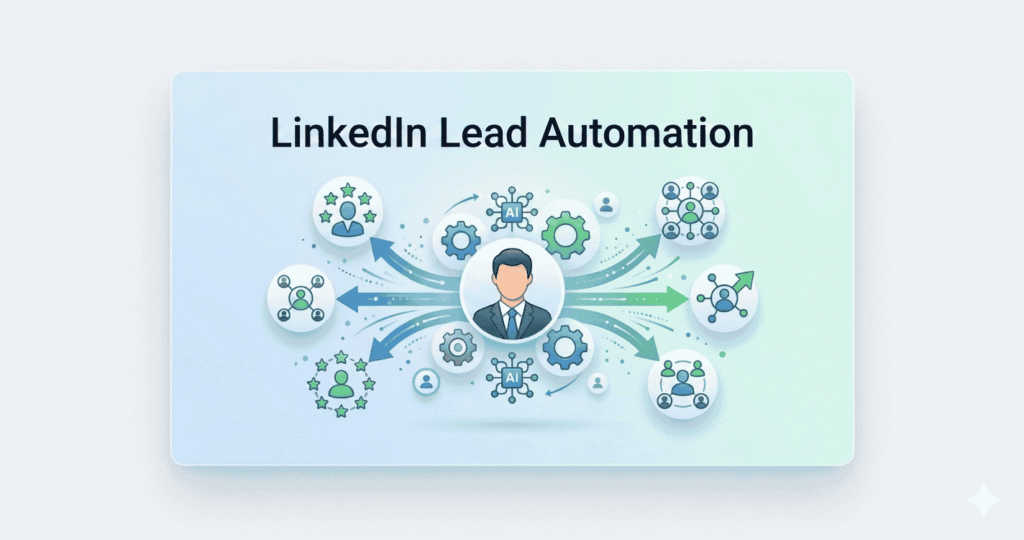
How LinkedIn Automation Works for Lead Generation
LinkedIn has evolved into a high-performing platform for B2B lead generation, especially for reaching decision-makers and building professional relationships. However, manual activities like prospecting, sending connection requests, and following up with leads can quickly become overwhelming and inefficient as you try to scale.
This is where LinkedIn automation tools create a significant advantage.
👉 These tools allow you to automate repetitive tasks such as connection requests, personalized messaging, and follow-ups—helping you reach more prospects without sacrificing relevance or consistency.
Instead of spending hours on manual outreach, you can build a structured and automated LinkedIn lead generation system that works continuously in the background. This makes your process not only faster, but also more organized, scalable, and performance-driven.
👉 The result:
- More conversations with the right prospects
- Consistent follow-ups without manual effort
- Better use of your time and resources
In this guide, you’ll learn how to turn LinkedIn into a reliable lead generation engine, including:
- What LinkedIn automation tools are and how they work
- The best tools to use for different use cases
- A step-by-step workflow to build your system
- Proven best practices to improve results
- Common mistakes to avoid for long-term success
👉 By the end, you’ll have a clear, actionable framework to start generating high-quality B2B leads using LinkedIn automation.
What Are LinkedIn Automation Tools?
LinkedIn automation tools are software platforms that help you automate repetitive LinkedIn activities involved in lead generation and outreach. Instead of manually performing every action, these tools streamline the process so you can focus on conversations and conversions.
At a basic level, they handle actions such as:
- Sending connection requests
- Messaging prospects
- Scheduling follow-ups
- Visiting profiles and triggering engagement
But their real value goes far beyond simple automation.
What These Tools Actually Do
LinkedIn automation tools are designed to replicate and scale your daily prospecting workflow in a structured and efficient way.
They allow you to:
- Build automated connection campaigns based on your target audience
- Send personalized messages using dynamic fields (name, company, role)
- Set up multi-step follow-up sequences without manual reminders
- Track responses, engagement, and campaign performance
- Maintain consistent outreach without missing opportunities
👉 This transforms LinkedIn from a manual task into a system-driven lead generation process
How They Work
These tools operate by creating automated workflows (sequences) that perform actions over time.
Example workflow:
- Day 1 → Send connection request
- Day 2 → Send welcome message
- Day 4 → Follow-up message
- Day 7 → Value-based message
Once set up, the tool automatically executes these steps for each prospect—saving time while maintaining consistency.
Why They Matter for Lead Generation
Without automation:
- Outreach is slow and inconsistent
- Follow-ups are often missed
- Scaling becomes difficult
With automation:
- Outreach becomes structured and repeatable
- You can reach more prospects daily
- Follow-ups happen automatically
- Campaign performance becomes measurable
👉 This allows you to generate leads more efficiently while maintaining a professional and personalized approach.
Key Value for Businesses
LinkedIn automation tools help you:
- Save hours of manual work every week
- Scale outreach without increasing team size
- Maintain consistent communication with prospects
- Improve response rates with structured follow-ups
- Build a predictable lead generation pipeline
Key Takeaway
LinkedIn automation tools are not just about saving time—they are about building a scalable, repeatable system for lead generation.
👉 When used correctly, they turn LinkedIn from a networking platform into a consistent and high-performing lead generation engine.
To find highly targeted prospects efficiently, you can use tools like Apollo—here’s a complete guide on Apollo.io for B2B lead generation.
Why Use LinkedIn Automation for Lead Generation?
LinkedIn automation gives you a clear advantage by turning slow, manual outreach into a scalable and structured lead generation system. Instead of relying on inconsistent effort, you can build a process that runs efficiently and delivers predictable results.
🔹 Save Time on Repetitive Tasks
Manual actions like sending connection requests, writing follow-ups, and tracking conversations can take hours every day.
Automation handles these tasks for you, allowing you to:
- Eliminate repetitive manual work
- Focus on conversations and closing deals
- Increase productivity without extra effort
🔹 Scale Your Outreach Without Increasing Effort
One of the biggest limitations of manual LinkedIn outreach is scale.
With automation, you can:
- Reach hundreds of targeted prospects consistently
- Run multiple campaigns simultaneously
- Expand outreach without hiring more team members
This makes it ideal for businesses looking to grow faster without increasing operational complexity.
🔹 Improve Targeting and Relevance
LinkedIn already provides powerful filters—but combining them with automation makes your targeting even more effective.
You can:
- Target specific industries, roles, and company sizes
- Reach decision-makers directly
- Build highly relevant prospect lists
👉 Better targeting leads to higher engagement and improved conversion rates.
🔹 Ensure Consistent Follow-Ups
Most deals are lost due to lack of follow-up—not lack of interest.
Automation ensures:
- Every prospect receives timely follow-ups
- No lead is forgotten or missed
- Communication stays consistent across campaigns
This alone can significantly increase reply and conversion rates.
🔹 Improve Conversions with Structured Outreach
Automation allows you to create planned, multi-step outreach sequences instead of random messaging.
This helps you:
- Build trust through consistent communication
- Deliver value over multiple touchpoints
- Guide prospects through a clear engagement flow
👉 The result is higher response rates and more qualified conversations.
Key Takeaway
LinkedIn automation is not just about saving time—it’s about building a repeatable, scalable system for lead generation.
When used strategically, it helps you:
- Reach more prospects
- Stay consistent with follow-ups
- Improve targeting and engagement
- Convert more leads into customers
👉 In simple terms: work smarter, scale faster, and generate better results with less manual effort.
If you want to capture leads directly from LinkedIn, check out this step-by-step guide on the Apollo Chrome extension for LinkedIn prospecting.
LinkedIn Automation vs Manual Outreach
To understand the real impact of automation, it’s important to compare it directly with traditional manual outreach. While manual methods can work, they often become inefficient and difficult to scale over time.
Here’s a clear comparison:
| Aspect | Manual LinkedIn Outreach | LinkedIn Automation Tools |
|---|---|---|
| Speed | Slow, requires individual actions for each prospect | Fast, automates multiple actions simultaneously |
| Scalability | Limited by time and effort | Easily scalable to hundreds of prospects |
| Effort Required | High manual work (research, messaging, follow-ups) | Low effort with automated workflows |
| Follow-Ups | Often inconsistent or missed | Fully automated and structured |
| Results | Unpredictable and inconsistent | More predictable with optimized systems |
What This Means in Practice
With manual outreach:
- You spend most of your time on repetitive tasks
- Follow-ups are often delayed or missed
- Scaling becomes difficult without a larger team
With automation tools:
- Outreach becomes structured and repeatable
- You can reach more prospects in less time
- Every lead goes through a consistent engagement process
Real Value Insight
Manual outreach is useful when you’re just starting or handling a small number of leads. However, as soon as you want to grow, scale, and maintain consistency, automation becomes essential.
The real advantage of automation is not just speed—it’s the ability to build a predictable lead generation system that delivers consistent results over time. Key Takeaway
LinkedIn automation doesn’t replace human interaction—it enhances it.
Use automation to handle the process, and focus your time on:
- Building relationships
- Responding to prospects
- Closing deals
👉 That’s how you scale efficiently while maintaining quality.
Best LinkedIn Automation Tools
1️⃣ Cloud-Based Automation Tools (Safe & Scalable)
Cloud-based LinkedIn automation tools are considered the most reliable and scalable option for serious lead generation. Unlike browser-based tools, they operate through secure cloud servers, which reduces the risk of account restrictions and allows smoother automation.
👉 These tools are ideal if you want to build a long-term, consistent LinkedIn outreach system
What This Means
Instead of running automation directly from your browser, cloud-based tools manage your campaigns in the background using dedicated environments.
This results in:
- More stable performance
- Lower chances of LinkedIn restrictions
- Better scalability for growing campaigns
Example Tools
- Expandi
- Dripify
Key Features That Matter
These tools come with advanced capabilities designed for performance and safety:
Automated Sequences
- Create multi-step workflows (connect → message → follow-up)
- Run campaigns automatically without manual intervention
Smart Delays & Limits
- Mimic human behavior with controlled timing
- Reduce risk of account flags or restrictions
Personalization at Scale
- Use variables like name, company, role
- Send messages that feel human, not automated
Campaign Management Dashboard
- Track connection requests, replies, and engagement
- Manage multiple campaigns from one place
Real Use Case
A B2B agency targeting SaaS founders can:
- Set up a campaign to send connection requests daily
- Automatically follow up after acceptance
- Deliver a value-driven message sequence over time
👉 This runs continuously in the background, generating leads without daily manual effort
Why Choose Cloud-Based Tools
- Safer for long-term LinkedIn usage
- Better for scaling outreach campaigns
- Ideal for agencies, freelancers, and sales teams
- Allows consistent lead generation without manual work
Beginner Tip
Start with low daily limits (20–30 connection requests) and gradually increase as your account builds activity.
👉 This helps maintain account safety while improving results over time
Key Takeaway
Cloud-based automation tools are the foundation of a scalable LinkedIn lead generation system.
👉 They allow you to automate outreach safely, maintain consistency, and grow your pipeline without increasing workload.
2️⃣ Browser-Based LinkedIn Automation Tools
Browser-based tools are a simple and beginner-friendly way to start LinkedIn automation. These tools typically run as Chrome extensions and operate directly within your LinkedIn account.
👉 They are ideal for users who want a quick setup and basic automation without complex configurations.
What This Means
Unlike cloud-based tools, browser-based automation works through your own browser session.
👉 This means:
- Actions are performed directly from your LinkedIn account
- You can see and control activities in real time
- Setup is faster and more intuitive for beginners
Example Tools
- Waalaxy
- Zopto
Key Features That Matter
These tools focus on simplicity and quick execution:
Chrome Extension Integration
- Works directly inside your browser
- Easy to install and start using immediately
Simple Campaign Setup
- Create basic connection and messaging workflows
- No advanced configuration required
Lead List Extraction
- Capture leads directly from LinkedIn search results
- Build lists while browsing profiles
Basic Automation
- Send connection requests
- Automate simple follow-ups
- Perform profile visits and engagement actions
Real Use Case
A freelancer targeting startup founders can:
- Search for founders on LinkedIn
- Use the extension to collect profiles
- Send connection requests with a short message
- Follow up after connection acceptance
👉 This allows quick outreach without needing complex tools or systems
Limitations to Understand
While easy to use, browser-based tools have some constraints:
- Limited scalability compared to cloud tools
- Higher risk if overused aggressively
- Requires your browser to stay active in some cases
- Fewer advanced features like smart sequencing or analytics
👉 Best suited for small-scale or early-stage campaigns
When to Use Browser-Based Tools
- You’re just starting with LinkedIn automation
- You want a quick and simple setup
- You’re running low-volume outreach campaigns
- You prefer hands-on control over automation
Beginner Tip
Use browser-based tools for testing and learning, but avoid aggressive usage.
👉 Stick to:
- 15–25 connection requests per day
- Personalized messages
- Gradual scaling
This helps maintain account safety while learning the process.
Key Takeaway
Browser-based tools are a great starting point for LinkedIn automation, offering simplicity and ease of use.
👉 They help you take your first step into automation before moving to more advanced, scalable systems.
3️⃣ Hybrid Outreach Tools (LinkedIn + Email)
Hybrid outreach tools combine LinkedIn automation with email outreach, allowing you to build a more powerful, multi-channel lead generation system instead of relying on a single platform.
👉 These tools are ideal if you want to increase response rates by reaching prospects across multiple touchpoints
What This Means
Instead of contacting prospects only on LinkedIn, hybrid tools allow you to:
- Extract lead data from LinkedIn
- Enrich it with contact details (like email)
- Reach out via both LinkedIn and email
👉 This creates a multi-channel outreach strategy, which significantly improves visibility and engagement.
Example Tool
- Phantombuster
Key Features That Matter
Hybrid tools offer more flexibility and automation across platforms:
Multi-Channel Outreach
- Combine LinkedIn messages + cold emails
- Reach prospects through different communication channels
- Increase chances of response and engagement
Data Extraction (Lead Scraping)
- Extract profiles, company data, and LinkedIn information
- Build lead lists directly from LinkedIn searches
Workflow Automation
- Automate sequences across platforms
- Connect different actions (e.g., scrape → enrich → outreach)
- Reduce manual steps in the process
Custom Automation Workflows
- Create advanced workflows tailored to your strategy
- Automate repetitive processes end-to-end
Real Use Case
A B2B agency running outreach campaigns can:
- Extract leads from LinkedIn search results
- Collect profile data and company details
- Enrich leads with email addresses
- Send LinkedIn connection requests
- Follow up via email if no response
👉 This multi-channel approach increases visibility and improves conversion rates compared to single-channel outreach.
Why Hybrid Tools Are Powerful
- Higher response rates due to multiple touchpoints
- Reduced dependency on LinkedIn alone
- Better lead data collection and enrichment
- More flexible and advanced automation workflows
👉 You’re not limited to one platform—you build a complete outreach system
Things to Be Careful About
- Requires proper setup and understanding
- Can become complex for beginners
- Needs careful usage to avoid spam behavior
- Data accuracy depends on sources used
👉 Best used once you understand basic outreach workflows
Beginner Tip
Start simple:
- Use LinkedIn for initial connection
- Use email as a follow-up channel
👉 Don’t try to automate everything at once—build your system step by step
Key Takeaway
Hybrid outreach tools take your lead generation to the next level by combining LinkedIn + email into one unified system.
This approach helps you:
- Reach more prospects
- Improve response rates
- Build a more scalable and resilient outreach strategy
👉 In simple terms: more channels = more opportunities to convert
Before running email campaigns, make sure your data is clean—learn how with this email verification guide using Hunter.io.
Complete LinkedIn Automation Workflow (Step-by-Step System)
To get consistent results from LinkedIn, you need more than just tools—you need a structured workflow that guides every lead from discovery to conversion.
👉 This step-by-step system helps you build a repeatable and scalable lead generation engine instead of relying on random outreach.
Step 1: Define Your Ideal Customer Profile (ICP)
Everything starts with clarity on who you want to target.
Identify:
- Industry (e.g., SaaS, agencies, eCommerce)
- Job roles (Founder, CEO, Marketing Head, Sales Manager)
- Company size (startup, SMB, enterprise)
- Location (US, UK, global, etc.)
👉 The more specific your ICP, the better your results.
Why this matters:
Clear targeting ensures your outreach is relevant, which directly improves acceptance and reply rates.
Step 2: Build a Targeted Lead List
Once your ICP is defined, the next step is finding matching prospects.
Use:
- LinkedIn search filters
- LinkedIn Sales Navigator (advanced targeting)
Build a list of:
- Decision-makers
- Relevant companies
- High-potential prospects
Pro Tip:
Focus on quality over quantity—100 targeted leads are more valuable than 1,000 random ones.
Step 3: Launch Connection Campaign
Now you start outreach by sending connection requests.
Best practices:
- Add a short, personalized note
- Mention their role, company, or context
- Keep it simple and non-salesy
Example:
“Hi [Name], came across your profile in [industry]—would love to connect and learn more about your work.”
👉 This increases acceptance rates significantly.
Step 4: Automate Messaging & Follow-Ups
Once connections are accepted, the real engagement begins.
Set up a message sequence:
- Day 1 → Thank you / intro message
- Day 3 → Value-based follow-up
- Day 5–7 → Soft pitch or question
- Day 10 → Final follow-up
Use automation tools to:
- Schedule messages
- Maintain consistency
- Avoid manual follow-ups
Key Insight:
Most replies come from follow-ups, not the first message.
Step 5: Track & Manage Leads in CRM
As conversations start, you need a system to manage them.
Use a CRM like HubSpot CRM to:
- Store contact details
- Track conversations and responses
- Manage follow-ups and tasks
- Move leads through your sales pipeline
Example pipeline:
New → Connected → Replied → Qualified → Booked Call → Closed
Why this matters:
Without a CRM, leads get lost. With a CRM, every opportunity is tracked and managed.
Step 6: Monitor, Optimize & Scale
The final step is improving performance over time.
Track key metrics:
- Connection acceptance rate
- Reply rate
- Conversion rate
Optimize by:
- Testing different messages
- Improving targeting
- Adjusting follow-up timing
👉 Once you find what works, scale your campaigns confidently
For scaling outreach beyond LinkedIn, you can also explore cold email automation—learn how in this Instantly.ai cold email outreach guide.
Real Workflow Example (Putting It All Together)
A freelancer targeting startup founders can:
- Define ICP → SaaS founders in the US
- Build list → 100 targeted profiles
- Send connection requests daily
- Automate follow-up messages
- Track replies inside CRM
- Book calls with interested leads
👉 This creates a consistent pipeline of potential clients without daily manual effort.
Key Takeaway
LinkedIn automation works best when it follows a clear, structured workflow.
When all steps are connected:
- Targeting becomes precise
- Outreach becomes consistent
- Follow-ups become automatic
- Results become predictable
👉 That’s how you turn LinkedIn into a reliable, scalable lead generation system.
If you’re looking for advanced automation workflows, this Smartlead.ai automation guide explains how to scale outreach campaigns effectively.
30-Minute Quick Start: Launch Your First LinkedIn Lead Generation Campaign
If you’re just getting started, you don’t need a complex setup.
👉 You can launch your first LinkedIn automation campaign in under 30 minutes by following this simple, practical workflow.
This is designed to help you go from zero → live campaign → first replies as quickly as possible.
Step 1: Define Your Ideal Customer Profile (5 Minutes)
Before anything else, get clear on who you want to target.
Keep it simple:
- Industry: (e.g., SaaS, agencies, consultants)
- Role: (Founder, CEO, Marketing Head)
- Location: (US, UK, global)
Example:
“SaaS founders in the United States”
Why this matters:
A clear ICP ensures your outreach is relevant, which directly impacts acceptance and reply rates.
Step 2: Build a Small, Targeted Lead List (5–7 Minutes)
Go to LinkedIn search (or Sales Navigator) and apply filters:
- Industry
- Job title
- Location
👉 Collect 30–50 highly relevant profiles (don’t go too big at the start)
Pro Tip:
Focus on quality. A small, targeted list performs better than a large random one.
Step 3: Set Up Your Campaign Using Expandi (5 Minutes)
Now plug your leads into an automation tool.
Basic setup:
- Import your lead list
- Create a connection campaign
- Set daily limits (start with 20–30 requests/day)
Add a short connection message:
Example:
“Hi [First Name], came across your profile in [industry]—would love to connect and learn more about your work.”
Step 4: Send 20–30 Connection Requests (Daily Limit)
Start small to stay safe and effective.
Recommended:
- 20–30 requests per day (beginner safe range)
- Gradually increase as your account warms up
Expected results:
- 20–40% acceptance rate
→ 6–12 new connections per day
Step 5: Add a Simple Follow-Up Message (5 Minutes Setup)
Most replies don’t come from the first message—they come from follow-ups.
Create a basic 2-step sequence:
Message 1 (After Connection):
“Thanks for connecting, [Name]! Curious—are you currently working on improving [specific area related to your offer]?”
Message 2 (2–3 Days Later):
“Just wanted to follow up—happy to share a quick idea if it’s relevant to your business.”
Keep it:
- Short
- Conversational
- Non-salesy
Step 6: Track Replies & Conversations (Ongoing)
As replies start coming in, manage them properly.
You can:
- Reply directly on LinkedIn
- Or track leads using a CRM like HubSpot CRM
Track:
- Who replied
- Who is interested
- Who needs follow-up
To organize and track all your leads effectively, here’s a complete guide on using HubSpot CRM for lead management.
Real Performance Expectations (Beginner Benchmarks)
If done correctly, here’s what you can expect:
- 20–30 connection requests/day
- 20–40% acceptance rate
- 10–25% reply rate from connections
Within a few days, you can start getting:
- Conversations
- Qualified leads
- Potential calls or deals
Important Tips for Better Results
- Don’t pitch immediately—start conversations first
- Personalize wherever possible
- Keep messages short and clear
- Stay consistent daily
Key Takeaway
You don’t need complex funnels to get started.
A simple system:
- Target the right people
- Send connection requests
- Follow up consistently
👉 That’s enough to start generating leads from LinkedIn.
Action Step
👉 Set aside 30 minutes today and launch your first campaign.
Because the fastest way to learn LinkedIn lead generation is not by reading—but by doing.
Best Practices for LinkedIn Automation (Maximize Results Safely)
To get consistent results from LinkedIn automation, it’s not just about using tools—it’s about using them strategically and responsibly. Following best practices ensures higher engagement, better deliverability, and long-term account safety.
🟢 Personalize Every Connection Request
Generic messages get ignored.
Instead:
- Mention their role, company, or industry
- Keep it natural and conversational
- Avoid sounding like a sales pitch
Example:
“Hi [Name], noticed you’re working in [industry]—would love to connect and learn more about your work.”
👉 Personalization increases acceptance rates significantly.
🟢 Keep Messages Short and Clear
Long messages reduce response rates.
Best approach:
- 1–2 lines per message
- Focus on one idea
- End with a simple question
👉 Short messages feel more human and easier to reply to.
🟢 Use Smart Delays to Mimic Human Behavior
Sending actions too quickly can trigger LinkedIn restrictions.
Use automation tools to:
- Add delays between actions
- Spread activity throughout the day
- Avoid bulk sending
👉 This keeps your account safe and improves deliverability.
🟢 Warm Up Your Account Before Scaling
New or inactive accounts should not start with aggressive automation.
Start with:
- 10–20 connection requests per day
- Gradually increase over 1–2 weeks
👉 This builds trust with LinkedIn’s algorithm and reduces risk.
🟢 Combine LinkedIn + Email Outreach
Relying on a single channel limits your reach.
Best strategy:
- Connect on LinkedIn
- Follow up via email if needed
👉 Multi-channel outreach increases response rates and visibility.
If you want to build a complete system beyond LinkedIn, check out this guide on AI tools for B2B lead generation and workflow setup.
Quick Benchmark Table for LinkedIn Lead Generation Performance
| Metric | What It Measures | Good Benchmark | What It Indicates | How to Improve |
|---|---|---|---|---|
| Connection Acceptance Rate | % of people who accept your request | 20–40% | Targeting accuracy + first impression | Refine ICP, personalize requests, avoid sales pitch |
| Reply Rate | % of people who respond to your messages | 10–25% | Message relevance + engagement quality | Keep messages short, ask questions, add follow-ups |
| Conversion Rate | % of conversations that turn into leads/calls | 5–10% | Lead quality + offer effectiveness | Target decision-makers, qualify leads, improve offer |
Common Mistakes to Avoid (Protect Performance & Account Safety)
Even with the best tools, mistakes can reduce results or harm your account. Avoid these to maintain consistent performance.
🔴 Sending Generic, Copy-Paste Messages
Mass messaging without personalization leads to:
- Low acceptance rates
- Poor reply rates
- Negative brand perception
👉 Always tailor your message—even small personalization makes a big difference.
🔴 Over-Automating Too Fast
Scaling too quickly is one of the biggest risks.
Avoid:
- Sending too many requests per day
- Launching multiple campaigns immediately
👉 Gradual scaling is safer and more effective.
🔴 Ignoring LinkedIn Limits
LinkedIn has unofficial activity thresholds.
If exceeded:
- Account warnings
- Temporary restrictions
- Reduced reach
Stay within safe limits:
- 20–40 connection requests/day (recommended range)
🔴 Not Tracking Performance
Without tracking, you don’t know what’s working.
Monitor:
- Acceptance rate
- Reply rate
- Conversion rate
👉 Use this data to improve targeting and messaging over time.
Key Takeaway
Success with LinkedIn automation comes from balancing automation with personalization and control.
Follow best practices to:
- Improve engagement
- Protect your account
- Build consistent results
👉 Avoid common mistakes to ensure your system remains scalable, safe, and high-performing over time.
Metrics That Matter in LinkedIn Lead Generation
Tracking the right metrics is what separates random outreach from a high-performing, optimized system. Without data, you’re guessing. With data, you can improve results consistently and scale what works.
Connection Acceptance Rate (20–40%)
This measures how many people accept your connection requests.
Formula:
Accepted Requests ÷ Sent Requests
What it tells you:
- How relevant your targeting is
- How effective your connection message is
- First impression quality
Benchmarks:
- 20–30% → Average
- 30–40% → Good
- 40%+ → Highly targeted + strong messaging
How to Improve:
- Refine your ICP (target the right audience)
- Personalize connection requests
- Avoid sales-heavy messages
👉 High acceptance rate = strong targeting foundation
Reply Rate (10–25%)
This shows how many connected prospects actually respond to your messages.
Formula:
Replies ÷ Messages Sent
What it tells you:
- Message quality and relevance
- Engagement level of your audience
- Effectiveness of your follow-ups
Benchmarks:
- 10–15% → Decent
- 15–25% → Strong
- 25%+ → Highly optimized messaging
How to Improve:
- Keep messages short and conversational
- Ask simple, relevant questions
- Focus on value, not pitching
👉 Most replies come from follow-ups, not the first message
Conversion Rate (5–10%)
This measures how many conversations turn into actual results (calls, demos, deals).
Formula:
Conversions ÷ Total Conversations
What it tells you:
- Lead quality
- Offer relevance
- Sales conversation effectiveness
Benchmarks:
- 5–7% → Average
- 7–10% → Strong
- 10%+ → High-quality targeting + strong offer
How to Improve:
- Target decision-makers only
- Qualify leads before pitching
- Focus on solving specific problems
👉 This is the real business metric—not just engagement, but results
How These Metrics Work Together
These metrics are connected and build on each other:
- Low acceptance rate → Poor targeting
- High acceptance but low replies → Weak messaging
- Good replies but low conversions → Offer or qualification issue
👉 Fixing the right stage improves the entire funnel.
Real Data Insight (Practical Example)
If you send:
- 100 connection requests
- 30% acceptance → 30 connections
- 20% reply rate → 6 conversations
- 10% conversion → 1–2 leads
👉 This is a predictable system you can scale.
Key Takeaway
Success in LinkedIn lead generation comes from measuring, optimizing, and scaling.
Focus on:
- Acceptance rate → Targeting quality
- Reply rate → Messaging effectiveness
- Conversion rate → Business results
👉 Improve each step, and you turn LinkedIn into a data-driven lead generation engine.
Want better replies? Here’s a detailed guide on LinkedIn outreach message strategies that convert.
Limitations of LinkedIn Automation (What You Must Know)
LinkedIn automation is powerful—but it’s not risk-free. Understanding its limitations helps you use it strategically without damaging your account or results.
🟡 Risk of Account Restrictions
LinkedIn actively monitors automated behavior.
If misused, you may face:
- Temporary action limits
- Account warnings
- Reduced visibility
- In extreme cases, account suspension
Why this happens:
- Sending too many requests too fast
- Using unsafe tools or aggressive settings
- Lack of human-like behavior
Solution:
Use safe limits, smart delays, and trusted tools to reduce risk.
🟡 Requires Proper Setup & Strategy
Automation is not “set and forget.”
Without proper setup:
- You may target the wrong audience
- Campaigns may perform poorly
- Messages may feel irrelevant
You need:
- A clearly defined ICP
- Structured message sequences
- Clean and verified lead data
Insight:
The tool doesn’t create results—the strategy does.
🟡 Limited Personalization If Misused
Automation can feel robotic if not handled properly.
Common issue:
- Sending generic, copy-paste messages
- Overusing templates without customization
Result:
- Low reply rates
- Poor engagement
- Negative brand perception
Solution:
Use personalization variables + context (role, company, industry)
When to Use LinkedIn Automation
LinkedIn automation works best when your goal is to scale outreach while maintaining consistency and efficiency.
🔹Scaling Outreach Efficiently
If you want to:
- Reach hundreds of prospects
- Maintain daily consistency
- Reduce manual workload
Automation helps you build a repeatable system instead of relying on manual effort.
🔹 Building B2B Sales Pipelines
Ideal for:
- Agencies
- SaaS businesses
- Freelancers targeting clients
You can:
- Generate leads daily
- Nurture prospects with follow-ups
- Build a predictable pipeline
🔹Generating Consistent Inbound Interest
With the right messaging:
- Prospects start replying
- Conversations turn into opportunities
- Leads come to you instead of chasing them
👉 This creates a semi-inbound system through outbound efforts
When NOT to Use LinkedIn Automation
Automation is not suitable for every business model. Using it in the wrong context can reduce effectiveness.
🔸 Small Local Businesses with Limited Audience
If your target market is:
- Very small
- Location-specific
- Relationship-driven
Automation may not add much value.
👉 Manual outreach or referrals work better here.
🔸 Relationship-Heavy or High-Touch Sales
For industries like:
- Consulting
- High-ticket services
- Partnerships
👉 Personalized, one-on-one communication is more effective than automation.
🔸 No Clear Ideal Customer Profile (ICP)
If you don’t know:
- Who your target audience is
- What problem you solve
- Who the decision-makers are
👉 Automation will fail.
Why:
- Poor targeting = low acceptance
- Irrelevant messaging = no replies
👉 Always define your ICP before automating.
Key Takeaway
LinkedIn automation is powerful—but only when used strategically and responsibly.
Use it when:
- You want to scale outreach
- You have a clear target audience
- You follow a structured system
Avoid it when:
- Your business depends on deep relationships
- Your audience is too small or undefined
In simple terms:
Automation amplifies your strategy—If the strategy is weak, results will be weak too.
Take Action: Start Your LinkedIn Lead Generation System
Ready to automate your LinkedIn lead generation?
Start with:
- Expandi for automation
- HubSpot CRM to manage leads
👉 Build your complete system and start generating leads today.
Final Takeaway
LinkedIn automation tools are not just about speeding things up—they fundamentally change how you approach lead generation. Instead of relying on inconsistent manual effort, you build a structured, repeatable system that works consistently in the background.
When used strategically, LinkedIn automation helps you:
- Save hours of manual work every week
- Reach a larger, more targeted audience
- Maintain consistent follow-ups without missing opportunities
- Improve response rates and overall conversions
But here’s the most important insight:
👉 Automation alone doesn’t drive results—strategy does.
The real advantage comes from combining:
- Clear targeting (right audience)
- Smart messaging (personalized communication)
- Consistent follow-ups (structured workflow)
👉 This is what turns LinkedIn from a networking platform into a predictable lead generation engine.
Closing Insight : If you focus on value-first outreach + human-like personalization, automation becomes your growth multiplier—not a shortcut.
👉 Start simple, stay consistent, and optimize as you go.
That’s how you build a system that generates leads reliably and at scale.
FAQs
-
What are LinkedIn automation tools?
LinkedIn automation tools are software solutions that help automate repetitive actions such as sending connection requests, messaging prospects, and following up. They allow you to scale outreach while maintaining consistency and saving time.
-
Is LinkedIn automation safe to use?
Yes, LinkedIn automation can be safe if used correctly.
👉 Follow best practices:
Use trusted tools like Expandi
Keep daily limits low (20–40 requests)
Add delays to mimic human behavior
👉 Avoid aggressive automation to reduce the risk of account restrictions. -
How many connection requests can I send per day?
For beginners, it’s recommended to send:
20–30 connection requests per day
As your account warms up, you can gradually increase activity. Staying within safe limits helps maintain account health and deliverability. -
What is a good LinkedIn reply rate?
A good reply rate typically falls between:
10–25%
👉 Higher reply rates usually indicate:
Strong targeting
Personalized messaging
Effective follow-ups -
Which is the best LinkedIn automation tool?
The best tool depends on your needs:
For safe, scalable automation → Expandi
For simple workflows → Browser-based tools
For advanced workflows → Hybrid tools like Phantombuster
👉 Start simple, then scale based on your goals. -
Do I need a CRM for LinkedIn lead generation?
Yes, a CRM is highly recommended.
👉 Tools like HubSpot CRM help you:
Track conversations
Manage follow-ups
Organize your pipeline
👉 Without a CRM, it’s easy to lose leads and miss opportunities. -
Can LinkedIn automation replace manual outreach?
No—automation enhances manual outreach, it doesn’t replace it.
👉 Best results come from:
Automation for repetitive tasks
Human interaction for conversations and closing
👉 Think of automation as a support system, not a replacement. -
How long does it take to see results?
You can start seeing:
Connections within 1–2 days
Replies within 3–7 days
👉 Consistent results typically build over 2–4 weeks with optimization. -
Why am I not getting replies on LinkedIn?
Common reasons include:
Poor targeting (wrong audience)
Generic messages
No follow-ups
Weak value proposition
👉 Fixing these areas can significantly improve response rates. -
Can beginners use LinkedIn automation tools?
Yes, beginners can start easily with basic setups.
👉 Start with:
A clear ICP
Small daily limits
Simple message sequences
👉 Focus on learning and optimizing step by step.