
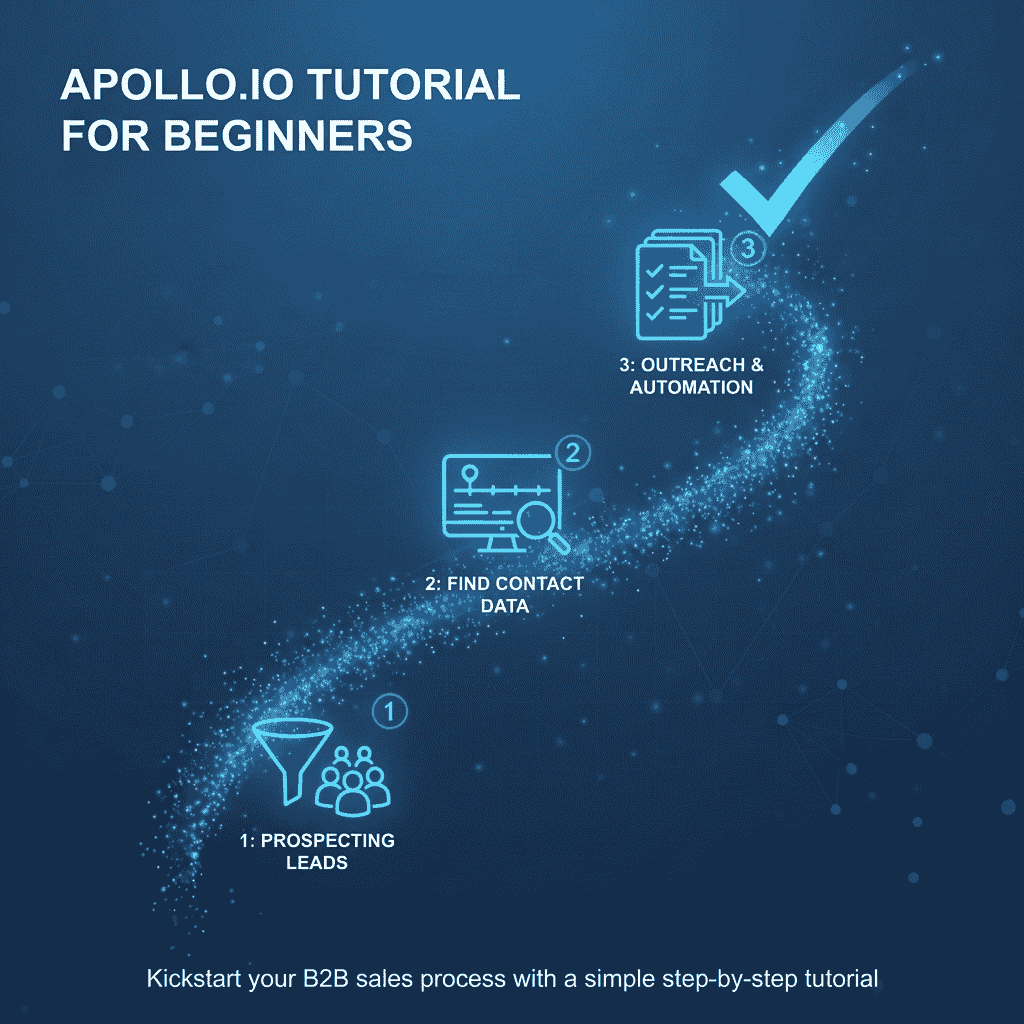
Apollo.io Tutorial for Beginners (Step-by-Step Guide to Get Your First Leads)
If you’re new to sales outreach or B2B lead generation, Apollo.io can feel overwhelming.
But here’s the truth:
Apollo is one of the most powerful all-in-one tools for:
- Finding verified B2B contacts
- Building targeted lead lists
- Running cold email campaigns
- Tracking replies and conversions
In this beginner-friendly Apollo.io tutorial, you’ll learn exactly how to:
✔ Set up your account
✔ Find high-quality leads
✔ Build a list
✔ Create your first email sequence
✔ Track and optimize results
Let’s start from scratch.
If you’re comparing different prospecting tools, see our Apollo.io vs ZoomInfo comparison to understand how both platforms differ in data accuracy, pricing, and outreach features.
What Is Apollo.io and Why Beginners Use It
Apollo.io is a B2B sales intelligence and outreach platform designed to help businesses find potential customers, build targeted prospect lists, and automate outbound sales communication.
Instead of using multiple tools for prospecting, email outreach, and contact management, Apollo.io combines several essential sales functions into a single platform, making it especially useful for startups and small sales teams.
At its core, Apollo.io helps businesses discover decision-makers, verify contact information, and run structured outreach campaigns to generate new leads.
Key Components of Apollo.io
1. Large B2B Contact Database
Apollo.io provides access to a database with 265M+ professional contacts and company profiles. Users can search for potential prospects using advanced filters such as:
- Industry
- Company size
- Job title or role
- Location
- Technology used by the company
This allows sales teams to quickly identify highly targeted leads that match their ideal customer profile (ICP).
2. Email Sequencing and Outreach Automation
The platform includes built-in tools for cold email campaigns and follow-up sequences.
Users can create automated email workflows that:
- Send personalized outreach messages
- Schedule follow-up emails
- Track email opens and replies
- Pause sequences when prospects respond
This automation helps sales teams maintain consistent outreach without manually sending every email.
3. CRM and Lead Management Features
Apollo.io also includes lightweight CRM functionality that allows teams to:
- Store prospect contact information
- Track communication history
- Manage deal stages
- Sync data with external CRM systems like HubSpot or Salesforce
This helps businesses keep their lead data organized and accessible during the sales process.
4. Basic Automation for Sales Workflows
Apollo.io supports simple automation features that streamline repetitive sales tasks, including:
- Automated follow-up sequences
- Lead enrichment and verification
- Task reminders for sales reps
- Contact syncing with CRM systems
These capabilities allow small teams to scale their outreach efforts while reducing manual workload.
Why Beginners Often Choose Apollo.io
Many beginners prefer Apollo.io because it offers prospecting, outreach, and basic sales management in one easy-to-use platform.
Key reasons include:
✔ Simple interface and quick learning curve
✔ Affordable pricing compared to enterprise tools
✔ Built-in outreach automation
✔ Large contact database for prospecting
✔ Easy integration with popular CRM platforms
For startups, freelancers, and small B2B teams, Apollo.io provides a practical starting point for building a structured lead generation and outbound sales process without requiring complex software stacks.
If you want a deeper analysis, read our in-depth Apollo review before making a decision.
Step 1: Create and Set Up Your Apollo.io Account
Before you start finding leads or sending outreach emails, the first step is to properly set up your Apollo.io account. A well-configured account ensures better email deliverability, accurate lead tracking, and a smoother workflow when running your sales campaigns.
What to Do
Follow these basic setup steps when creating your account:
1. Sign up for a free trial
Visit the Apollo.io website and create your account using your business email address. The platform offers a free plan that allows beginners to explore the database, build prospect lists, and test basic outreach features before upgrading.
2. Complete your company profile
After signing up, Apollo will prompt you to fill in your company and user details. This step helps personalize your outreach campaigns and ensures that your messages appear more professional.
Typical information includes:
- Your company name
- Website URL
- Job role or Title
- Industry category
- Target market
Adding accurate details also helps the platform suggest relevant leads and prospecting filters.
3. Add your domain email
Next, connect your business domain email (for example: yourname@yourcompany.com). This email will be used to send outreach campaigns and track responses directly inside the platform.
4. Connect Gmail or Outlook
- Gmail
- Outlook / Microsoft 365
Apollo allows you to connect your inbox through:
Once connected, Apollo can:
- Send outreach emails directly from your inbox
- Track open rates and replies
- Pause sequences automatically when prospects respond
This integration helps maintain a centralized communication history for every lead.
Why a Domain Email Is Better Than Free Gmail for Cold Email
Using a professional domain email address is extremely important when running cold outreach campaigns.
A domain email improves trust, email deliverability, and long-term sender reputation, which directly impacts whether your emails land in the inbox or spam folder.
Free Gmail accounts (such as yourname@gmail.com) often create several problems:
- They appear less professional to business prospects
- They have stricter sending limits
- They make it harder to build a strong sender reputation
- Many outreach tools limit automation features with free email addresses
A properly configured domain email such as:
yourname@yourcompany.com
Signals credibility and makes your outreach look like a legitimate business communication rather than a generic cold email.
Best Practice for Beginners
Before launching cold email campaigns, it’s recommended to:
- Set up email authentication (SPF, DKIM, and DMARC) for your domain
- Warm up the email account gradually
- Start with small daily sending volumes
These steps help protect your domain reputation and improve email deliverability over time.
By setting up your Apollo.io account correctly from the beginning, you create a strong foundation for running effective B2B lead generation and cold outreach campaigns.
Step 2: How to Find Leads in Apollo.io
After setting up your account, the next step is learning how to find the right prospects inside Apollo.io. This is one area where many beginners feel overwhelmed because the platform provides millions of contacts and many filtering options.
The key to successful prospecting is using filters strategically to build a focused lead list, rather than collecting thousands of random contacts.
Use Filters Smartly
Apollo.io allows you to narrow down potential prospects using several filters. These filters help you identify decision-makers who are more likely to be interested in your product or service.
Here’s a simple example of a beginner-friendly filter setup:
Example Target Filters
- Job Title: Marketing Manager
- Location: United States
- Company Size: 11–50 employees
- Industry: SaaS
Using these filters tells Apollo.io to show marketing decision-makers working in small SaaS companies located in the United States.
This type of targeting helps ensure that your outreach campaigns are relevant and personalized, which significantly increases the chances of getting replies.
Step-by-Step Walkthrough
Here is a simple process beginners can follow inside Apollo.io:
1. Go to the “People Search” section
This section allows you to search the contact database and apply filters to find potential prospects.
2. Apply your target filters
Start by selecting:
- Industry
- Company size
- Job titles or Roles
- Geographic location
These filters help narrow down the results to contacts that match your ideal customer profile (ICP).
3. Review the contact results
Apollo will display a list of contacts along with useful information such as:
- Job role
- Company name
- Company size
- Verified email availability
You can then evaluate whether these prospects fit your target audience before adding them to a list.
Why Smaller Businesses Respond More to Cold Emails
Many beginners get better results by targeting Small and Mid-sized companies rather than large enterprises.
There are several reasons for this:
- Faster decision-making: Small companies often have fewer approval layers.
- Less inbox competition: Decision-makers receive fewer sales emails compared to large corporations.
- Higher urgency: Small businesses are usually more open to testing tools that help improve sales or marketing efficiency.
- Direct access to decision-makers: You are more likely to reach founders, managers, or department heads.
Because of these factors, outreach campaigns targeting smaller companies often experience higher reply rates and faster conversations.
Pro Tip for Beginners
One of the most common mistakes new users make is exporting thousands of leads immediately.
Instead, start small and focus on quality.
Recommended approach:
- Start with 50–100 highly targeted contacts
- Review each lead to ensure they match your target profile
- Test your messaging and outreach sequence
- Analyze reply rates before scaling your campaign
This approach helps you learn what type of prospects respond best before running larger outreach campaigns.
By using targeted filters and starting with a small, high-quality lead list, you can make the most of the powerful prospecting features available in Apollo.io.
Step 3: Build a Lead List
Once you identify potential prospects using filters, the next step is to organize those contacts into structured lead lists. Properly building and managing lead lists is essential for running organized outreach campaigns and tracking results effectively.
Many beginners overlook this step, but good list management helps you personalize messaging, analyze campaign performance, and scale your outreach strategy over time.
Why Lead Lists Matter
Lead lists allow you to group prospects based on specific characteristics such as:
- Industry
- Job role
- Company size
- Campaign objective
When your leads are properly organized, it becomes easier to send relevant outreach messages and monitor how each campaign performs.
For example, messaging that works for SaaS marketing managers may not work the same way for e-commerce founders or HR leaders.
Segmenting your leads ensures that each group receives more relevant communication, which improves reply rates.
Step-by-Step Walkthrough
Follow these simple steps to build your first lead list in Apollo.io:
1. Select the contacts you want to save
After applying your filters in the People Search section, review the contact results and select the prospects that match your ideal customer profile.
2. Add contacts to a new or existing list
Apollo allows you to create lists directly from the search results. You can either:
- Add contacts to an existing list, or
- Create a new list for a specific campaign
This helps you maintain organized prospect groups for different outreach strategies.
3. Use clear and structured list names
One of the best practices in sales prospecting is naming your lists clearly. This makes it easier to track campaigns and understand what each list represents.
A good list name usually includes:
- Industry
- Job role
- Campaign or Time period
Example list name
SaaS – Marketing Managers – Q1 Campaign
With this naming structure, you can instantly identify:
- The industry being targeted
- The decision-makers in the list
- The campaign timeline
Why Segmentation Improves Campaign Performance
Segmenting your lead lists is critical for effective outreach because it allows you to customize messaging for different audiences.
For example:
- SaaS marketing leaders may care about lead generation automation
- E-commerce businesses may focus on conversion optimization
- Agencies may prioritize client acquisition tools
When you segment your lists properly, you can create more relevant email messages that address the specific challenges of each audience group.
This improves several important outreach metrics:
✔ Higher email open rates
✔ Better reply rates
✔ Stronger lead engagement
Best Practice for Scaling Outreach
As your campaigns grow, you should gradually build multiple segmented lead lists based on different targeting criteria.
For example:
- SaaS – Marketing Managers – Lead Generation Campaign
- Agencies – Founders – Sales Automation Campaign
- E-commerce – Growth Managers – Outreach Test Campaign
This structured approach helps you run multiple campaigns simultaneously while maintaining clear performance tracking.
Over time, organized lead lists become the foundation for scalable outbound lead generation and sales automation workflows.
Many sales teams also combine Apollo with a LinkedIn lead generation workflow to build highly targeted prospect lists.
Step 4: Verify Emails Before Sending
Before launching any outreach campaign in Apollo.io, it is essential to verify the email addresses of your prospects. Email verification plays a critical role in protecting your domain reputation, reducing bounce rates, and improving overall email deliverability.
Many beginners skip this step and send emails to large lists without checking email validity. This often leads to high bounce rates, which can damage your sender reputation and cause future emails to land in spam folders.
Verified vs Unverified Emails
In Apollo.io, each contact may have an email status that indicates whether the address is likely to be valid.
Verified emails
- Confirmed to be active and deliverable
- Safe to include in outreach campaigns
- Lower risk of email bounces
Unverified emails
- Not fully validated by the system
- Higher risk of being outdated or incorrect
- May increase bounce rates if used in bulk campaigns
For beginners, it is always safer to prioritize verified contacts when building outreach lists.
How to Filter “Verified Only” Emails
Apollo.io makes it easy to focus only on verified contacts.
Simple walkthrough:
- Go to the People Search section.
- Apply your targeting filters such as job title, location, and industry.
- Locate the Email Status filter.
- Select “Verified Emails Only.”
Once applied, Apollo will display only contacts whose email addresses have been confirmed as deliverable.
This small step significantly reduces the chances of sending emails to invalid or inactive inboxes.
Why Email Verification Matters for Cold Outreach
Email deliverability is one of the most important factors in successful cold email campaigns. If your emails frequently bounce, email providers such as Gmail or Outlook may begin to treat your domain as suspicious.
High bounce rates can lead to:
- Emails landing in spam folders
- Reduced sender reputation
- Temporary or permanent sending restrictions
By using verified email addresses, you improve the likelihood that your messages reach the prospect’s inbox rather than the spam folder.
Beginner Best Practice
When starting your first outreach campaign:
- Filter leads by verified emails only
- Start with a small list of 50–100 contacts
- Monitor bounce rates and engagement metrics
This cautious approach helps maintain healthy email deliverability while you gradually scale your outreach campaigns.
Over time, consistently using verified emails will help build a strong sender reputation and improve the success rate of your cold email outreach efforts.
Step 5: Create Your First Email Sequence
After building a targeted lead list and verifying email addresses, the next step is to create your first outreach sequence. This is where most of the lead generation and conversation opportunities happen.
An email sequence is a series of scheduled emails sent automatically over a period of time. Instead of sending one message and waiting indefinitely, sequences allow you to follow up consistently without manual effort.
For beginners, the goal should be simple, clear, and relevant communication, not complex marketing copy.
Basic Beginner Email Sequence Structure
A simple three-email structure works well for most early outreach campaigns.
Email 1 – Introduction
The first message introduces who you are and why you are reaching out. The focus should be on relevance rather than selling aggressively.
Follow-up 1 – Reminder (3–4 days later)
This email gently reminds the prospect about your previous message. It should be short and respectful.
Follow-up 2 – Value Offer (5–7 days later)
The final email provides additional value such as an insight, small tip, or short example of how your solution helps businesses.
This simple structure helps maintain consistent communication while avoiding excessive follow-ups.
Real Walkthrough: Creating an Email Sequence
Inside Apollo.io, setting up a sequence typically involves these steps:
1. Go to the “Sequences” section
This area allows you to create automated outreach campaigns.
2. Create a new sequence
Give your sequence a clear name, such as:
SaaS Marketing Outreach – Intro Campaign
Naming sequences properly helps you track campaign performance later.
3. Add your email steps
Start with the basic three-step sequence:
- Email 1: Introduction
- Email 2: Reminder follow-up
- Email 3: Value-based follow-up
Each email can be scheduled with a specific delay between messages.
4. Add personalization tokens
Apollo allows you to personalize messages using dynamic placeholders that automatically insert contact details.
Examples include:
{{first_name}}
{{job_title}}
{{company}}
This allows one message template to automatically adapt to each prospect.
Email 1 – Introduction
Your first email should briefly introduce yourself and explain why the message is relevant to the recipient.
Mentioning something specific about the prospect’s industry, role, or company activity makes the message feel more genuine.
Example:
Subject: Quick question about {{company}}
Hi {{first_name}},
I noticed your team is growing in {{industry}}.We help small businesses improve {{pain_point}} without hiring more staff. Would you be open to a quick 10-minute chat this week?
Best,
[Your Name]
The goal of this message is starting a conversation, not delivering a full sales pitch.
Follow-up 1 – Reminder (3–4 Days Later)
Many prospects simply miss the first email because of busy inboxes. A short reminder often brings the conversation back to their attention.
Best practices for reminder emails:
- Keep it under 2–3 sentences
- Reference the previous message
- Avoid repeating the entire pitch
Example approach:
“Just checking if you had a chance to review my previous message.”
Follow-up 2 – Value Offer (5–7 Days Later)
If the prospect hasn’t replied yet, the final follow-up should provide additional value instead of repeating the same request.
Examples of value-based follow-ups include:
- Sharing a short insight about their industry
- Mentioning how similar companies solved a problem
- Offering a helpful resource or quick idea
This approach increases reply rates because it demonstrates expertise rather than pressure.
Many teams use AI cold email automation tools to improve subject lines, personalization, and follow-up timing.
What Are Personalization Tokens in Apollo.io?
Personalization tokens are dynamic placeholders used in email templates that automatically insert contact details when emails are sent.
Common examples include:
{{first_name}}
{{company}}{{job_title}}
When the sequence runs, Apollo automatically replaces these tokens with real data from each contact profile.
For example:
Hi {{first_name}}
becomes:
Hi Sarah
This allows outreach campaigns to scale personalization across dozens or hundreds of contacts.
However, it is important to remember that true personalization comes from good targeting and relevant messaging, not tokens alone.
Strong outreach results often come from better targeting and Cold email personalization examples rather than complex templates.
Beginner Outreach Tip
When starting your first campaigns:
- Keep sequences short and simple
- Focus on relevance instead of aggressive selling
- Test messaging with small contact lists first
This approach helps you refine your messaging and gradually improve reply rates and sales conversations over time.
If you want to improve reply rates, review these Cold email follow-up sequence examples that successful outreach campaigns use.
Step 6: Send & Monitor Performance
After creating your outreach sequence in Apollo.io, the next step is to launch the campaign and monitor how prospects respond. Tracking performance is essential because it helps you understand what is working, what needs improvement, and when to scale your outreach efforts.
Many beginners make the mistake of sending large campaigns without analyzing results. Instead, successful outreach campaigns rely on continuous testing and performance tracking.
Key Metrics to Monitor
Once your campaign is live, focus on a few core metrics that indicate whether your outreach strategy is performing well.
Open Rate: 40–60%
The open rate measures how many recipients open your email after receiving it.
Example:
If you send 100 emails and 50 people open them, your open rate is 50%.
For cold outreach campaigns targeting the right audience, an open rate between 40–60% is considered a strong benchmark.
If your open rate is below 40%, several factors may need attention:
- Weak or generic subject lines
- Poor targeting of prospects
- Low sender reputation or domain configuration issues
- Emails landing in spam folders
Improving subject line clarity, personalization, and domain authentication can significantly increase open rates.
Reply Rate: 5–15%
The reply rate measures how many recipients respond to your message.
Example:
If you send 100 emails and receive 10 replies, your reply rate is 10%.
For most small business outreach campaigns, a 5–15% reply rate is a healthy performance range.
Low reply rates usually indicate that:
- The message is not relevant to the recipient
- The value proposition is unclear
- The email sounds too promotional
- The targeting does not match the audience’s needs
Improving message relevance and personalization often leads to better responses.
Additional Metrics to Watch
As you become more comfortable with outreach campaigns, you can also monitor:
- Bounce rate – indicates whether emails are reaching valid addresses
- Click-through rate – useful if your email contains links or resources
- Meeting booked rate – shows how many replies convert into conversations
These metrics help you evaluate the overall effectiveness of your sales outreach strategy.
Real Insight for Beginners
When starting your first campaign, avoid sending emails to thousands of contacts immediately.
A better approach is to:
- Send small test batches of 50–100 emails
- Monitor open and reply rates carefully
- Adjust subject lines and messaging if needed
- Scale gradually once performance improves
This testing process helps you identify which audiences and messages generate the best engagement.
Why Performance Tracking Matters
Consistently monitoring campaign metrics allows you to:
- refine your targeting strategy
- improve messaging and personalization
- increase reply rates over time
- avoid damaging your domain reputation
With careful testing and analysis, even small outreach campaigns can generate valuable sales conversations and qualified leads.
Many small businesses combine prospecting tools with AI sales workflow templates for SMBs to automate lead capture, follow-ups, and CRM updates.
Common Beginner Mistakes to Avoid
While Apollo.io is designed to simplify B2B prospecting and outreach, beginners can still run into common mistakes that reduce campaign effectiveness. Avoiding these issues early helps protect your email deliverability, sender reputation, and overall outreach performance.
🔴Sending too many emails too fast
One of the most common mistakes is launching large campaigns immediately. Sending hundreds or thousands of emails from a new domain can trigger spam filters.
Instead, start with small batches of 50–100 emails and gradually increase your sending volume as your sender reputation improves.
🔴Not warming up your email domain
A new email domain needs time to build trust with email providers. Without proper warm-up, your outreach emails may land in spam folders.
Before starting campaigns, gradually send small numbers of emails and ensure proper email authentication such as SPF, DKIM, and DMARC.
🔴Using long sales copy
Cold emails should be clear, concise, and easy to read. Many beginners write long sales messages that overwhelm recipients.
Short messages with a clear purpose tend to generate higher reply rates.
🔴Poor targeting
Outreach campaigns only work when the message reaches the right audience. If your filters are too broad, your emails may reach prospects who have no interest in your offer.
Focus on targeting specific industries, job roles, and company sizes that match your ideal customer profile.
🔴 Ignoring follow-ups
Most replies come from follow-up emails rather than the first message. If you send only one email, you miss many opportunities.
Adding simple follow-up reminders improves visibility and increases response rates.
Avoiding these mistakes helps you build a more professional outreach strategy and stronger credibility with prospects.
Is Apollo.io Good for Small Businesses?
Yes, Apollo.io is particularly useful for small businesses, startups, and lean sales teams that want to build an outbound lead generation process without investing in multiple expensive tools.
The platform combines lead discovery, contact data, and outreach automation in one system, which simplifies the sales workflow for smaller teams.
Apollo.io works well for businesses if:
✔ You don’t want to purchase separate tools for prospecting and outreach
✔ You want lead data, email automation, and basic CRM features in one platform
✔ You are just starting with B2B lead generation or cold outreach campaigns
For many small companies, this all-in-one structure makes it easier to launch and manage prospecting campaigns quickly.
If you’re setting up a sales system, our guide to the Best CRM tools for small businesses compares popular options.
Who Should Use Apollo.io?
Because of its combination of contact data and outreach automation, Apollo.io can support several types of professionals who rely on lead generation and client acquisition.
Typical users include:
Freelancers
Freelancers can use Apollo.io to find potential clients and run small outreach campaigns to generate new projects.
Marketing agencies
Agencies often use the platform to identify potential clients and run cold outreach campaigns for lead generation.
B2B startups
Startups can use Apollo.io to build their first outbound sales pipeline and connect with decision-makers in target companies.
Sales teams
Sales professionals use the platform to discover new prospects, organize lead lists, and automate follow-up sequences.
Consultants
Consultants can use Apollo.io to identify companies that may benefit from their expertise and start meaningful conversations with decision-makers.
Final Verdict: Is Apollo.io Beginner-Friendly?
Overall, Apollo.io is beginner-friendly when used with a clear and structured approach.
Most new users find the platform manageable when they focus on simple prospecting and outreach workflows first.
Apollo can feel confusing when users:
- Apply too many filters at once
- Build overly complex email sequences
- Skip the step of defining a clear targeting strategy
The best approach is to start with a simple system:
- Define your target audience
- Build a small, focused lead list
- Create a short outreach sequence
- Monitor performance and optimize gradually
By following this step-by-step process, beginners can quickly learn how to use Apollo.io effectively and build a scalable B2B lead generation workflow over time.
You can also accelerate prospecting using the Apollo.io Chrome extension guide, which shows how to find leads directly from LinkedIn profiles.
FAQs
-
Is Apollo.io free for beginners?
Yes, Apollo.io offers a free plan that allows beginners to search limited contacts and send a small number of emails per month. It’s ideal for testing the platform before upgrading to a paid plan.
-
How do I use Apollo.io step by step?
To use Apollo.io:
Create a free account
Connect your business email
Use filters to find leads
Add contacts to a list
Create an email sequence
Track open and reply rates
Beginners should start with 50–100 highly targeted leads to avoid deliverability issues. -
Is Apollo.io good for small businesses?
Yes, Apollo.io is suitable for small businesses because it combines lead generation, email outreach, and CRM features in one platform. This reduces the need for multiple expensive tools.
-
Does Apollo.io verify email addresses?
Yes, Apollo.io shows whether an email is verified or unverified. For better deliverability, beginners should filter contacts by “verified only” before exporting or sending campaigns.
-
Can I send cold emails directly from Apollo.io?
Yes, Apollo.io allows users to send cold email sequences directly after connecting their Gmail or Outlook account. It also supports automated follow-ups.
-
How many emails can I send per day using Apollo.io?
The safe daily sending limit depends on your email domain health. Beginners should start with 20–30 emails per day and gradually increase after proper email warm-up.
-
What is the difference between Apollo.io and other cold email tools?
Apollo.io combines both contact database and outreach automation in one platform. Many other cold email tools require you to purchase lead data separately.
-
Is Apollo.io safe for cold emailing?
Yes, Apollo.io is safe when used properly. However, users must:
Warm up their email domain
Avoid spammy language
Send to verified contacts
Personalize emails
Improper usage can hurt deliverability. -
Can beginners use Apollo.io without technical skills?
Yes. Apollo.io has a user-friendly interface, and beginners can start with basic lead search and simple email sequences without advanced technical knowledge.
-
How long does it take to see results with Apollo.io?
Most beginners see replies within 1–2 weeks if:
Targeting is correct
Emails are personalized
Follow-ups are included
Sending volume is controlled
Cold email success depends more on strategy than software.