
Table of Contents
Bardeen.ai Review 2026: Automate Repetitive Work & Save Hours Every Week (No Coding Needed)

If you’re a business owner, marketer, freelancer, or recruiter trying to save time and scale your workflow, manual work is your biggest bottleneck.
You’re stuck doing repetitive tasks like data entry, lead research, copy-pasting, and follow-ups—things that don’t directly grow your business but still consume hours every week.
That’s exactly where Bardeen.ai changes the game.
It’s built to automate repetitive workflows without coding, so you can focus on high-value tasks like strategy, sales, and growth.
In this in-depth, beginner-friendly review, you’ll learn:
✔ What Bardeen.ai is and how it works
✔ Key features that actually save time
✔ Real automation use cases (not just theory)
✔ Best workflows you can implement today
✔ Pricing, pros & cons, and alternatives
Let’s break it down.
How Bardeen.ai Works
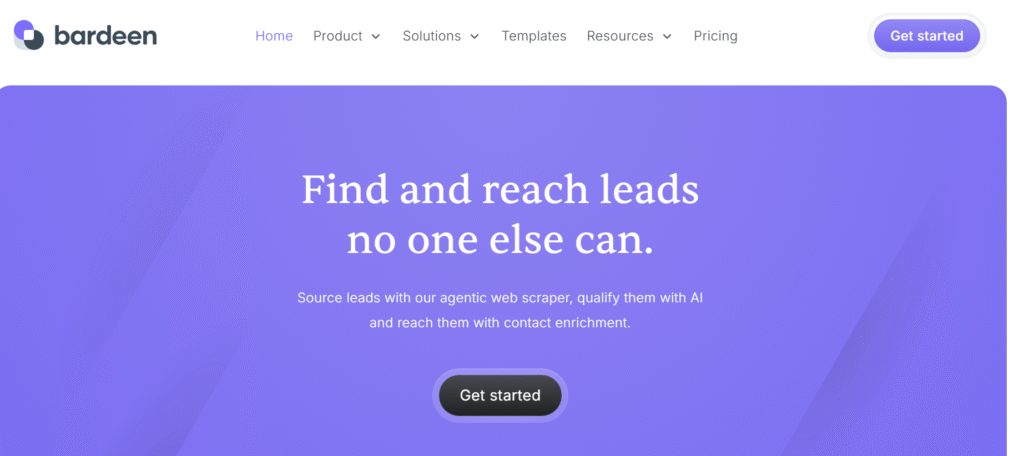
At its core, Bardeen.ai is built to eliminate repetitive manual work by turning your everyday tasks into automated workflows called Playbooks.
Instead of switching between tabs, copying data, and repeating the same steps, you can run a single playbook—and let Bardeen handle everything in the background.
1. Understanding Playbooks (The Core System)
A Playbook is a sequence of automated actions that follow a clear, logical flow:
1.1. Trigger – Start the Automation
This is what activates your workflow.
You can trigger a playbook in multiple ways:
- Manually (one-click execution)
- Automatically (scheduled runs)
- Based on events (new data, page visit, etc.)
Example:
Click a button while viewing a LinkedIn profile list.
1.2. Actions – The Work Happens Automatically
Once triggered, Bardeen performs a series of actions without your involvement.
These actions can include:
- Extracting data from websites
- Enriching contact information
- Sending data to tools like Google Sheets or CRM
- Generating AI-based messages
- Running multi-step workflows across apps
This is where the real power lies—you can chain multiple steps into one seamless process.
1.3. Result – Instant Output
After completing the workflow, Bardeen delivers the result instantly.
This could be:
- A fully organized lead list
- Updated CRM records
- Ready-to-send outreach messages
- Structured data saved in your system
No manual cleanup. No repetitive effort.
1.4. Real Example Workflow (Step-by-Step)
Let’s break down a practical, high-value use case:
Goal: Build a Ready-to-Use Lead List for Outreach
Step 1: Extract leads from LinkedIn
→ Automatically collect names, roles, and company details
Step 2: Enrich contact data
→ Add emails, company info, or additional insights
Step 3: Save to Google Sheets
→ Organize everything in a structured format
Step 4: Generate outreach message
→ Use AI to create personalized email or LinkedIn message
1.5. Why This Matters
Without automation:
- You spend 30–60 minutes on a single batch of leads
- High chances of manual errors
- Inconsistent workflow
With Bardeen:
- The same process takes seconds
- Data is structured and ready to use
- You can repeat the workflow anytime with one click
Over time, this can save hours every week and significantly increase your productivity.
Pro Tip for Better Results
To get the most out of Bardeen.ai:
- Start with simple playbooks (1–2 actions)
- Gradually build multi-step workflows
- Reuse and optimize your best-performing automations
The goal is not just automation—it’s building a repeatable system that scales your work effortlessly.
This is what makes Bardeen.ai powerful:
You’re not just automating tasks—you’re creating a workflow engine for your business.
2. Step-by-Step Beginner Setup Guide for Bardeen.ai (Start in Minutes)
If you’re new to automation, this is the most important section.
Because the biggest question beginners have is:
👉 “How do I actually start using Bardeen?”
This step-by-step guide will help you go from zero → first working automation in minutes.
Step 1: Install Bardeen.ai (Quick Setup)
Bardeen works as a browser extension, so setup is simple.
Steps:
- Go to the official Bardeen website
- Install the Chrome extension
- Sign up using your Google account
- Pin the extension to your browser for easy access
Once installed, Bardeen will be available on any webpage you visit.
Pro Tip: Keep Bardeen pinned so you can trigger automations instantly while browsing.
Step 2: Understand the Dashboard (Don’t Skip This)
Before creating workflows, take a minute to explore the interface.
Key Sections:
- Playbooks → Pre-built automation workflows
- Builder → Create custom workflows
- Integrations → Connect apps like Google Sheets, Notion, etc.
This helps you avoid confusion when building your first automation.
Step 3: Create Your First Playbook (Beginner-Friendly)
Now let’s create your first automation.
Steps:
- Click on the Bardeen extension
- Go to “Playbooks”
- Choose a template (recommended for beginners)
- Customize inputs (e.g., data fields, destination tool)
- Save your playbook
No coding required—just simple configuration.
Best First Playbook: Start with “Extract LinkedIn Profiles → Save to Google Sheets”
Step 4: Connect Your Tools (Essential Step)
To make your workflow useful, connect your apps.
Common Integrations:
- Google Sheets → Store data
- Notion → Organize information
- CRM → Manage leads
Steps:
- Go to “Integrations”
- Select your tool (e.g., Google Sheets)
- Authorize access
This allows Bardeen to send and manage data automatically.
Step 5: Run Your First Automation (Real Action)
Now it’s time to see Bardeen in action.
Example Workflow:
- Open LinkedIn search results
- Click your playbook
- Bardeen will:
- Extract profile data
- Organize it
- Save it to Google Sheets
All done in seconds.
Step 6: Test & Optimize Your Workflow
Don’t expect perfection on the first try.
What to Check:
- Is the correct data being extracted?
- Is it saved properly?
- Are there missing fields?
Make small adjustments and rerun.
Pro Tip: Start simple → then gradually add more steps (like email enrichment or outreach).
👉 “If you’re using Apollo for prospecting, check this detailed guide on how to use Apollo.io for lead generation”
2.1. First Workflow Example
Goal: Build a Lead List in Minutes
Workflow:
- Extract LinkedIn leads
- Save to Google Sheets
- Organize automatically
Result:
- What takes 30–60 minutes manually
- Done in under 1 minute with Bardeen
Final Insight
Most beginners make one mistake: They overcomplicate things at the start.
Instead:
- Start with 1 simple workflow
- Test it
- Improve it
- Then scale
That’s how you turn Bardeen from a tool into a productivity system.
3. Key Features of Bardeen.ai
Bardeen.ai isn’t just another automation tool—it’s built to replace repetitive workflows with smart, AI-driven systems. Below are the key features explained with practical value so you can actually implement them.
3.1. No-Code Automation (Build Workflows in Minutes)
You don’t need technical skills or coding knowledge to use Bardeen.
With its visual workflow builder, you can:
- Create automations using simple step-by-step actions
- Connect different tools without APIs or coding
- Run workflows with a single click
Real Use Case:
- Create a playbook → Extract data → Save to Google Sheets
- Run it anytime with one click
Instead of manually copying LinkedIn leads into a spreadsheet:
Value: Saves hours of manual work and eliminates repetitive tasks completely.
3.2. AI-Powered Actions (Work Smarter, Not Harder)
Bardeen integrates AI directly into your workflows, helping you generate and process data intelligently.
You can use AI to:
- Write personalized outreach messages
- Summarize long content or profiles
- Generate insights from collected data
- Clean and structure messy information
Real Use Case:
After collecting leads:
- Automatically generate personalized cold emails for each prospect
Value: You don’t just automate tasks—you improve quality and personalization at scale.
3.3. Web Scraping Made Easy (No Tools or Extensions Needed)
Bardeen allows you to extract data directly from websites without complex scraping tools.
You can pull data from platforms like:
- LinkedIn (profiles, search results)
- Apollo (prospect data)
- Job boards (candidate listings)
- Business directories
Real Use Case:
- Visit a LinkedIn search page
- Run a playbook
- Instantly extract 100+ leads with details
Value: Turns manual research into a fast, repeatable system for lead generation and data collection.
3.4. App Integrations (Connect Your Entire Workflow)
Bardeen connects with popular tools so your data flows automatically between them.
Common integrations include:
- Google Sheets (data storage)
- Notion (documentation & workflows)
- Slack (team notifications)
- CRM tools (lead management)
Real Use Case:
- Extract leads → Save to Google Sheets → Notify team on Slack
Value: Eliminates tool-switching and creates a fully connected workflow ecosystem.
3.5. Pre-Built Playbooks (Start Instantly)
If you’re a beginner, you don’t need to build workflows from scratch.
Bardeen provides ready-made automation templates for:
- Lead generation
- Outreach campaigns
- Data entry automation
- Market research
Real Use Case:
- Choose a “LinkedIn to Google Sheets” playbook
- Customize it slightly
- Start using it immediately
Value: Reduces setup time and helps you see results from day one.
Final Takeaway
These features are powerful individually—but the real strength of Bardeen.ai comes from combining them into one seamless workflow.
Instead of:
- Switching between tools
- Repeating the same tasks
- Wasting time on manual work
You build a system that:
- Runs faster
- Works automatically
- Scales with your business
That’s the difference between using tools and building automation systems.
4. Real Automation Examples Using Bardeen.ai
This is where Bardeen.ai truly stands out—not just in features, but in real, practical workflows that save time and increase output.
Instead of theory, here’s how you can actually use it in your day-to-day work.
4.1. Lead Generation (Build High-Quality Lead Lists Automatically)
Manual lead generation is time-consuming and inconsistent. Bardeen turns it into a repeatable system.
Workflow:
- Open LinkedIn search results
- Run a playbook to extract profile data
- Enrich contact details (email, company info, role)
- Automatically save everything into your CRM or Google Sheets
What You Achieve:
- Build targeted lead lists in minutes
- Maintain clean, structured data
- Avoid copy-paste errors
Insight:
The real advantage isn’t just speed—it’s consistency. You can run the same workflow daily and build a scalable lead pipeline.
4.2. Sales Prospecting (From Data to Outreach in One Flow)
Prospecting usually involves multiple tools and steps. Bardeen connects everything into one smooth workflow.
Workflow:
- Find prospects using platforms like Apollo.io
- Extract and organize prospect data
- Segment leads based on criteria (industry, role, company size)
- Trigger automated outreach (email or LinkedIn messages)
What You Achieve:
- Faster prospecting with better targeting
- Ready-to-use outreach lists
- Reduced manual effort across tools
Insight:
Speed matters in sales. The faster you move from data → outreach, the higher your chances of getting responses.
4.3. Recruitment Automation (Simplify Candidate Sourcing)
Recruitment involves repetitive tasks like sourcing, storing, and following up with candidates. Bardeen automates the entire pipeline.
Workflow:
- Extract candidate profiles from job boards or LinkedIn
- Store candidate data in a structured database (Sheets/CRM)
- Tag and categorize candidates automatically
- Send follow-up messages or emails
What You Achieve:
- Build a centralized candidate database
- Reduce manual screening effort
- Improve response rates with timely follow-ups
Insight:
Recruitment success depends on speed and organization. Automation helps you respond faster and manage candidates efficiently.
4.4. Content & Market Research (Faster Insights, Better Strategy)
Research is essential but often time-consuming. Bardeen helps you collect and process information quickly.
Workflow:
- Scrape competitor websites or content pages
- Extract key data (headlines, keywords, offers)
- Save insights into Notion or Google Sheets
- Use AI to generate summaries or content ideas
What You Achieve:
- Faster competitive analysis
- Organized research data
- Better content planning
Insight:
Instead of spending hours researching manually, you can build a data-driven content strategy in minutes.
Final Takeaway
These automation examples show one thing clearly:
Bardeen isn’t just a tool – it’s a workflow multiplier.
You can:
- Replace repetitive manual work
- Build scalable systems
- Improve speed, accuracy, and output
Result?
More time for strategy, growth, and high-value tasks—while automation handles the rest.
👉 “Explore more tools like Bardeen in this list of the best AI tools for lead generation”
5. Bardeen.ai Use Cases by Industry
One of the biggest advantages of Bardeen.ai is its flexibility—it’s not limited to one use case or role.
Whether you’re in marketing, sales, recruitment, or running a business, you can customize workflows based on your industry needs.
5.1. SaaS Businesses (Lead Generation & Scalable Outreach)
SaaS companies rely heavily on consistent lead flow and personalized outreach.
How to Use:
- Extract targeted leads from LinkedIn or databases
- Enrich contact data automatically
- Build segmented lead lists
- Trigger personalized outreach campaigns
Real Value:
Create a predictable lead generation system instead of relying on manual prospecting.
5.2. Marketing Agencies (Client Research & Reporting)
Agencies handle multiple clients, which means repetitive research and reporting tasks.
How to Use:
- Scrape competitor data and campaign insights
- Collect client data from multiple sources
- Automate reporting dashboards in Google Sheets
- Organize campaign performance data
Real Value:
Save hours on research and reporting, allowing you to focus on strategy and client results.
5.3. E-commerce Businesses (Competitor Tracking & Data Collection)
E-commerce success depends on data-driven decisions and competitor insights.
How to Use:
- Track competitor pricing and product listings
- Extract product data from websites
- Monitor trends and offers
- Store and analyze data automatically
Real Value:
Make faster decisions using real-time competitor insights, without manual tracking.
5.4. HR & Recruiters (Candidate Sourcing & Pipeline Automation)
Recruitment involves repetitive sourcing, tracking, and follow-ups.
How to Use:
- Extract candidate profiles from LinkedIn or job boards
- Build a centralized candidate database
- Categorize and tag candidates automatically
- Send follow-up messages or emails
Real Value:
Reduce sourcing time and build a structured hiring pipeline that scales.
5.5. Freelancers & Consultants (Client Acquisition & Workflow Management)
Freelancers need to balance client work and business development.
How to Use:
- Find and organize potential clients
- Automate outreach and follow-ups
- Manage project data efficiently
- Reduce admin work
Real Value:
Spend more time on paid work instead of repetitive admin tasks.
5.6. Sales Teams (Prospecting & Pipeline Acceleration)
Sales teams need speed and consistency to hit targets.
How to Use:
- Extract and organize prospect data
- Segment leads based on criteria
- Automate outreach workflows
- Track engagement and responses
Real Value:
Move faster from prospecting → outreach → conversion, increasing close rates.
Key Insight
No matter the industry, the pattern is the same:
Identify repetitive tasks → Automate them → Build a scalable system
That’s where Bardeen.ai delivers the most impact.
6. Best Workflows You Can Use with Bardeen.ai
If you’re just getting started, the fastest way to see results is by using proven, high-impact workflows. These are not just ideas—they are real systems you can implement to save hours every week.
6.1. LinkedIn → Google Sheets Lead Extraction
This is one of the most powerful workflows for lead generation and prospecting.
Step-by-Step Workflow:
- Go to LinkedIn and search for your target audience (e.g., “Marketing Managers in the US”)
- Run a Bardeen playbook on the search results page
- Automatically extract:
- Name
- Job title
- Company
- Profile link
- Save all data directly into Google Sheets
Why It Matters:
- No more copy-pasting profiles
- Build lead lists in minutes
- Keep your data organized and ready for outreach
Pro Tip: Combine this with email enrichment to create a complete outreach-ready list.
6.2. Website Data Scraping → CRM Update
Perfect for businesses that rely on data collection and lead management.
Step-by-Step Workflow:
- Visit a website (directory, listing page, or business database)
- Run a scraping playbook
- Extract relevant data (company name, contact info, services, etc.)
- Automatically send the data to your CRM
Why It Matters:
- Keep your CRM updated without manual entry
- Collect large datasets quickly
- Improve data accuracy and consistency
Pro Tip: Schedule this workflow to run regularly and keep your database fresh.
6.3. Prospect List → Automated Email Outreach
Turn your lead list into actual conversations and opportunities.
Step-by-Step Workflow:
- Import or create a prospect list (from LinkedIn or other sources)
- Use Bardeen AI to generate personalized email messages
- Connect your email tool (Gmail or outreach platform)
- Send or schedule emails automatically
Why It Matters:
- Saves hours on writing emails manually
- Improves personalization at scale
- Increases response rates
Pro Tip: Personalization + speed = higher conversions. Always tweak AI messages slightly for best results.
6.4. Job Listings → Candidate Database Creation
Ideal for recruiters or businesses hiring at scale.
Step-by-Step Workflow:
- Visit job boards or LinkedIn job listings
- Extract candidate or job-related data
- Store everything in a structured database (Google Sheets/CRM)
- Automatically tag or categorize candidates
Why It Matters:
- Build a centralized hiring database
- Track candidates efficiently
- Reduce manual sourcing time
Pro Tip: Add an automated follow-up sequence to engage candidates faster.
6.5. Real Impact: Time & Productivity Gains
Let’s be practical.
Without automation:
- Each workflow takes 1–2 hours manually
- High effort, low scalability
With Bardeen:
- Same workflows run in seconds to minutes
- Easily repeatable anytime
👉 Combined, these workflows can save 5–10+ hours per week (or more as you scale).
Final Insight
The real power of these workflows is not just automation—it’s building systems.
Instead of:
- Doing tasks manually every day
You create:
- A repeatable process
- A scalable workflow
- A consistent output
That’s how you move from “doing work” to building a system that works for you.
7. Best Bardeen.ai Playbooks (Curated for Real Results)
One of the fastest ways to get value from Bardeen.ai is by using proven playbooks instead of building from scratch.
Instead of guessing what to automate, you can start with high-performing workflows that are already tested for real use cases like lead generation, outreach, and recruitment.
Top Playbooks You Should Start With:
7.1. Top 5 Playbooks for Lead Generation
These are essential if your goal is to build a consistent lead pipeline.
- LinkedIn Search → Extract Leads → Google Sheets
- Website Directory → Scrape Contacts → Save to CRM
- LinkedIn Profiles → Enrich Data → Organize Leads
- Company List → Find Decision Makers → Store Data
- Prospect Data → Auto-Clean & Format
Real Value:
Build targeted lead lists in minutes instead of hours.
7.2. Top 5 Playbooks for Sales Outreach
Perfect for turning your leads into actual conversations and conversions.
- Lead List → Generate Personalized Email (AI)
- Prospect Data → Create LinkedIn Outreach Message
- New Lead → Auto-Send Intro Email
- Contact List → Schedule Follow-Up Emails
- CRM Update → Trigger Outreach Workflow
Real Value:
Move faster from lead → outreach → response, improving conversion rates.
7.3. Top 3 Playbooks for Recruiters
Designed to simplify candidate sourcing and management.
- LinkedIn Profiles → Extract Candidate Data → Database
- Job Listings → Collect Candidate Info → Google Sheets
- Candidate List → Send Follow-Up Messages
Real Value:
Build a structured hiring pipeline without manual effort.
7.4. How to Use These Playbooks Effectively
Don’t try to use everything at once.
Follow this simple approach:
- Start with 1 playbook (e.g., LinkedIn lead extraction)
- Test and refine the workflow
- Add one more step (like enrichment or outreach)
- Gradually build a complete system
This helps you avoid overwhelm and get results faster.
Key Insight
The real power of Bardeen is not in individual features—it’s in combining playbooks into a repeatable system.
Example:
Lead Extraction → Data Enrichment → Outreach → Follow-Up
This becomes a fully automated pipeline.
👉 “For advanced email outreach automation, read this complete Reply.io review and setup guide”
8. Common Mistakes to Avoid When Using Bardeen.ai
Most beginners focus only on what the tool can do – but the real difference comes from how you use it.
Avoiding these common mistakes will help you:
- Save more time
- Get better results
- Build reliable automation systems
8.1. Over-Automating Without a Clear Strategy
It’s tempting to automate everything at once—but that often leads to confusion and poor results.
🚫 What Happens:
- Workflows become too complex
- Data gets messy
- You lose control over the process
✅ What to Do Instead:
- Start with one simple workflow
- Focus on a clear goal (e.g., lead generation)
- Expand step-by-step
Insight:
Automation should simplify your work—not complicate it.
8.2. Not Cleaning or Verifying Scraped Data
Bardeen can extract large amounts of data—but raw data is often incomplete or inconsistent.
🚫 What Happens:
- Duplicate entries
- Missing fields
- Poor-quality lead lists
✅ What to Do Instead:
- Always review and clean your data
- Use filters and formatting
- Validate important fields (like emails, company names)
Insight:
Clean data = better targeting + higher conversion rates.
8.3. Using Generic Outreach Messages
Automation + AI can generate messages—but sending them as-is can hurt your results.
🚫 What Happens:
- Low response rates
- Messages feel robotic
- Reduced trust from prospects
✅ What to Do Instead:
- Personalize key parts (name, company, context)
- Add a human touch
- Test different variations
Insight:
Automation should scale personalization—not replace it.
8.4. Ignoring Workflow Testing
Many users create a workflow once and assume it works perfectly.
🚫 What Happens:
- Broken steps go unnoticed
- Incorrect data gets stored
- Automation fails silently
✅ What to Do Instead:
- Test workflows regularly
- Run small batches first
- Monitor outputs and fix errors
Insight:
A well-tested workflow saves more time than a rushed one.
8.5. Trying to Replace Strategy with Automation
Automation is powerful—but it’s not a replacement for thinking.
🚫 What Happens:
- Poor targeting
- Ineffective campaigns
- Low ROI
✅ What to Do Instead:
- Define your goal first
- Then build automation around it
- Use Bardeen to execute—not decide strategy
Insight:
Tools don’t create results—systems + strategy do.
Final Takeaway
Avoiding these mistakes will help you:
- Build clean, efficient workflows
- Improve lead quality and outreach performance
- Get consistent results from automation
The goal is not just to automate tasks—but to build a system that works reliably over time.
9. Pro Tips to Get Maximum Value from Bardeen.ai (Advanced Users)
Once you understand the basics, the real power of Bardeen.ai comes from how you optimize and scale your workflows.
These pro tips will help you move from simple automation → high-performance systems.
9.1. Combine Multiple Playbooks into One Workflo
Instead of running separate automations, connect them into a single pipeline.
Example:
- Extract leads → Enrich data → Save to Sheets → Send outreach
Pro Insight:
Chaining actions reduces manual triggers and creates a fully automated system.
9.2. Use AI for Personalization at Scale
Don’t just automate tasks—automate smart communication.
How:
- Generate personalized emails using AI
- Customize messages based on role, company, or industry
Pro Insight:
Personalization increases response rates, especially in outreach campaigns.
9.3. Schedule Automations for Consistency
Instead of running workflows manually, automate them on a schedule.
Example:
- Daily lead extraction
- Weekly competitor data updates
- Regular CRM sync
Pro Insight:
Consistency builds predictable results, especially in lead generation.
9.4. Use Filters to Improve Data Quality
Not all data is useful—filter it before storing or using it.
How:
- Filter by job title, location, or company size
- Remove irrelevant or duplicate entries
Pro Insight:
Better data = better targeting = higher conversions.
9.5. Build a Centralized Data System
Don’t scatter your data across tools.
Best Practice:
- Use Google Sheets or CRM as your central hub
- Send all extracted and processed data there
Pro Insight:
A centralized system improves organization, tracking, and decision-making.
9.6. Test and Optimize Regularly
Even the best workflows can improve.
What to Do:
- Test different workflows
- Optimize steps for speed and accuracy
- Monitor output quality
Pro Insight:
Small improvements in workflows can lead to big productivity gains over time.
9.7. Start Simple Then Scale Smart
Avoid building complex workflows too early.
Approach:
- Start with 1–2 step automation
- Test and validate results
- Gradually add more steps
Pro Insight:
Simple systems scale better than complex ones.
Final Insight
Advanced users don’t just use Bardeen—they build systems around it.
The goal is:
- Less manual work
- More automation
- Consistent, scalable output
10. Bardeen.ai vs Manual Work
One of the easiest ways to understand the value of Bardeen.ai is to compare it directly with manual workflows.
Most professionals don’t realize how much time they lose on repetitive tasks—until they see the difference side by side.
10.1. Manual Work vs Bardeen.ai (Side-by-Side Comparison)
| Task | Manual Process | With Bardeen.ai |
|---|---|---|
| Lead Generation | Search, copy-paste, organize manually (30–60 mins) | Extract & organize leads in seconds |
| Data Entry | Repetitive typing & formatting | Fully automated data capture & storage |
| Outreach | Write each message manually | AI-generated, personalized at scale |
| Research | Open multiple tabs, collect info manually | Scrape & structure data instantly |
| Follow-Ups | Manual reminders & tracking | Automated workflows & triggers |
| Accuracy | High chance of human error | Consistent, structured output |
| Scalability | Limited by time & effort | Easily scalable with automation |
10.2. What This Means in Real Life
➤ Time Savings
- Manual: Hours spent on repetitive tasks
- With Bardeen: Tasks completed in seconds
Result: Save 5–10+ hours per week
➤ Productivity Boost
- Manual: Limited output
- With Bardeen: More tasks completed in less time
Result: Increased efficiency without extra effort
➤ Better Focus
- Manual: Time wasted on low-value tasks
- With Bardeen: Focus on strategy, growth, and decision-making
Result: Higher-quality work and better outcomes
➤ Consistency & Accuracy
- Manual: Errors and inconsistencies are common
- With Bardeen: Structured, repeatable workflows
Result: Reliable and scalable systems
Key Insight
The real difference is not just speed—it’s how you work.
Manual work = Task-based approach
Bardeen.ai = System-based approach
When you shift to systems:
- Work becomes predictable
- Results become consistent
- Growth becomes scalable
11. ROI & Productivity Impact of Using Bardeen.ai
At some point, every user asks: “Is this tool actually worth it?”
This is where ROI (Return on Investment) becomes clear. Bardeen.ai is not just about automation—it’s about saving time, reducing costs, and increasing output without extra effort.
11.1. Hours Saved Every Week
Let’s look at a practical scenario:
Without Automation:
- Lead generation → 1–2 hours/day
- Data entry → 30–60 mins/day
- Outreach → 1 hour/day
Total: 3–4 hours daily
With Bardeen.ai:
- Same tasks automated → completed in minutes
Time Saved: ✔ 15–20+ hours per week
11.2. Cost Savings vs Hiring
Hiring someone for repetitive tasks can be expensive.
Example:
- Virtual Assistant cost → $300–$800/month
- Time spent managing tasks → Additional effort
With Bardeen:
- Automates the same tasks
- One-time setup → ongoing execution
Result:
✔ Save hundreds of dollars monthly
✔ Reduce dependency on manual work
11.3. Output & Productivity Increase
Automation doesn’t just save time—it increases how much you can produce.
Manual Workflow:
- Limited by time
- Fewer leads generated
- Slower outreach
With Bardeen:
- Generate more leads daily
- Run multiple workflows simultaneously
- Scale outreach without extra effort
Result: ✔ 2x–5x increase in output
11.4. Better Focus on High-Value Work
When repetitive tasks are removed, you can focus on what actually matters:
- Strategy
- Sales
- Client relationships
- Business growth
Result:
✔ Higher-quality work
✔ Better decision-making
11.5. Real Insight
The biggest ROI is not just time or mone – it’s leverage.
You move from:
- Doing everything manually ❌
to - Running systems that work for you ✅
This is how individuals start operating like teams.
Final Takeaway
With Bardeen.ai, you’re not just saving time—you’re:
- Increasing efficiency
- Reducing costs
- Scaling your work
That’s what makes it a high-ROI tool for professionals in 2026.
12. Bardeen.ai Pricing (2026): What You Actually Get
One of the biggest advantages of Bardeen.ai is that you can start for free and still build real automation workflows before spending anything.
Here’s a clear breakdown so you know exactly what to expect.
12.1. Free Plan (Best for Beginners & Testing)
If you’re new to automation, the free plan is more powerful than most tools at this level.
🔹 What You Can Do:
- Create and run basic automation playbooks
- Automate simple workflows (lead extraction, data entry, etc.)
- Use limited AI-powered actions
- Connect with essential tools like Google Sheets
Real Use Case:
- Extract LinkedIn leads → Save to Google Sheets
- Run this workflow multiple times to build your first lead database
Value:
You can validate real use cases (lead generation, prospecting, research) without any upfront cost.
12.2. Paid Plans (For Scaling & Advanced Automation)
Once you understand the tool, paid plans unlock higher efficiency and scalability.
🔹 What You Get:
- Higher automation limits (more runs & executions)
- Advanced AI features for better personalization
- More integrations and complex workflows
- Faster execution and priority processing
Real Use Case:
- Run bulk lead generation workflows daily
- Automate outreach campaigns at scale
- Manage large datasets without restrictions
Value:
Paid plans are ideal when you move from testing → scaling your systems.
12.3. Free vs Paid
Use Free Plan if:
- You’re just starting with automation
- You want to test workflows
- Your workload is low to moderate
Upgrade to Paid if:
- You run automations daily
- You need bulk data processing
- You want advanced AI + integrations
12.4. Practical Strategy
Don’t rush to upgrade. Follow this approach:
✅ Step 1: Start Free
- Build 1–2 core workflows
- Test real use cases (lead gen, scraping, outreach)
✅ Step 2: Optimize
- Improve your workflows
- Identify what saves you the most time
✅ Step 3: Scale with Paid Plan
- Increase automation volume
- Add advanced workflows
- Automate entire systems
This way, you only pay when the tool is already delivering ROI.
Final Takeaway
The biggest strength of Bardeen.ai pricing is flexibility:
- You can start for free
- Learn by doing
- Upgrade only when needed
For beginners and professionals alike, this makes it a low-risk, high-value automation tool in 2026.
13. Pros & Cons of Bardeen.ai (Real Insights Before You Decide)
Before using any automation tool, it’s important to understand not just the features—but the real advantages and limitations in practical use. Here’s a detailed, honest breakdown based on real workflow scenarios.
13.1. Pros (Why Bardeen.ai Stands Out)
🔹 1. Beginner-Friendly (No Coding Required)
Bardeen is designed for non-technical users.
You can:
- Build workflows using a visual interface
- Use pre-built playbooks
- Automate tasks without APIs or coding
Real Value:
Perfect for marketers, freelancers, and business owners who want automation without a technical learning curve.
🔹 2. Saves Massive Time on Repetitive Tasks
This is where Bardeen delivers the most impact.
Tasks like:
- Copy-pasting data
- Lead research
- Manual data entry
can be automated completely.
Real Insight:
Users typically save 5–10+ hours per week, especially in lead generation and prospecting workflows.
🔹 3. Powerful Combination of AI + Automation
Unlike traditional tools, Bardeen integrates AI directly into workflows.
You can:
- Generate personalized outreach messages
- Summarize data instantly
- Clean and structure information
Real Value:
You’re not just automating tasks—you’re improving output quality at scale.
🔹 4. Works Directly in Your Browser
No complex setup or installations required.
You can:
- Run automations while browsing
- Extract data directly from web pages
- Trigger workflows in real time
Real Insight:
This makes Bardeen extremely fast for on-the-spot automation (especially for LinkedIn, websites, and research).
🔹 5. Strong for Lead Generation & Web Scraping
Bardeen excels in data extraction and prospecting.
You can:
- Pull data from LinkedIn and databases
- Build structured lead lists
- Automate data storage and organization
Real Value:
Ideal for sales teams, recruiters, and marketers who rely on consistent lead pipelines.
13.2. Cons (What You Should Be Aware Of)
🔸 1. Initial Learning Curve for First Workflows
Even though it’s no-code, understanding how to structure workflows takes time.
Reality Check:
- First 1–2 playbooks may feel confusing
- Requires some trial and error
Solution:
Start with pre-built playbooks and gradually customize them.
🔸 2. Limited Features in Free Plan
The free version is useful—but has restrictions.
Limitations may include:
- Fewer automation runs
- Limited AI usage
- Basic integrations only
Real Insight:
Good for testing, but serious users will eventually need to upgrade.
🔸 3. Browser-Based Dependency (Not Fully Standalone)
Bardeen works primarily inside your browser.
What This Means:
- You need your browser active for most workflows
- Not ideal for fully backend automation
- Limited compared to server-based tools
Real Impact:
Best suited for interactive workflows, not heavy backend systems.
13.3. Final Verdict (Pros vs Cons)
Where It Excels:
- Lead generation
- Prospecting automation
- Data scraping
- Time-saving workflows
Where It Falls Short:
- Advanced backend automation
- Heavy-scale operations without upgrades
Final Insight
Bardeen.ai is not meant to replace every automation tool—it’s built to simplify and speed up your daily workflows.
If your work involves:
- Repetitive online tasks
- Data collection
- Lead generation
Then the pros clearly outweigh the cons.
Bottom line:
It’s one of the most practical and beginner-friendly automation tools in 2026 for getting real work done faster.
14. Limitations of Bardeen.ai (When It’s NOT the Right Tool)
No tool is perfect—and adding this section builds trust, credibility, and better SEO performance.
Instead of overhyping, this helps users understand when Bardeen is the right fit—and when it’s not.
Honest insights = higher trust + better conversions.
14.1. Not Ideal for Backend or Server-Side Automation
Bardeen primarily works inside your browser.
🚫 What This Means:
- It doesn’t run as a full backend automation system
- Limited for server-based workflows
- Not suitable for deep API-driven automation
✅ When This Matters:
If you need:
- Backend data processing
- Complex system integrations
- Always-running automation in the background
You may need tools like Zapier or Make instead.
14.2. Not Built for Heavy Enterprise Workflows
Bardeen is powerful—but it’s optimized for individuals, small teams, and mid-level workflows.
🚫 Limitations:
- Not designed for large-scale enterprise systems
- Limited control for complex logic workflows
- May not handle extremely high-volume operations
✅ When This Matters:
If your business requires:
- Advanced workflow logic
- Large-scale automation pipelines
- Enterprise-grade infrastructure
Bardeen may not be the best primary solution.
14.3. Requires Browser-Based Usage
Since Bardeen runs inside your browser, it depends on active sessions.
🚫 What This Means:
- Browser needs to be open for most workflows
- Not fully autonomous like cloud-based tools
- Limited for 24/7 background automation
✅ When This Matters:
If you want:
- Fully automated backend systems
- Continuous automation without manual triggers
This could be a limitation.
14.4. Initial Learning Curve for Workflow Logic
Even though it’s no-code, understanding how to structure workflows takes time.
🚫 What Happens:
- First few automations may feel confusing
- Requires trial and error
✅ Solution:
- Start with pre-built playbooks
- Focus on simple workflows first
- Gradually scale complexity
This is a temporary limitation, not a long-term issue.
14.5. Depends on Data Source Quality
Bardeen automates data extraction—but it depends on the quality of the source.
🚫 What This Means:
- Incomplete or messy website data → affects output
- Requires occasional validation
✅ Best Practice:
- Clean and verify extracted data
- Use filters and structured workflows
Good input = better results.
Final Insight
Bardeen.ai is not designed to replace every automation tool—it’s built to simplify and speed up everyday workflows.
It works best when:
- You automate browser-based tasks
- You want fast, no-code workflows
- You focus on productivity and efficiency
It’s NOT ideal when:
- You need deep backend automation
- You run enterprise-scale systems
15. Who Should Use Bardeen.ai?
Bardeen.ai is not just for one type of user—it’s built for anyone who wants to save time, reduce manual work, and build scalable systems.
If your daily work includes repetitive tasks, data handling, or switching between tools, this tool can significantly improve your productivity.
Let’s break down exactly who benefits the most—and how.
15.1. Marketers (Automate Campaigns & Research)
Marketing involves a lot of repetitive tasks like research, data collection, and campaign execution.
How You Can Use It:
- Extract leads from LinkedIn or databases
- Collect competitor data for analysis
- Automate content research and idea generation
- Build and manage campaign data in Google Sheets
Real Value:
Spend less time on manual research and more time on strategy, content, and growth.
15.2. Sales Professionals (Speed Up Prospecting)
Sales success depends on how fast and effectively you can find and reach prospects.
How You Can Use It:
- Build targeted prospect lists automatically
- Extract and organize lead data
- Generate personalized outreach messages
- Automate follow-ups and tracking
Real Value:
Move faster from lead discovery → outreach → conversion, increasing your chances of closing deals.
15.3. Freelancers (Save Time & Increase Output)
Freelancers often juggle multiple clients and repetitive admin tasks.
How You Can Use It:
- Automate client research
- Collect and organize project data
- Generate proposals or outreach messages
- Reduce time spent on manual processes
Real Value:
Handle more clients without increasing workload—boost productivity and income potential.
15.4. Recruiters (Automate Candidate Sourcing)
Recruitment is one of the most repetitive workflows—perfect for automation.
How You Can Use It:5
Real Value:
Save hours on sourcing and focus more on interviews and decision-making.
15.5. Business Owners (Improve Overall Productivity)
As a business owner, your time should be spent on growth—not repetitive operations.
How You Can Use It:
- Automate data collection and reporting
- Streamline internal workflows
- Connect tools and systems
- Reduce dependency on manual processes
Real Value:
Build systems that run your business more efficiently, freeing you to focus on scaling and strategy.
15.6. When Bardeen.ai Becomes a Game Changer
This tool is especially powerful if you:
- Repeat the same tasks daily
- Work with large amounts of data
- Use multiple tools and platforms
- Spend hours on manual processes
In these cases, Bardeen helps you turn manual work into automated systems.
Final Takeaway
Bardeen.ai is ideal for anyone who wants to move from:
- Doing tasks manually ❌
to - Building efficient workflows ✅
If your goal is to save time, increase output, and scale your work without hiring more people, Bardeen.ai can be a true game changer in 2026.
16. Best Alternatives to Bardeen.ai
While Bardeen.ai is a powerful automation tool, it’s always smart to compare alternatives based on your specific needs, workflow complexity, and scalability goals.
Here’s a clear breakdown of the top alternatives—with real insights to help you choose the right tool.
16.1. Zapier (Best for Integrations & Simplicity)
Zapier is one of the most popular automation tools, known for connecting thousands of apps without coding.
What It Does Best:
- Connects 5,000+ apps easily
- Automates workflows between tools (e.g., Gmail → Slack → CRM)
- Simple, beginner-friendly interface
Limitations:
- Limited web scraping capabilities
- Can get expensive as usage increases
- Less flexible for complex workflows
Best For:
Users who need app-to-app automation without dealing with data extraction or scraping.
16.2. Make (Integromat) (Best for Advanced Workflows)
Make (formerly Integromat) is designed for users who want deep customization and complex automation logic.
What It Does Best:
- Advanced workflow builder with visual logic
- Supports multi-step, conditional automations
- Strong integration capabilities
Limitations:
- Steeper learning curve
- Requires time to understand scenarios and logic
- Not beginner-friendly
Best For:
Tech-savvy users or teams that need complex, scalable automation systems.
16.3. PhantomBuster (Best for Scraping & Growth Automation)
PhantomBuster is well-known for data scraping and automation, especially for platforms like LinkedIn.
What It Does Best:
- Powerful scraping tools
- Automation for lead generation and outreach
- Cloud-based execution (runs in background)
Limitations:
- More technical setup required
- Limited UI simplicity compared to Bardeen
- Can feel complex for beginners
Best For:
Users focused heavily on data scraping, lead generation, and growth hacking workflows.
16.4. Bardeen.ai vs Alternatives (Quick Comparison)
| Feature | Bardeen.ai | Zapier | Make | PhantomBuster |
|---|---|---|---|---|
| Ease of Use | ⭐⭐⭐⭐ | ⭐⭐⭐⭐ | ⭐⭐ | ⭐⭐ |
| Web Scraping | ⭐⭐⭐⭐ | ⭐ | ⭐⭐ | ⭐⭐⭐⭐ |
| AI Integration | ⭐⭐⭐⭐ | ⭐⭐ | ⭐⭐ | ⭐⭐ |
| Workflow Complexity | ⭐⭐⭐ | ⭐⭐ | ⭐⭐⭐⭐ | ⭐⭐⭐ |
| Browser Automation | ✅ | ❌ | ❌ | ❌ |
16.5. Which Tool Should You Choose?
Choose Bardeen.ai if you:
- Want easy, no-code automation
- Need web scraping + AI in one tool
- Work directly in your browser
- Focus on lead generation, prospecting, or research
Choose Zapier if you:
- Need simple app integrations
- Don’t require scraping
- Want quick, plug-and-play automation
Choose Make if you:
- Need advanced workflows and logic
- Are comfortable with complex setups
- Want full control over automation systems
Choose PhantomBuster if you:
- Focus heavily on scraping and growth automation
- Want cloud-based execution
- Are okay with a slightly technical setup
Final Insight
Each tool serves a different purpose—but here’s the key difference:
Bardeen.ai is designed for speed, simplicity, and real-time automation inside your workflow
While others focus on:
- Integrations (Zapier)
- Complexity (Make)
- Scraping power (PhantomBuster)
Bardeen combines ease of use + automation + AI, making it one of the most balanced tools for beginners and professionals in 2026.
If your goal is to:
- Save time
- Automate repetitive work
- Build simple but powerful workflows
Bardeen.ai is often the best starting point before moving to more complex tools.
17. Final Verdict: Is Bardeen.ai Worth It in 2026?
If you’re still relying on manual work for lead generation, research, or repetitive tasks—you’re not just losing time, you’re limiting your growth.
Bardeen.ai solves this by helping you turn daily tasks into automated systems.
It’s not just about saving a few minutes here and there—it’s about:
- Building consistent workflows
- Reducing human error
- Scaling your output without increasing effort
Whether you’re a beginner exploring automation or a professional looking to optimize your workflow, Bardeen offers a practical, low-barrier entry into AI-powered productivity.
The biggest advantage?
You can start small, test real workflows, and gradually build a system that works for you.
Final Takeaway:
If your goal is to:
- Save time
- Automate repetitive work
- Improve lead generation and outreach
- Build scalable systems
Then Bardeen.ai is not just worth trying—it’s a smart investment in your productivity stack.
FAQs
-
What is Bardeen.ai used for?
Bardeen.ai is used to automate repetitive tasks like lead generation, data scraping, outreach, and workflow management without coding.
-
Is Bardeen.ai beginner-friendly?
Yes, Bardeen is designed for beginners. You can use pre-built playbooks and a visual interface to create automations without technical skills.
-
Can Bardeen.ai be used for lead generation?
Absolutely. It’s one of the best tools for:
Extracting leads from LinkedIn
Enriching contact data
Saving and organizing lead lists -
Does Bardeen.ai require coding?
No. Bardeen is a no-code automation tool, meaning anyone can use it without programming knowledge.
-
Is there a free plan available?
Yes, Bardeen offers a free plan that allows you to test real workflows and basic automations before upgrading.
-
What makes Bardeen.ai different from other automation tools?
Bardeen stands out because it combines:
Browser-based automation
AI-powered actions
Web scraping capabilities
All in one simple platform. -
Can I use Bardeen.ai for email outreach?
Yes. You can automate:
Email generation
Personalization using AI
Sending or scheduling outreach messages -
Is Bardeen.ai good for small businesses?
Yes, it’s ideal for small businesses that want to save time, reduce manual work, and scale operations without hiring more staff.
-
What are the main limitations of Bardeen.ai?
Limited features in the free plan
Initial learning curve
Works mainly inside the browser -
How much time can Bardeen.ai save?
Depending on your workflow, it can save 5–10+ hours per week by automating repetitive tasks.