

How to Warm Up an Email Domain (Step-by-Step Deliverability Guide)
Launching a new email domain or outreach campaign without warming it up is one of the fastest ways to destroy your sender reputation.
Your emails won’t land in inboxes.
Open rates will collapse.
Spam flags will spike.
Recovery can take months.
The good news?
When done right, email domain warm-up dramatically improves inbox placement, open rates, and long-term deliverability — and it’s easier than most people think.
In this guide, you’ll learn:
- What email domain warm-up really is (and why it matters)
- The exact step-by-step process to warm up safely
- A proven warm-up schedule you can copy
- Tools that automate the hard parts
- Mistakes that silently kill deliverability
- FAQs most guides ignore
Let’s build your email reputation the right way — from day one.
What Is Email Domain Warm-Up (And Why It’s Critical)?
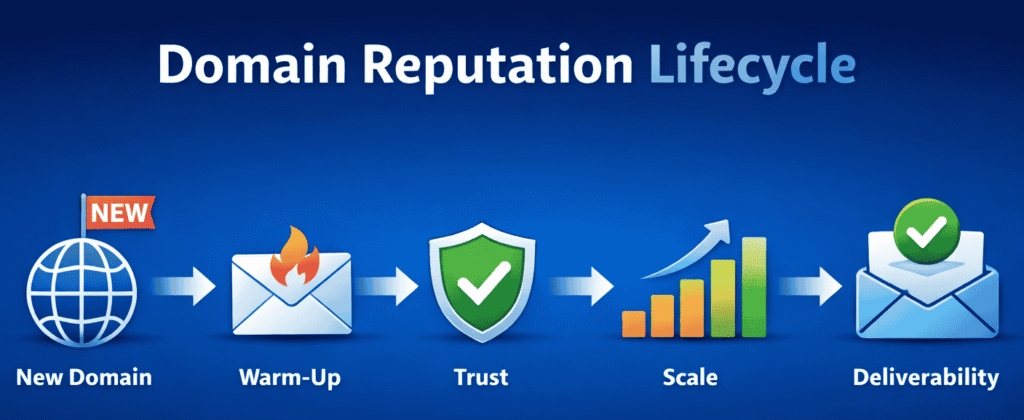
Email domain warm-up is the process of gradually increasing your sending volume from a new domain or inbox so email providers (Google, Outlook, Yahoo) trust you as a legitimate sender.
When a brand-new domain suddenly sends hundreds of emails, spam filters interpret it as suspicious behavior — even if your emails are perfectly written.
Warm-up solves this by:
- Building sender reputation slowly
- Establishing consistent engagement signals
- Preventing spam folder placement
- Protecting long-term inbox deliverability
Think of it like credit history:
You don’t get a high credit limit on day one — you earn it gradually.
What Happens If You Skip Email Domain Warm-Up?
Skipping warm-up leads to:
❌ Emails landing in spam
❌ Low open and reply rates
❌ Blacklisting risks
❌ Burned domains and inboxes
❌ Long-term reputation damage
Once a domain reputation is damaged, even months of good behavior may not fully recover it.
That’s why warming up properly is not optional — it’s foundational.
How Long Does Email Domain Warm-Up Take?
Most domains need:
- 14–21 days for light outreach
- 21–30 days for sales or cold email campaigns
- 30+ days for high-volume sending
Rushing this process almost always backfires.
The goal isn’t speed — it’s trust accumulation.
Email Domain Warm-Up: The Proven Step-by-Step System
Here’s the exact framework professionals use.
Step 1: Set Up Your Email Infrastructure Correctly
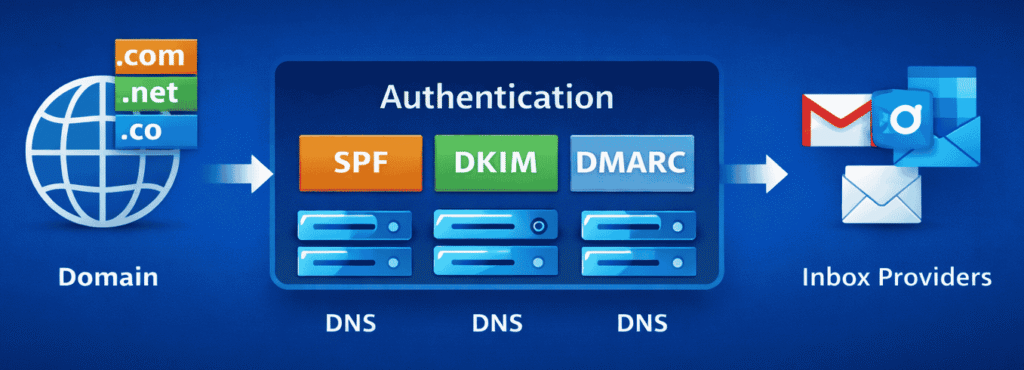
Before sending a single email, configure authentication.
You must set up:
✅ SPF — verifies sending servers
✅ DKIM — cryptographic signature for email integrity
✅ DMARC — tells inbox providers how to handle failures
Without these, no warm-up strategy will save you.
Also:
- Use a dedicated domain for outreach (not your main business domain)
- Create 1–3 inboxes max per domain initially
- Use real names, signatures, and profile images
Step 2: Start With Manual, Human-Like Emails
For the first few days:
- Send emails manually
- Write real messages
- Avoid templates or automation
- Prioritize replies and conversations
Target:
5–10 emails per inbox per day
The goal is natural engagement, not volume.
Step 3: Gradually Increase Sending Volume
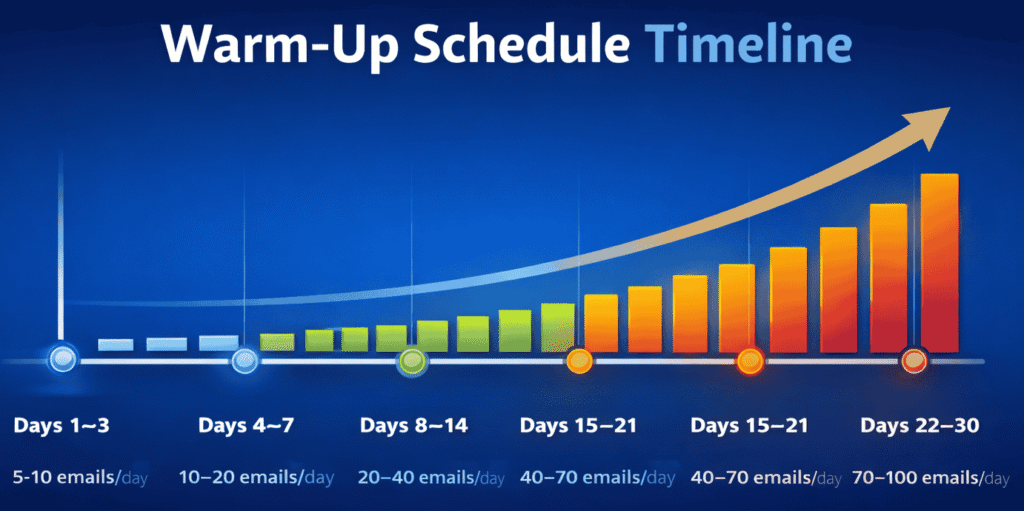
Here’s a safe warm-up schedule:
| Day Range | Emails per Inbox per Day |
|---|---|
| Days 1–3 | 5–10 |
| Days 4–7 | 10–20 |
| Days 8–14 | 20–40 |
| Days 15–21 | 40–70 |
| Days 22–30 | 70–100 |
Never increase volume by more than 50% every 3–4 days.
Consistency beats aggression.
We tested outreach tools like Apollo — see our full Apollo.io review to understand how its infrastructure affects warm-up and inbox placement.
Step 4: Prioritize Positive Engagement Signals
Inbox providers track:
- Opens
- Replies
- Email deletions without reading
- Spam reports
You want:
✅ Replies
✅ Forwards
✅ Email reads
❌ Spam complaints
❌ Mass deletes
This is why warm-up tools use real inboxes that reply automatically — they simulate healthy human interaction.
Step 5: Introduce Automation Slowly (After Warm-Up)
Only after 14–21 days should you:
- Enable sequences
- Add cold outreach
- Increase scale
Start slow:
10–20 automated emails/day/inbox → monitor → increase.
For teams running multichannel campaigns, our Reply.io review explains how its warm-up and sequencing systems handle deliverability at scale.
Manual vs Automated Email Warm-Up: Which Is Better?
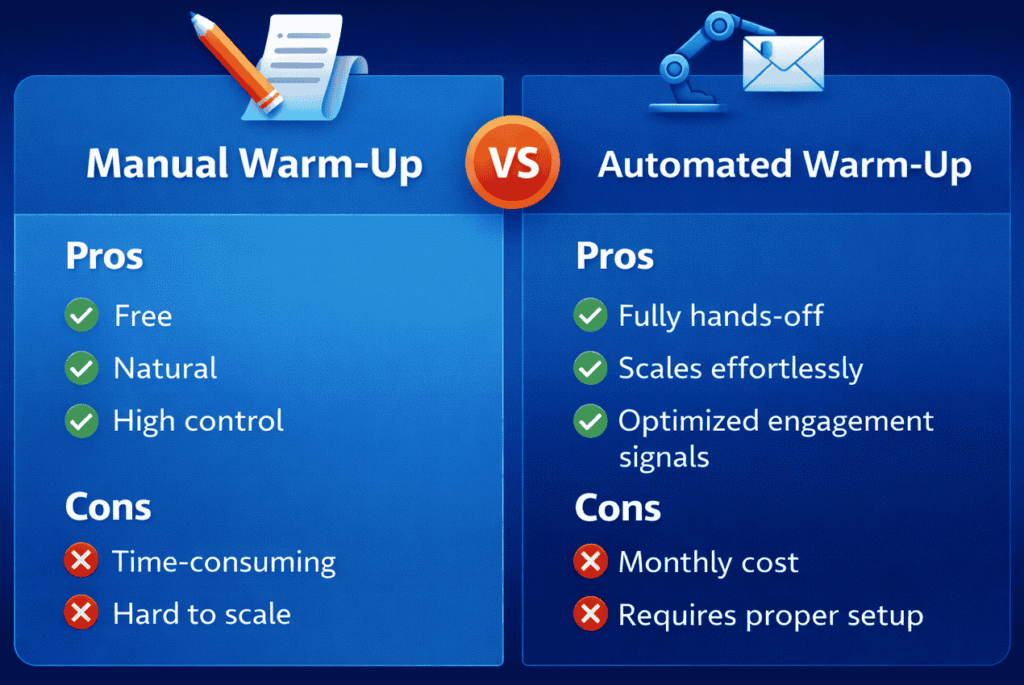
🔹Manual Warm-Up
Pros:
- Free
- Natural
- High control
Cons:
- Time-consuming
- Hard to scale
- Error-prone
🔹Automated Warm-Up Tools
Pros:
- Fully hands-off
- Scales effortlessly
- Optimized engagement signals
Cons:
- Monthly cost
- Requires proper setup
👉 Best practice:
Manual for first few days → automated warm-up for consistency → then outreach.
Best Email Warm-Up Tools (2026 Edition)
Here are trusted tools professionals use:
- Warmbox
- Mailreach
- Warmup Inbox
- Instantly.ai Warm-Up
- Smartlead.ai Warm-Up
These tools:
- Send real emails between trusted inboxes
- Auto-reply to simulate conversations
- Slowly increase volume
- Protect sender reputation
If you want, I can recommend the best tool based on your stack (Gmail, Outlook, custom SMTP).
Advanced Email Warm-Up Best Practices (That Most Guides Miss)
➤ Use plain text emails during warm-up
➤ Avoid links and images initially
➤ Don’t use tracking pixels early
➤ Keep subject lines natural
➤ Avoid spam trigger words
➤ Maintain consistent daily sending
➤ Never warm up multiple domains from the same IP aggressively
➤ Monitor bounce rates (<3% ideal)
➤ Use Google Postmaster Tools if using Gmail
➤ Segment inboxes by purpose (sales vs ops vs partnerships)
These micro-optimizations dramatically improve inbox placement.
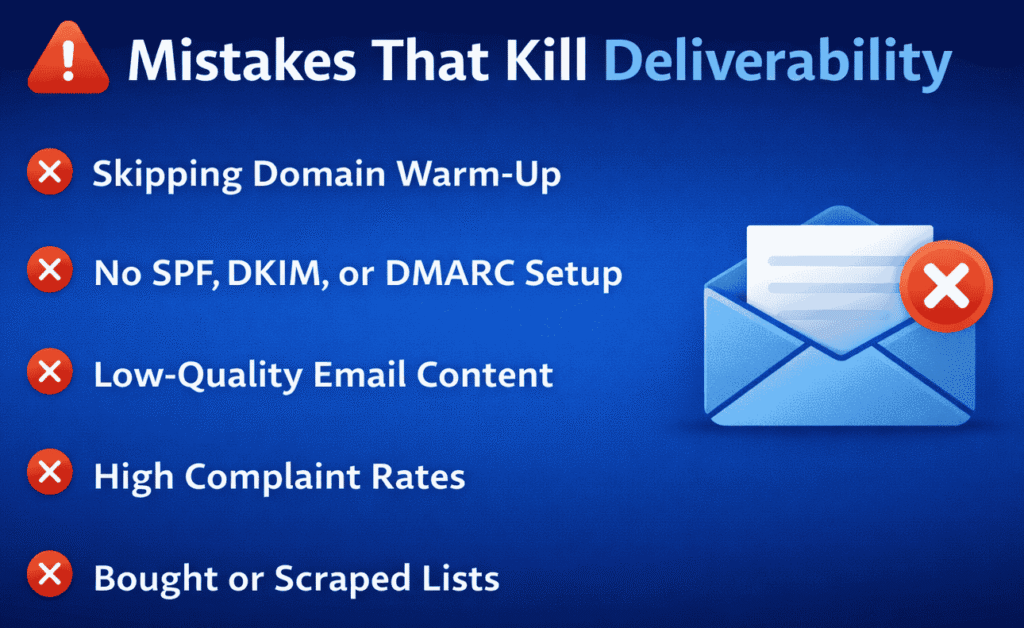
Common Email Warm-Up Mistakes That Kill Deliverability
Avoid these at all costs:
❌ Sending bulk emails on day one
❌ Using link-heavy templates early
❌ Skipping SPF/DKIM/DMARC
❌ Warming up multiple inboxes aggressively
❌ Buying low-quality leads
❌ Ignoring bounce and spam rates
❌ Switching domains frequently
❌ Sending identical copy repeatedly
One bad week can ruin months of work.
How to Tell If Your Domain Is Properly Warmed Up
You’re ready when:
✅ Emails consistently land in inbox
✅ Open rates exceed 40–60%
✅ Reply rates increase
✅ Bounce rates stay below 3%
✅ Spam complaints are near zero
✅ No throttling or sending blocks occur
If not, slow down — don’t scale.
Email Domain Warm-Up Checklist (Quick Copy)
Before scaling:
- SPF, DKIM, DMARC configured
- 14–30 days of gradual sending
- Replies and opens consistent
- No spam complaints
- Bounce rate under 3%
- Automation introduced slowly
Bookmark this — it prevents disasters.
Why Email Domain Warm-Up Is Non-Negotiable in 2026
Inbox providers are stricter than ever.
Cold email volume is exploding.
Spam filtering is AI-powered.
Sender reputation systems are unforgiving.
Your competitive advantage isn’t volume — it’s deliverability.
And deliverability starts with proper domain warm-up.
Final Takeaway
Email warm-up isn’t about sending emails.
It’s about building trust.
Do it right:
→ Higher inbox placement
→ More replies
→ Better ROI
→ Long-term domain health
Do it wrong:
→ Burned domains
→ Wasted campaigns
→ Lost revenue
Warm slow. Scale smart. Win long-term.
FAQs
1. How long does it take to warm up an email domain?
Most domains take 14–30 days, depending on volume and engagement quality.
2. Can I skip email warm-up if I use a new inbox?
No. Inbox providers track domain reputation, not just inbox reputation.
3. How many emails should I send per day during warm-up?
Start with 5–10 per inbox per day, increasing gradually every few days.
4. Do I need to warm up each inbox separately?
Yes. Each inbox contributes to sender reputation and should warm independently.
5. Should I use links during warm-up?
Avoid links for the first 7–10 days. Plain text performs better early.
6. What happens if I warm up too fast?
Your domain may be throttled, flagged, or permanently damaged.
7. Is automated warm-up safe?
Yes — if the tool uses real inbox interactions and gradual volume increases.
8. Can I warm up multiple domains at once?
Yes, but each domain must follow independent warm-up schedules.
9. Do I need SPF, DKIM, and DMARC before warm-up?
Absolutely. Without authentication, warm-up will fail.
10. How do I know if my emails are landing in spam?
Use inbox testing tools or seed accounts across Gmail, Outlook, Yahoo.