
7 Best Chrome Extensions for Sales Prospecting in 2026: Boost Leads & Close Deals Faster
Table of Contents
Sales prospecting has become faster and more accessible with Chrome extensions for sales prospecting. Instead of switching between multiple tabs and manually copying contact information, salespeople, freelancers, agencies, recruiters, and small businesses can use browser-based tools to discover prospects, find professional email addresses, capture lead data, and enrich contact records while researching online.
The best sales prospecting Chrome extensions work directly inside the websites you already use, including LinkedIn, company websites, search results, and other business directories. This makes them particularly useful for lead generation, contact research, email finding, and prospect list building without requiring complex technical skills.
Whether you’re building a small list of highly targeted prospects or researching hundreds of potential customers, the right Chrome extension can reduce repetitive research and make your prospecting workflow more efficient.
Why Use Chrome Extensions for Sales Prospecting?
Traditional prospecting often involves moving between websites, spreadsheets, databases, and email tools just to collect basic information about one prospect. Chrome extensions simplify this process by bringing key prospecting functions directly into your browser.
Depending on the extension, you can capture lead information while browsing LinkedIn or a company website, find and verify professional email addresses, enrich existing contact records, and send the resulting data to a CRM or spreadsheet.
The main benefits include:
- Real-Time Lead Capture: Collect prospect and company information while researching LinkedIn profiles, websites, and other online sources.
- Email Discovery And Verification: Find professional email addresses and check their validity before adding them to an outreach list.
- Faster Data Collection: Reduce manual copy-and-paste work when building prospect lists.
- CRM And Spreadsheet Integration: Export or send captured data to tools such as CRMs, Google Sheets, or other sales systems.
- More Efficient Prospecting: Complete common research tasks without repeatedly switching between different browser tabs and applications.
- Lower Barrier To Entry: Start prospecting with a lightweight browser extension instead of learning a complex sales intelligence platform.
What Can a Sales Prospecting Chrome Extension Do?
The exact capabilities vary by tool, but common functions include LinkedIn prospecting, email finding, contact enrichment, company research, lead extraction, email verification, and CRM syncing.
The important point is that a Chrome extension is usually a prospecting layer, not a complete sales system. Some extensions focus on one task, such as finding email addresses, while others combine lead capture, enrichment, and workflow automation.
That distinction matters when choosing the right extension for your sales prospecting workflow.
Top Chrome Extensions for Sales Prospecting in 2026
1. Apollo.io Chrome Extension
Best For: B2B lead generation, prospect research, and multi-channel sales prospecting
The Apollo.io Chrome Extension brings Apollo’s prospecting capabilities into your browser, making it easier to research companies and contacts without constantly switching between your browser and the Apollo platform.
It is particularly useful for salespeople and lead-generation professionals who use LinkedIn and company websites to identify potential prospects. Depending on the page and available data, the extension can help you access contact information, add prospects to Apollo, and continue the prospecting workflow from Apollo’s database and sales engagement tools.
Key Features
- Find Professional Contact Data: Access available business email addresses and phone numbers for potential prospects.
- LinkedIn Prospecting: Research LinkedIn profiles and add relevant prospects to your Apollo workflow.
- Company And Contact Enrichment: Gather additional information about prospects and their companies while browsing.
- Prospect List Building: Add selected contacts to Apollo lists for further research, qualification, or outreach.
- CRM And Outreach Integration: Move prospects into Apollo’s sales workflow and use available engagement features without manually transferring every contact.
- Browser-Based Prospecting: Research potential leads directly from supported webpages instead of switching between multiple tools.
Ease Of Use
Beginner-friendly. If you already understand basic LinkedIn prospecting and lead generation, Apollo’s Chrome extension is relatively easy to learn. The main advantage is convenience: you can research a prospect in your normal browser workflow and then continue working with that contact inside Apollo.
Who Should Use Apollo’s Chrome Extension?
It is a strong choice for B2B sales teams, lead-generation freelancers, agencies, recruiters, and small businesses that want to combine browser-based prospect research with a larger prospect database and sales engagement workflow.
If your goal is simply to find an email address from a company website, a dedicated email finder may be sufficient. But if you want to discover prospects, enrich their information, organize them into lists, and continue into an outbound sales workflow, Apollo’s extension offers a broader prospecting experience.
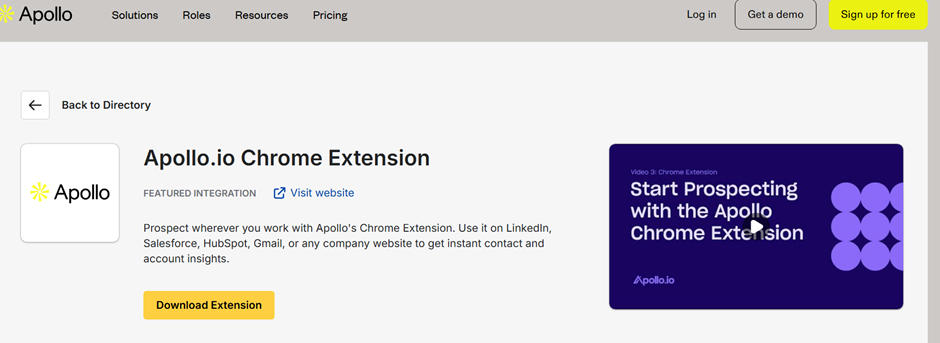
Read our full Apollo.io Chrome Extension review to understand features, setup, and real use cases.
2. Hunter.io Chrome Extension
Best For: Professional email discovery and email verification
The Hunter.io Chrome Extension is designed for finding professional email addresses while you browse the web. Instead of manually searching a company’s contact page or guessing an employee’s email format, you can use Hunter to research available contact information directly from supported webpages.
It is particularly useful for sales prospecting, link building, PR outreach, recruiting, and business development when you already know the company, website, or person you want to contact.
Key Features
- Find Professional Email Addresses: Discover available business email addresses associated with people and companies you research online.
- Domain-Based Email Discovery: Investigate a company’s domain to find publicly available professional email addresses and common email patterns.
- Email Verification: Check whether an email address is likely to be deliverable before using it in an outreach campaign.
- Email Confidence Information: Use Hunter’s available data and verification signals to assess the reliability of an email address.
- Browser-Based Prospecting: Find contact information without leaving the webpage you are researching.
Bulk Verification
Hunter also supports bulk email verification, which is useful when you already have a prospect list and want to check multiple addresses rather than verifying them individually.
For example, if you have collected 200 business email addresses from different sources, you can use Hunter’s verification workflow to identify addresses that may be invalid or risky before adding the list to an outreach campaign.
Ease Of Use
Beginner-friendly. Hunter is relatively straightforward because its primary workflow is focused on email discovery and verification. It is especially convenient for users who already have a company website, domain, or prospect in mind and simply need to find the appropriate professional email address.
Who Should Use Hunter’s Chrome Extension?
Hunter’s extension is a good fit for salespeople, freelancers, link builders, PR professionals, recruiters, and small businesses that frequently research known companies or websites and need professional contact information.
If your primary goal is to discover a large number of companies and decision-makers based on detailed ICP filters, a broader sales intelligence platform such as Apollo.io may be more appropriate. Hunter is most useful when your workflow is centered on finding and validating the right email address for a prospect you already know.
Read our full Hunter.io Review to understand features, setup, and real use cases.
3. Skrapp.io Chrome Extension
Best For: Finding professional email addresses from LinkedIn and company websites
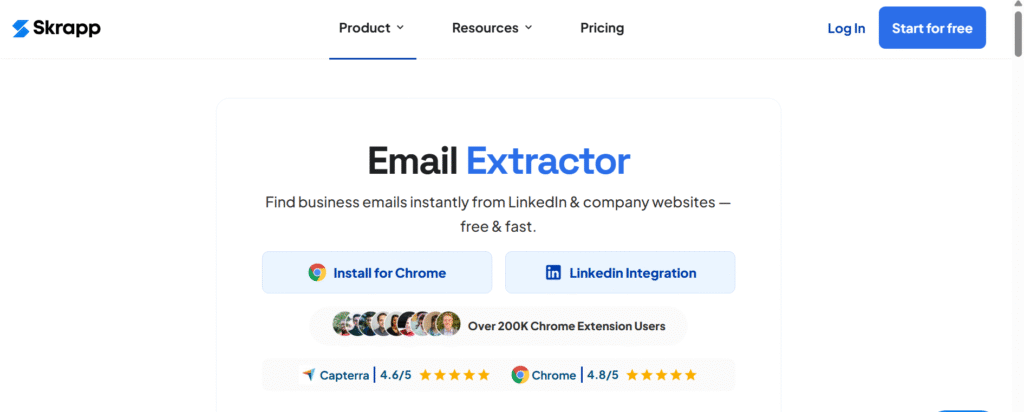
The Skrapp.io Chrome Extension is an email-finding and lead-generation tool designed to help users discover professional contact information while researching prospects online. It is particularly useful for LinkedIn prospecting, where you may already know the person or company but need a business email address for outreach.
Skrapp can also be used when researching company websites and domains, making it useful for freelancers, salespeople, recruiters, agencies, and small businesses building targeted B2B contact lists.
Key Features
- LinkedIn Email Finding: Find available professional email addresses while researching LinkedIn profiles and prospects.
- Website And Domain Research: Use company information and domains to identify potential business email addresses.
- Lead Enrichment: Add contact information to existing prospect records during your research workflow.
- Bulk Email Finding: Process multiple prospects when building a larger B2B email list.
- Email Verification: Check discovered email addresses before using them for outreach.
- CSV Export: Export collected prospect data for use in spreadsheets, CRM systems, or other sales tools.
Ease Of Use
Very beginner-friendly. Skrapp’s browser-based workflow makes it easy to add email-finding to an existing LinkedIn prospecting process without learning complicated automation or technical tools.
Who Should Use Skrapp?
Skrapp is a practical option for freelancers, sales professionals, recruiters, lead-generation agencies, and small businesses that regularly research prospects on LinkedIn and need their professional email addresses.
It is especially useful when your workflow looks like:
LinkedIn Profile → Find Professional Email → Verify Contact → Export Lead → Outreach
If you need a complete prospect database with advanced company and contact filters, Apollo.io may be a better fit. If your primary requirement is finding professional emails from known prospects, Skrapp provides a more focused workflow.
4. Bardeen.ai Chrome Extension
Best For: Automating repetitive sales prospecting and browser-based workflows
The Bardeen.ai Chrome Extension takes a different approach from dedicated email-finding extensions such as Hunter.io or Skrapp.io. Instead of primarily focusing on contact discovery, Bardeen is designed to automate repetitive tasks across websites and business applications.
This makes it useful when prospecting involves repetitive actions such as collecting information from webpages, transferring lead data into spreadsheets, enriching records, or connecting different tools in your workflow.
Key Features
- Browser-Based Lead Collection: Automate repetitive data-collection tasks while researching prospects online.
- LinkedIn Workflow Automation: Build workflows around LinkedIn prospect research and lead data collection, subject to the capabilities and access allowed by the source website.
- Google Sheets Integration: Send collected prospect information directly into spreadsheets instead of copying data manually.
- CRM Workflows: Connect browser-based research with supported CRM and business applications.
- Prebuilt Automations: Start with ready-made workflows rather than building every automation from scratch.
- AI-Powered Workflow Building: Use natural-language instructions and AI-assisted features to create or customize certain browser automation workflows.
Ease Of Use
Beginner-friendly for basic workflows. Bardeen uses a no-code approach, so you do not need traditional programming skills to automate many common prospecting tasks. However, more advanced workflows can require some understanding of triggers, actions, data fields, and application integrations.
Who Should Use Bardeen?
Bardeen is a strong option for salespeople, lead-generation freelancers, agencies, recruiters, and small teams that spend significant time performing repetitive browser-based research.
It is particularly valuable when the problem is not simply “How do I find an email?”, but rather “How do I automate the repetitive steps involved in collecting and moving prospect data?”
For example:
Research Prospects → Collect Data → Send To Google Sheets/CRM → Enrich → Continue Workflow
If you need a dedicated database for discovering B2B prospects, Apollo.io is more appropriate. If you primarily need professional email discovery, Hunter.io or Skrapp.io may be a better fit. Bardeen is most useful when automation is the main requirement.
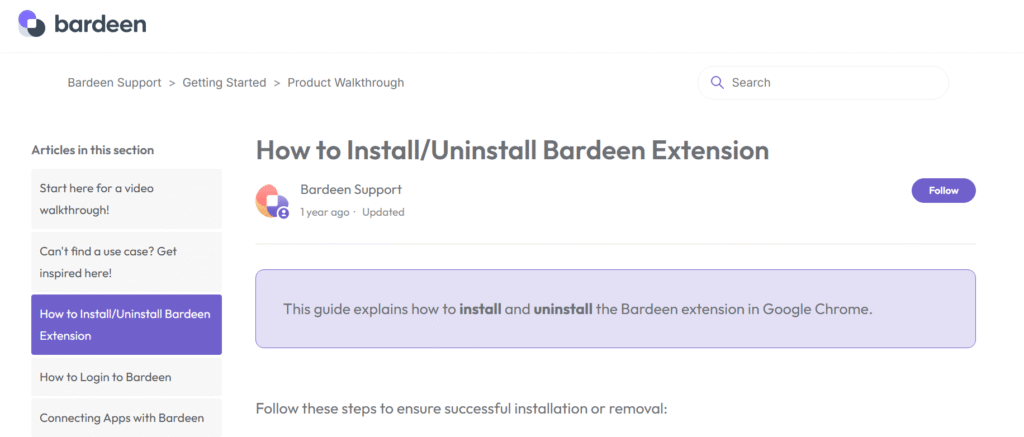
For a deeper breakdown, check our detailed Bardeen.ai Review.
5. Lusha Chrome Extension
Best For: Fast B2B contact lookup and prospect enrichment
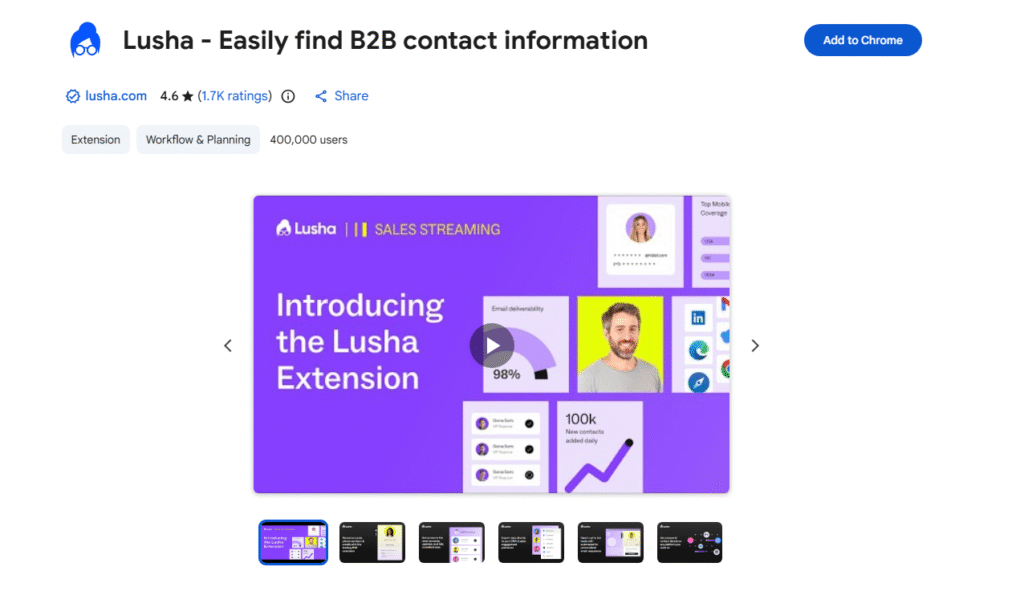
The Lusha Chrome Extension is designed for sales professionals and lead-generation teams that need to find business email addresses and phone numbers while researching prospects online. Rather than requiring you to leave the webpage and manually search for contact information, Lusha brings its contact-data capabilities directly into your browser.
Lusha is particularly useful for LinkedIn prospecting, Sales Navigator research, company website research, and other B2B workflows where you want to identify and enrich potential contacts quickly.
Key Features
- Email And Phone Lookup: Reveal available business email addresses and phone numbers for prospects when researching supported LinkedIn profiles, Sales Navigator results, and company websites.
- LinkedIn Prospecting: Research individual profiles and prospect lists while accessing available contact information from Lusha.
- Bulk Enrichment: Enrich multiple prospects from supported search-result pages and company lists instead of researching every contact individually.
- Contact Lists: Save prospects to Lusha lists so they can be organized and used for later research or outreach.
- CRM Integration: Send or export available contact data to supported CRM systems and sales workflows.
- Lusha Everywhere: Use Lusha’s prospecting capabilities across supported websites and business applications rather than restricting your workflow to LinkedIn.
Ease Of Use
Very beginner-friendly. Once the extension is installed and connected to your Lusha account, the basic workflow is straightforward: open a supported prospect or company page, activate the Lusha extension, and review the available contact information.
Because Lusha works across more than just LinkedIn, it can be useful for prospecting workflows that involve multiple websites and sales platforms.
Who Should Use Lusha?
Lusha is a good fit for sales representatives, B2B lead-generation professionals, recruiters, freelancers, and small sales teams that want quick access to contact information while researching prospects.
It is especially useful when phone numbers are as important as email addresses, such as sales workflows involving calling and multi-channel outreach.
Compared with dedicated email-finding tools such as Hunter.io or Skrapp.io, Lusha places more emphasis on B2B contact enrichment across multiple channels, including both email and phone data. For users who need a broader prospect database and advanced prospect discovery, Apollo.io may offer a more comprehensive platform. icon while viewing a profile or company page — information pops up instantly. Minimal setup required beyond login
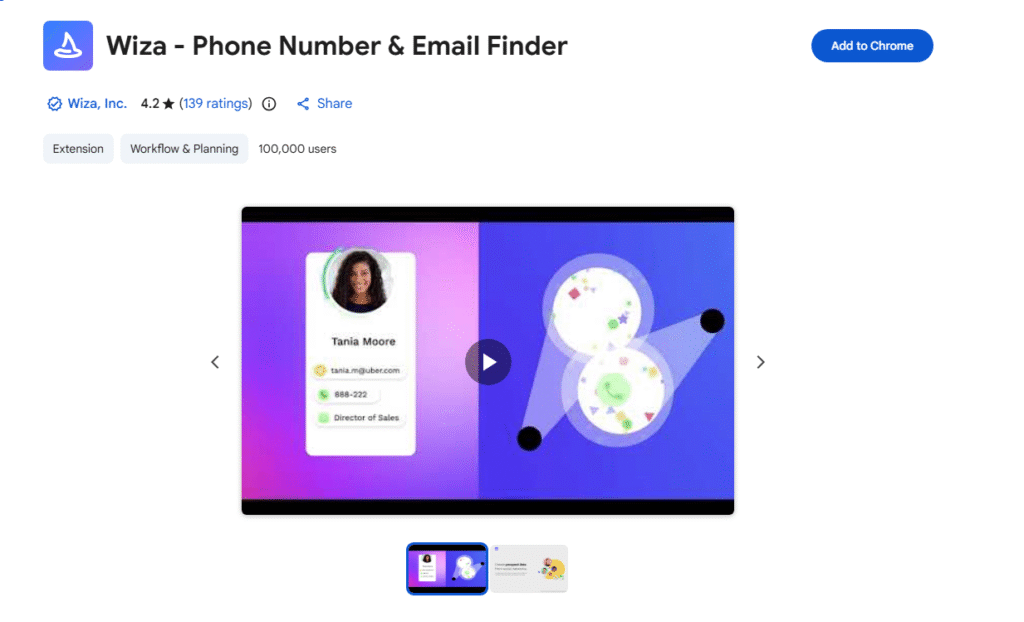
6. Wiza Chrome Extension
Best For: Extracting and enriching LinkedIn prospects with professional email addresses and phone numbers
The Wiza Chrome Extension is built around a simple sales prospecting workflow: find prospects on LinkedIn, access available contact information, and turn those prospects into an exportable lead list.
It is particularly useful for sales teams, lead-generation freelancers, recruiters, and agencies that use LinkedIn or Sales Navigator as a major source of prospects. Instead of manually copying profile information into a spreadsheet, Wiza can help collect available contact data and organize prospects for further outreach.
Key Features
- LinkedIn Contact Lookup: Access available professional email addresses and phone numbers directly while researching LinkedIn profiles.
- Sales Navigator Prospecting: Use Wiza with supported LinkedIn and Sales Navigator workflows to collect prospect information at scale.
- Bulk Lead Collection: Capture multiple prospects from supported LinkedIn search or results pages instead of processing every profile individually.
- Prospect Lists: Save selected contacts into lists for organization and later outreach.
- CSV Export: Export collected prospect information for use in spreadsheets and other lead-generation workflows.
- CRM Integration: Send or sync available prospect data with supported CRM systems.
- CSV Enrichment: Use existing prospect lists as an input for enrichment workflows where supported.
Ease Of Use
User-friendly. The basic workflow is straightforward: install the Chrome extension, open LinkedIn, research your target prospects, and use Wiza to access available contact information.
For larger prospecting projects, additional steps may be required to create lists, export data, or connect the workflow to a CRM. However, users who are already comfortable with LinkedIn prospecting should find the overall process easy to understand.
Who Should Use Wiza?
Wiza is a strong option for LinkedIn-focused sales prospecting, particularly when your goal is to turn LinkedIn searches and Sales Navigator results into structured contact lists.
A typical workflow looks like:
LinkedIn / Sales Navigator → Find Prospects → Enrich Contact Data → Save To List → Export/CRM → Outreach
Compared with tools such as Hunter.io, which focuses more heavily on email discovery and verification, Wiza is better suited to users whose prospecting process starts with LinkedIn profiles and search results. For broader B2B company and contact discovery, Apollo.io may be a more comprehensive alternative.
7. Kaspr Chrome Extension
Best For: LinkedIn contact enrichment for sales prospecting and recruitment
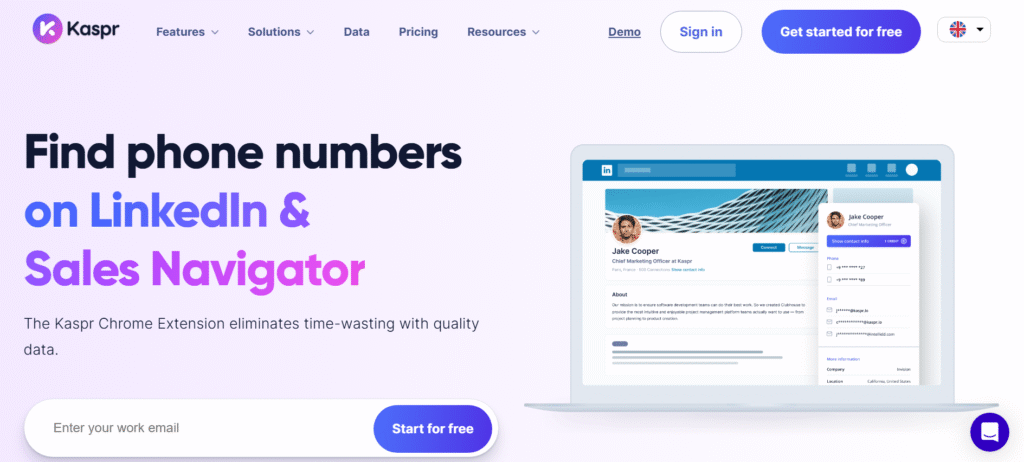
The Kaspr Chrome Extension is a LinkedIn-focused prospecting and contact enrichment tool that helps users access available professional email addresses, phone numbers, and company information while researching people on LinkedIn.
Its focus on LinkedIn and Sales Navigator makes it particularly useful for sales teams and recruiters who already use LinkedIn as a primary source of prospects or candidates. Instead of manually collecting contact information from individual profiles, Kaspr can bring available contact data into the prospecting workflow.
Key Features
- LinkedIn Contact Lookup: Open a supported LinkedIn profile or prospect list and use the Kaspr extension to access available email addresses, phone numbers, and company information.
- Sales Navigator Support: Use Kaspr within supported Sales Navigator workflows to research and enrich prospects.
- Recruitment Workflows: Its LinkedIn-focused approach also makes it useful for recruiters and talent teams researching potential candidates.
- Contact Lists: Save enriched contacts into lists for organization and follow-up.
- CRM Integration: Export or transfer available contact information to supported CRM systems.
- Outreach Workflows: Use enriched prospect data as an input for subsequent sales or recruitment outreach.
Ease Of Use
Beginner-friendly. The basic process is simple: install the Chrome extension, open a supported LinkedIn profile or search result, activate Kaspr, and review the available contact information.
The extension is particularly convenient for users who already spend a significant amount of time prospecting on LinkedIn because the contact-enrichment process happens within the browser rather than requiring extensive manual data entry.
Who Should Use Kaspr?
Kaspr is a good fit for B2B sales professionals, recruiters, recruitment agencies, lead-generation freelancers, and small sales teams that rely heavily on LinkedIn for prospect or candidate research.
A typical sales workflow looks like:
LinkedIn / Sales Navigator → Find Prospect → Enrich Contact Data → Save To List/CRM → Outreach
For recruitment, the workflow can be adapted to:
LinkedIn → Identify Candidate → Find Available Contact Data → Save Candidate → Recruitment Outreach
Compared with broader platforms such as Apollo.io, Kaspr is more focused on LinkedIn-based contact enrichment. Compared with dedicated email-finding tools such as Hunter.io, its broader contact-data approach can be useful when phone numbers and company information are also important to the workflow.
How to Use Chrome Extensions for Sales Prospecting Effectively
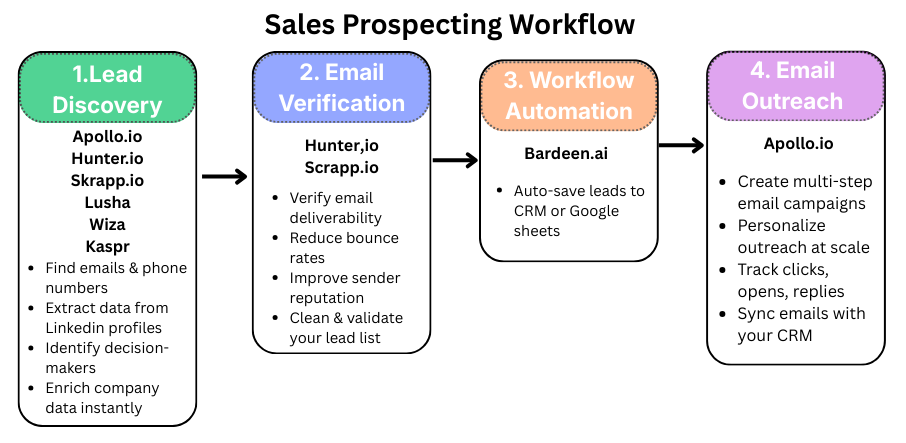
You don’t need to install all seven extensions to build an effective prospecting system. The better approach is to choose tools based on the stages of your workflow: prospect discovery, contact enrichment, email verification, data management, and outreach.
A simple workflow can look like this:
1. Choose The Right Chrome Extension
Start by identifying the main bottleneck in your prospecting process.
- Apollo.io: B2B prospect discovery, contact data, and sales engagement
- Hunter.io: Email discovery and verification
- Skrapp.io: LinkedIn-focused email finding
- Bardeen.ai: Browser and workflow automation
- Lusha: B2B email and phone enrichment
- Wiza: LinkedIn prospect extraction and contact enrichment
- Kaspr: LinkedIn-focused contact enrichment for sales and recruitment
You may only need one or two tools depending on your workflow.
2. Create An Account And Start With The Free Tier
Where available, begin with a free plan or trial rather than paying for multiple tools immediately. Use the available credits to test data quality, coverage, ease of use, and export options against your actual prospecting requirements.
A tool that looks good on paper may not provide useful contact data for your particular niche, geography, or target audience.
3. Define Your Ideal Customer Profile
Before collecting leads, establish the criteria that determine whether a prospect is relevant.
Consider factors such as:
- Industry or Niche
- Geographic Location
- Company Size
- Job Title or Decision-Maker Role
- Business Type
- Technology Or Buying Signals
This prevents you from collecting large numbers of contacts that are unlikely to become useful leads.
4. Find Prospects On LinkedIn Or Company Websites
Use the appropriate extension while researching your target prospects.
For example, Apollo can help with broader B2B prospect discovery, while Lusha, Wiza, and Kaspr are particularly useful for LinkedIn-based contact research. Hunter and Skrapp can be useful when your workflow is centered on finding professional email addresses.
The goal is not simply to collect as many contacts as possible. Relevant prospects are more valuable than a large but poorly targeted list.
5. Enrich And Organize Your Lead Data
Once you identify a prospect, collect the information needed for your outreach workflow.
A useful lead record may include:
Company → Website → Prospect Name → Job Title → LinkedIn Profile → Work Email → Phone → Location → Notes
Send the data to your CRM, spreadsheet, or lead-management system rather than maintaining multiple disconnected lists.
6. Verify Email Addresses Before Outreach
If an email address requires additional validation, use an email verification tool such as Hunter or another suitable verifier before adding it to a campaign.
Verification can help identify potentially invalid addresses and reduce unnecessary bounces, but it does not guarantee inbox placement. Domain authentication, sender reputation, sending practices, and email quality also affect deliverability.
7. Automate Repetitive Tasks
Use Bardeen or another suitable automation tool when prospecting involves repetitive browser tasks.
For example, automation can help move information between webpages, spreadsheets, and supported business applications. The objective is to reduce repetitive manual work—not to automate every part of prospecting blindly.
8. Launch Personalized Outreach
Once your list has been cleaned and verified, move qualified prospects into your outreach workflow.
Apollo can be useful when you want prospecting and sales engagement in the same platform. Alternatively, you can export your leads to your existing CRM or email outreach system.
Personalize the message around the prospect’s role, company, situation, or relevant business problem rather than sending the same generic message to everyone.
9. Track Results And Improve The Workflow
Monitor the metrics that actually indicate campaign performance, such as positive replies, qualified conversations, meetings booked, bounce rates, and conversions.
Use those results to improve your ICP, prospecting sources, messaging, and qualification criteria.
For example, if a particular lead source produces many contacts but very few qualified replies, the problem may be lead quality rather than outreach volume.
A Simple Sales Prospecting Stack
For many small businesses and freelancers, a practical setup can be as simple as:
Lead Discovery → Contact Enrichment → Email Verification → CRM/Spreadsheet → Personalized Outreach → Performance Tracking
You don’t necessarily need seven Chrome extensions to accomplish this. Choose the smallest combination of tools that solves your actual prospecting bottlenecks.
Conclusion
Sales prospecting in 2026 doesn’t have to mean switching between multiple platforms or manually copying contact information into spreadsheets. The right Chrome extensions for sales prospecting can simplify the process of finding prospects, enriching contact data, verifying emails, automating repetitive tasks, and moving qualified leads into your outreach workflow.
The key is to choose tools according to the job they need to perform:
- Prospect Discovery: Apollo.io is the strongest option when you need to discover companies and decision-makers based on specific targeting criteria.
- Email Discovery And Verification: Hunter.io and Skrapp.io are useful when finding and validating professional email addresses is the primary requirement.
- Contact Enrichment: Lusha, Wiza, and Kaspr can help enrich prospects with available business contact information, particularly in LinkedIn-focused workflows.
- Workflow Automation: Bardeen.ai is useful for automating repetitive browser-based prospecting and data-management tasks.
- Sales Outreach: Apollo.io can take qualified prospects into a broader sales engagement workflow, including outreach and follow-up.
You don’t need to use all seven extensions. For a simple prospecting system, start with the tool that solves your biggest bottleneck and add another only when it provides a clear benefit.
A practical workflow could be:
Find The Right Prospects → Enrich Contact Data → Verify Emails → Organize Leads → Personalize Outreach → Track Results
Ultimately, the best Chrome extension is not the one with the longest feature list. It is the one that fits your prospecting workflow, provides useful data for your target market, and saves more time than it costs.
FAQs
-
What is a sales prospecting Chrome extension?
A sales prospecting Chrome extension is a browser tool that helps you research potential customers while browsing websites such as LinkedIn, company websites, and business directories. Depending on the extension, it can help with lead discovery, email finding, contact enrichment, email verification, data extraction, or workflow automation.
-
What is the best Chrome extension for sales prospecting?
There is no single best extension for every prospecting workflow. Apollo.io is a strong choice for B2B prospect discovery and sales engagement, while Hunter.io is better suited to email discovery and verification. Lusha, Wiza, and Kaspr are useful for LinkedIn-focused contact enrichment, while Bardeen.ai is designed more around browser and workflow automation.
-
Which Chrome extension is best for LinkedIn lead generation?
The best choice depends on what you need from LinkedIn. Apollo.io, Lusha, Wiza, and Kaspr can help with different aspects of LinkedIn prospecting and contact enrichment. If you need broader prospect discovery and filtering, Apollo is generally more comprehensive; if your workflow starts with LinkedIn profiles or search results, Wiza, Lusha, or Kaspr may be useful.
-
Can Chrome extensions find email addresses from LinkedIn?
Yes. Some sales prospecting extensions can identify available professional email addresses associated with LinkedIn profiles. Tools such as Apollo.io, Hunter.io, Skrapp.io, Lusha, Wiza, and Kaspr offer different approaches to email discovery and contact enrichment.
However, not every LinkedIn profile will produce an email address, and the availability and accuracy of contact data can vary. -
Can Chrome extensions find phone numbers for sales prospects?
Yes. Some B2B prospecting extensions can provide available business phone numbers in addition to email addresses. Apollo.io, Lusha, Wiza, and Kaspr are examples of tools that can support phone-number enrichment, although the availability of phone data varies by prospect and database coverage.
-
Are sales prospecting Chrome extensions free?
Some offer free plans, free credits, or limited trials, while others require a paid subscription for larger volumes or advanced features. Free allowances can change over time, so check the current pricing and usage limits before choosing an extension for regular lead generation.
-
Which Chrome extension is best for finding verified emails?
Hunter.io is a strong option when email discovery and verification are the main requirements. Other tools, including Apollo.io and Skrapp.io, also provide email-related data and verification capabilities. The best choice depends on the volume of emails you need to find and verify and how the tool fits into your existing prospecting workflow.
-
Can I use Chrome extensions to scrape LinkedIn leads?
Some extensions and browser-based prospecting tools can collect or export information from supported LinkedIn workflows. However, data extraction capabilities, usage limits, and platform rules vary by tool. Always check the extension’s current functionality and make sure your prospecting practices comply with LinkedIn’s terms and applicable privacy and data-protection requirements.
-
Can sales prospecting extensions automatically send emails?
Some extensions connect prospect data to sales engagement or outreach platforms, but not every extension sends emails directly. For example, Apollo.io combines prospecting with sales engagement, while tools such as Bardeen.ai focus more on automating workflows and moving data between applications.
-
Should I use multiple Chrome extensions for lead generation?
You can, but you don’t need to install every available extension. A more efficient approach is to create a simple workflow such as:
Lead Discovery → Contact Enrichment → Email Verification → CRM → Outreach
Choose one tool for each stage only when it provides a clear advantage. Using too many extensions can increase costs, duplicate data, and make your workflow harder to manage. -
Are Chrome extensions enough for a complete sales prospecting system?
Not always. Chrome extensions are useful for browser-based research and data collection, but a complete prospecting system may also require a CRM, email verification, outreach platform, and lead-management process.
For example:
Chrome Extension → Lead Database/CRM → Email Verification → Outreach → Reporting
The extension is usually one component of the larger sales prospecting workflow. -
How can I use Chrome extensions without hurting email deliverability?
Use extensions primarily for prospect research and data collection, then verify email addresses before adding them to outreach campaigns. Keep your prospect lists relevant, remove invalid addresses, authenticate your sending domain, and avoid sending large volumes of poorly targeted messages.
Remember that email verification does not guarantee inbox placement. Sender reputation, authentication, sending behavior, engagement, and message quality also influence deliverability. -
Which Chrome extension is best for small businesses and freelancers?
For businesses starting B2B prospecting from scratch, Apollo.io can be a practical starting point because it combines prospect discovery, contact data, and sales engagement. Freelancers or agencies that already have a list of companies may prefer a focused email-finding or enrichment tool such as Hunter.io, Skrapp.io, Lusha, Wiza, or Kaspr.
-
What is the easiest sales prospecting Chrome extension for beginners?
For beginners, the easiest option depends on the task. Apollo.io, Hunter.io, Skrapp.io, Lusha, Wiza, and Kaspr generally offer straightforward browser-based workflows, while Bardeen.ai can require a little more learning when you start building customized automations.
-
What is the best sales prospecting Chrome extension in 2026?
The best sales prospecting Chrome extension depends on your specific goal. Apollo.io is a strong choice for B2B prospect discovery, Hunter.io for email finding and verification, Skrapp.io for LinkedIn email finding, Bardeen.ai for workflow automation, Lusha for contact enrichment, Wiza for LinkedIn prospect extraction, and Kaspr for LinkedIn-focused sales and recruitment enrichment.