
HubSpot CRM Beginner Guide — How to Get Started & Grow Your Small Business
What Is HubSpot CRM?
HubSpot CRM is a customer relationship management platform that helps you:
✔ Store contacts in one place
✔ Track conversations and deals
✔ Manage your sales pipeline visually
✔ Automate follow-ups and reminders
✔ Understand where leads come from
Instead of juggling spreadsheets, emails, and notes — everything lives inside one system.
Why Small Businesses Choose HubSpot CRM
Most SMBs struggle with:
- Lost leads
- No follow-up system
- Sales relying on memory
- Scattered communication
HubSpot solves this by creating a structured sales workflow without complexity.
Key Benefits
✔ Free plan available (great for startups)
✔ Easy to learn — no technical setup
✔ Combines marketing + sales visibility
✔ Scales as your business grows
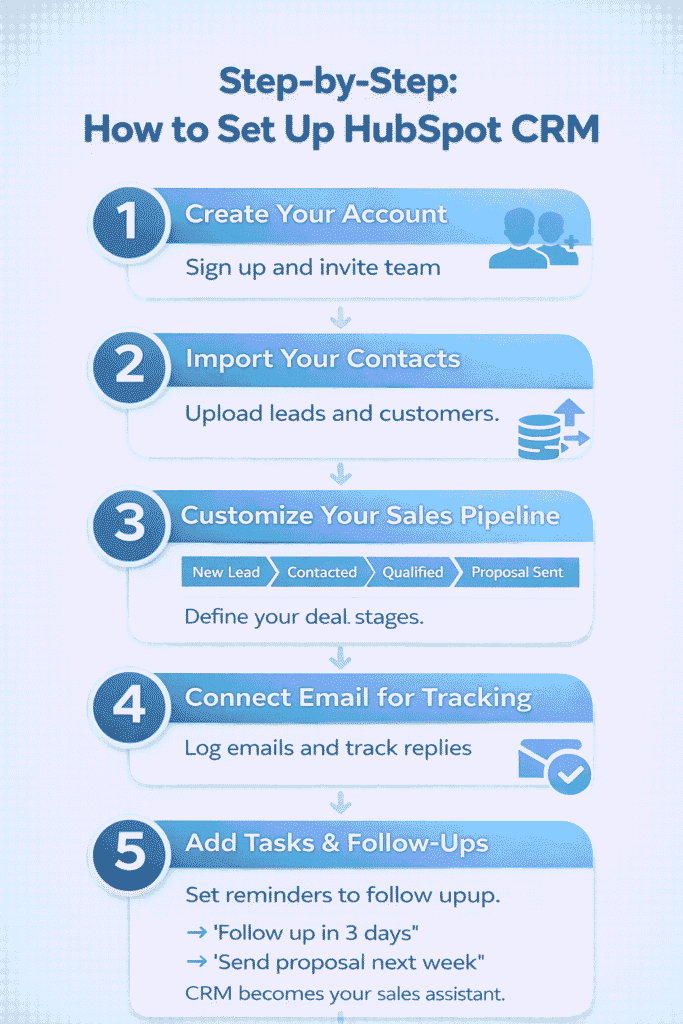
Step-by-Step: How to Set Up HubSpot CRM
Step 1: Create Your Account
Sign up → add company details → invite team members.
Step 2: Import Your Contacts
Upload:
- Existing leads
- Customers
- Prospects from spreadsheets
HubSpot automatically organizes them into records.
Step 3: Customize Your Sales Pipeline
Create deal stages such as:
- New Lead
- Contacted
- Qualified
- Proposal Sent
- Closed Won
This lets you see revenue flow visually.
Step 4: Connect Email for Tracking
Once connected, HubSpot can:
✔ Log conversations automatically
✔ Track opens and replies
✔ Show communication history per contact
This eliminates manual tracking.
Step 5: Add Tasks & Follow-Ups
Set reminders so no opportunity slips through.
Example:
→ “Follow up in 3 days”
→ “Send proposal next week”
CRM becomes your sales assistant.
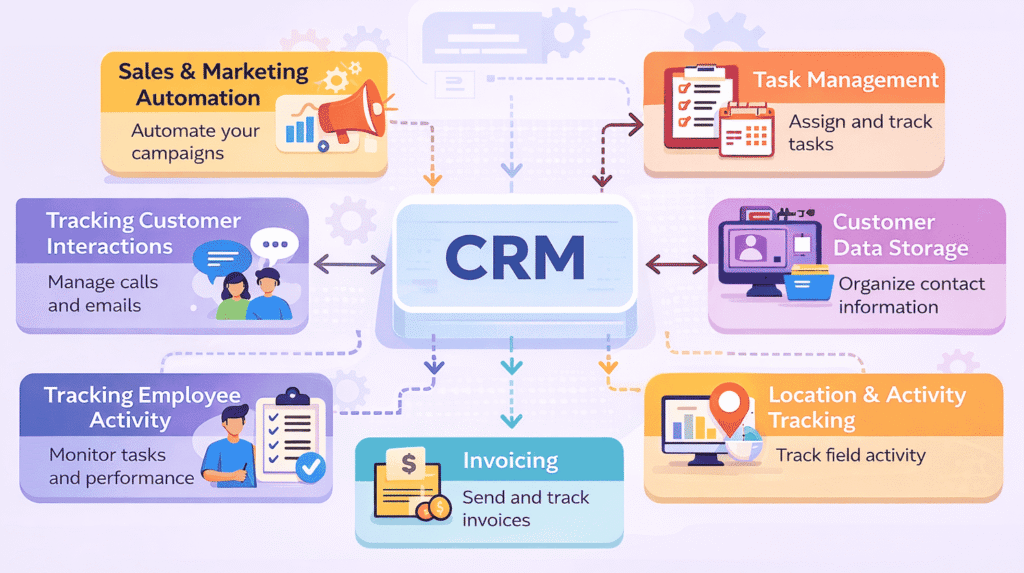
Core Features Beginners Should Use First
1️⃣ Contact Management
Central place to store:
- Email history
- Calls
- Notes
- Deals linked to contact
2️⃣ Deal Tracking
Visual pipeline helps forecast revenue.
3️⃣ Email Tracking
Know when prospects engage.
4️⃣ Basic Automation
Automate repetitive actions like:
- Welcome emails
- Lead assignments
- Task creation
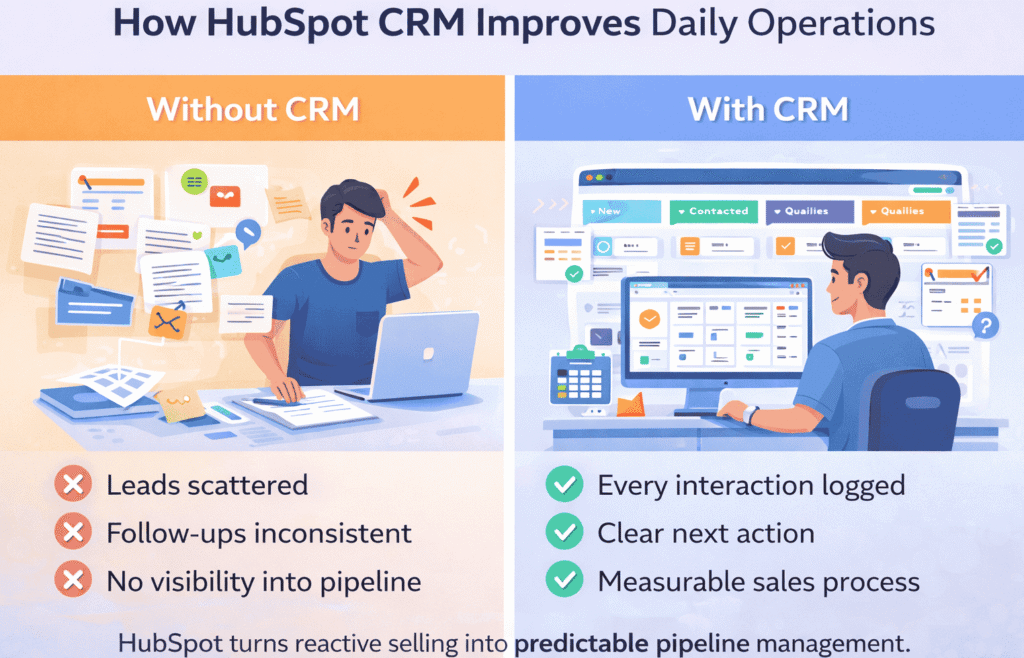
How HubSpot CRM Improves Daily Operations
Without CRM:
❌ Leads scattered
❌ Follow-ups inconsistent
❌ No visibility into pipeline
With CRM:
✅ Every interaction logged
✅ Clear next action
✅ Measurable sales process
HubSpot turns reactive selling into predictable pipeline management.
Beginner Tips to Get Value Faster
✔ Start simple — don’t customize everything
✔ Track deals first, automate later
✔ Train team to log every interaction
✔ Review pipeline weekly
✔ Use notes consistently for context
CRM success comes from usage discipline, not features.
Common Beginner Mistakes to Avoid
🚫 Using CRM like a spreadsheet
🚫 Over-customizing early
🚫 Not training team members
🚫 Ignoring pipeline updates
🚫 Expecting automation without data
CRMs only work when consistently used.
When Should You Upgrade Beyond the Free Plan?
Upgrade when:
✔ You need automation workflows
✔ Multiple sales reps require coordination
✔ Reporting becomes important
✔ Lead volume increases
✔ You want marketing integration
Start free → scale gradually.
Final Takeaway
HubSpot CRM is ideal for small businesses because it balances:
- Simplicity
- Structure
- Scalability
It’s not just software — it’s a system for managing relationships intentionally.
FAQs
1. What is HubSpot CRM used for?
HubSpot CRM is used to manage contacts, track sales conversations, organize deals, and automate follow-ups so businesses can build and maintain better customer relationships in one centralized system.
2. Is HubSpot CRM really free for beginners?
Yes. HubSpot offers a free plan that includes core features like contact management, deal tracking, email logging, and basic reporting — making it ideal for startups and small teams getting started with CRM.
3. Is HubSpot CRM difficult to learn?
No. HubSpot is considered one of the most beginner-friendly CRMs because it uses a visual interface, simple navigation, and requires little to no technical setup.
4. Can small businesses use HubSpot CRM effectively?
Absolutely. Small businesses benefit the most because the CRM helps replace spreadsheets, prevents missed follow-ups, and creates a structured sales process without needing a large team.
5. How long does it take to set up HubSpot CRM?
Most beginners can set up their account, import contacts, and create a basic pipeline within 1–2 hours. Advanced customization can be added later as the business grows.
6. What’s the difference between a CRM and a spreadsheet?
A spreadsheet stores data.
A CRM actively helps you manage relationships by tracking communication history, setting reminders, organizing deals, and providing visibility into your sales pipeline.
7. Does HubSpot CRM support email tracking?
Yes. Once you connect your email, HubSpot can log messages automatically, track opens, and attach conversations to the right contact record.
8. When should I upgrade from the free version?
You should consider upgrading when you need:
- Sales automation workflows
- Advanced reporting
- Team-based permissions
- Marketing integrations
- Larger-scale lead management
9. Is HubSpot CRM suitable for non-technical users?
Yes. It’s designed for business users, not developers. Most features can be used through drag-and-drop tools and simple configuration settings.
10. How does HubSpot CRM improve sales performance?
It improves performance by:
- Ensuring no lead is forgotten
- Standardizing follow-up processes
- Providing visibility into deal stages
- Helping teams prioritize the right opportunities
11. Can HubSpot CRM grow with my business?
Yes. HubSpot is scalable — you can start with basic features and gradually adopt automation, analytics, and integrations as your operations expand.
12. Do I need CRM experience before using HubSpot?
No prior CRM experience is required. Many users adopt HubSpot as their first CRM because of its simplicity and guided onboarding.