
Bardeen.ai Review (2026): The Ultimate AI Automation Tool for Busy Professionals

If you’re a Business owner, Marketer, Freelancer, or Recruiter looking to automate repetitive tasks without coding, then Bardeen.ai is one of the most powerful automation tools you can use in 2026.
This Bardeen.ai Review gives you a complete beginner-friendly breakdown covering:
- What Bardeen.ai is
- How it works
- Key features
- Real automation examples
- Best workflows
- Pricing
- Pros & cons
- Who should use it
- Best alternatives
Let’s dive in.
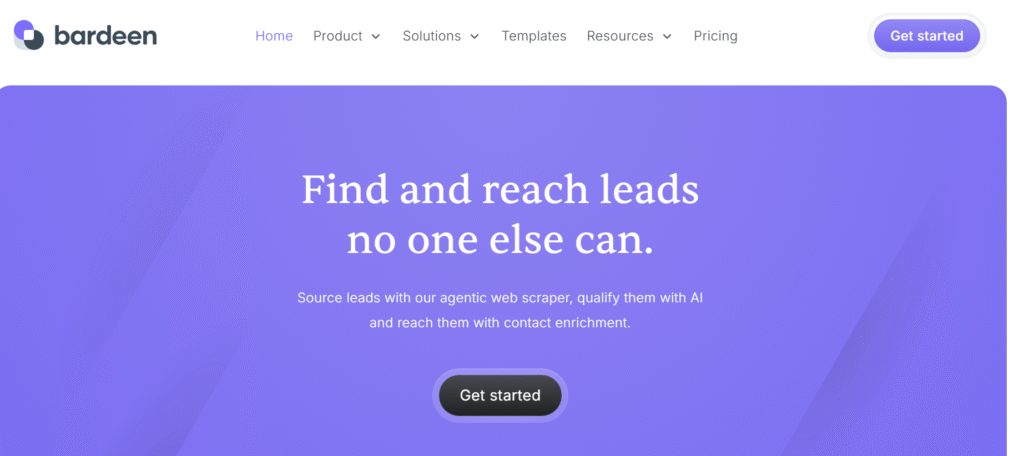
What is Bardeen.ai?
Bardeen.ai is a no-code AI automation and workflow builder that allows you to automate tasks across:
- Chrome
- Gmail
- Sheets
- Notion
- Airtable
- Slack
- CRMs (HubSpot, Pipedrive, Close)
- Project tools (Asana, Trello, ClickUp)
Unlike Zapier, which relies on cloud triggers, Bardeen works inside your browser, making it:
✔ Faster
✔ More reliable for scraping
✔ Easier for beginners
✔ Great for LinkedIn busywork
✔ Perfect for daily repetitive workflows
You can build automations with simple prompts like:
“Scrape LinkedIn profiles and add to a Google Sheet.”
or
“Save all email attachments from Gmail to Google Drive.”
Who Should Use Bardeen.ai?
Bardeen is ideal for:
✔ Business Owners
Automate admin work, content updates, data entry.
✔ Freelancers
Prospecting, managing client tasks, outreach flows.
✔ Recruiters
Scrape candidates, send follow-ups, filter applicants.
✔ Sales Teams
Pull leads, enrich contacts, update CRM automatically.
✔ Agencies
Automate repetitive workflows like reporting, research, scraping.
✔ SaaS Founders
Reduce manual work and focus on product growth.
✔ Students & Non-technical Users
Build automation without writing code.
Bardeen Automations in the Real World
1. LinkedIn Lead Scraping Automation
Scrape:
- Name
- Role
- Company
- Bio
- Links
→ Save automatically into Google Sheets.
2. Gmail to Google Drive Automation
Automatically save attachments from specific senders.
3. Meeting Notes Automation
Extract meeting summaries and save to Notion.
4. Job Application Tracker
Scrape job listings (Indeed, LinkedIn, Upwork) → Save to Airtable.
5. Social Media Content Scheduling
Use AI to generate posts and add to scheduling tools.
6. Competitor Research Automation
Scrape competitor pages weekly and send an automated summary.
Bardeen.ai Pricing
Bardeen pricing is simple:
✔ Free Plan
- 10 automations per month
- Basic tasks
- Limited AI runs
✔ Pro Plan ($10–15/month)
- Unlimited automations
- AI Builder
- Advanced scraping
- Enhanced integrations
✔ Team Plan
- Role-based access
- Team workflows
- Admin controls
Best for: Businesses, Agencies, Sales teams.
Bardeen.ai Pros & Cons
Pros
✔ No-code, perfect for beginners
✔ Best automation tool for LinkedIn
✔ Fast, browser-level automations
✔ AI workflow builder
✔ Excellent scraping power
✔ Affordable
✔ Large library of prebuilt playbooks
Cons
❌ Works only inside Chrome/Browser
❌ Not ideal for server-side automation
❌ Requires extension to work fully
❌ More complex automations require practice
Bardeen.ai Alternatives
1. Zapier
Best for cloud automation (but expensive).
2. Make.com
Best visual automation builder.
3. Phantombuster
Best for LinkedIn scraping (but pricier).
4. HubSpot Workflows
Good for CRM automation.
5. Automate.io (acquired)
No longer available.
Is Bardeen.ai Worth It in 2026?
Yes — especially if you want AI-powered task automation without coding.
It’s one of the fastest-growing automation tools, ideal for:
- Sales prospecting
- LinkedIn scraping
- Email workflows
- Admin automation
- Research tasks
- Operations
- Marketing & data entry
For small businesses, freelancers, and agencies — Bardeen saves 5–10 hours per week easily.
Bardeen.ai Review: Final Verdict
Bardeen.ai is a powerful, beginner-friendly, no-code automation platform that turns repetitive tasks into fully automated workflows.
If you want to automate:
- LinkedIn prospecting
- Data scraping
- Gmail tasks
- Notion / Sheets updates
- CRM operations
…without spending money on expensive automation tools, Bardeen is absolutely worth using.
FAQs
1. What is Bardeen.ai and how does it work?
Bardeen.ai is a no-code automation tool that lets you automate tasks inside your browser using AI. It works by recording actions, scraping data, and connecting apps like Gmail, LinkedIn, Google Sheets, Notion, Airtable, and CRMs. You can run prebuilt playbooks or create custom workflows using natural language prompts.
2. Is Bardeen.ai safe to use?
Yes. Bardeen.ai runs locally inside your browser, meaning your data stays on your device. It only performs the actions you approve, and it does not send sensitive data to external servers unless required by an integration you enable.
3. What can I automate with Bardeen.ai?
You can automate tasks like:
- Scraping LinkedIn profiles
- Saving Gmail attachments to Google Drive
- Adding leads to CRMs
- Copying web data to Sheets or Notion
- Summarizing emails or meetings
- Tracking job applications
- Generating and scheduling social content
Bardeen supports thousands of automations using playbooks and custom workflows.
4. Does Bardeen.ai require coding or technical skills?
No. Bardeen is 100% no-code. You can build automations using natural language commands like “Scrape LinkedIn and save to Google Sheets.” Even beginners can create advanced workflows in minutes.
5. Is Bardeen.ai free?
Yes, Bardeen offers a free plan with limited automations. The paid Pro Plan unlocks unlimited workflows, AI builder, advanced scraping, and team features. It is much cheaper than tools like Zapier or Phantombuster.
6. Can Bardeen.ai scrape LinkedIn data?
Yes. Bardeen is one of the best LinkedIn scraping tools for:
- Lead collection
- Gathering candidate profiles
- Competitor research
Saving profile data to spreadsheets or CRMs
All scraping is done inside your browser, reducing detection risk.
7. What makes Bardeen.ai better than Zapier?
Bardeen is better for:
- Browser automations
- LinkedIn scraping
- Web data extraction
AI-driven workflow building
Zapier is better for cloud automations and backend workflows. Many users use both together.
8. Does Bardeen.ai work with Google Sheets and Notion?
Yes. Bardeen has strong integrations with Sheets, Notion, and Airtable. You can scrape data, update records, sync tasks, create entries, and run automated reports with one click.
9. Is Bardeen.ai good for beginners?
Absolutely. Bardeen has:
- 1-click playbooks
- Natural language automation builder
- Drag-and-drop workflow editor
Beginners can start automating tasks in under 5 minutes.
10. What are the best Bardeen.ai alternatives?
Top alternatives include:
- Zapier (cloud automation)
- Make.com (visual workflows)
- Phantombuster (scraping)
- UiPath (enterprise automations)
Outscraper (web extraction)
Bardeen stands out for browser automation and AI workflows.
11. Can Bardeen.ai automate LinkedIn outreach?
Yes, it can scrape LinkedIn data and organize lead lists, but it does not send automated LinkedIn messages. You can pair it with tools like Apollo, Reply.io, or Dripify for full outreach automation.
12. Does Bardeen.ai work on mobile?
No. Bardeen is a browser-based automation tool and works only on desktop Chrome or Chromium browsers. Mobile automation is currently not supported.
13. Can Bardeen.ai save time for freelancers and agencies?
Yes. Freelancers and agencies use Bardeen to automate:
- Prospecting
- Client research
- Reporting
- Admin tasks
- Data collection
It easily saves 5–10 hours per week.
14. Does Bardeen.ai support AI-generated workflows?
Yes. In 2025, Bardeen introduced an improved AI Workflow Builder, allowing users to describe tasks in plain English. AI automatically builds complete multi-step automations in seconds.
15. Is Bardeen.ai worth it in 2026?
Yes. If you want to automate repetitive tasks, scrape data without coding, or reduce daily manual work, Bardeen.ai is one of the most powerful and affordable automation tools available in 2026.