
AI Tools vs Manual Workflows: How Small Business Owners Can Save Time & Stress
Are you a small business owner curious about AI but unsure if it’s worth the hype? You’ve probably heard things like:
- “AI is too complicated.”
- “I’m not tech-savvy.”
- “It’s only for big companies with big budgets.”
Here’s the truth: AI isn’t some futuristic magic—it’s a practical tool designed to make your work easier, faster, and more accurate. You don’t need to be a tech expert, and you don’t need a huge budget to start seeing results.
Think about your day-to-day tasks: writing emails, scheduling meetings, replying to customers, tracking leads, and managing invoices. Each of these tasks can take hours every week, especially when done manually. That’s where AI steps in.
AI tools don’t replace you—they amplify your productivity. They take over repetitive, time-consuming work so you can focus on what really matters: growing your business, building relationships, and making strategic decisions.
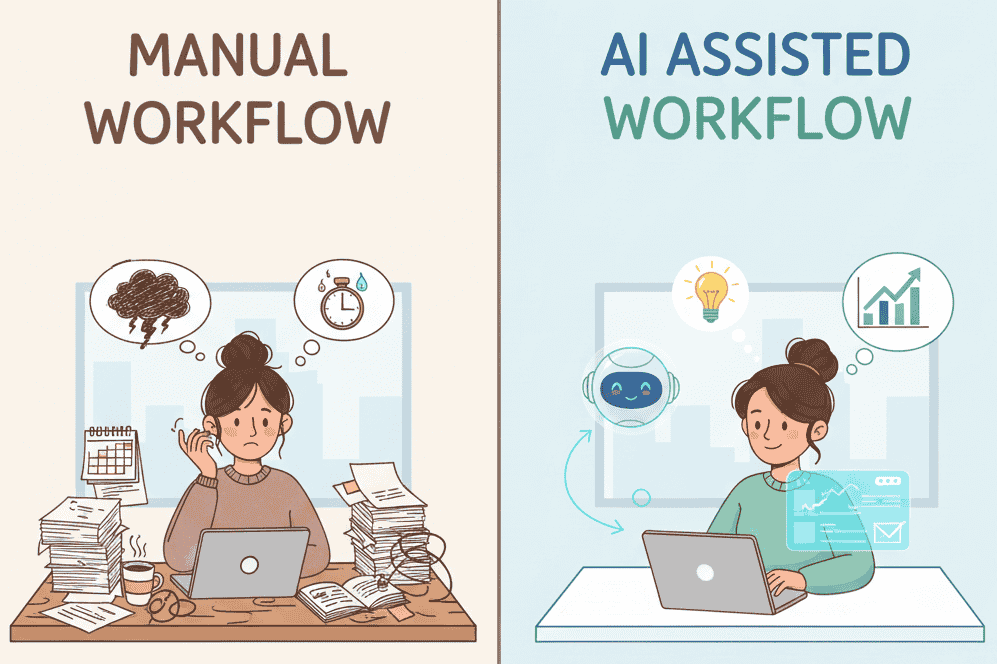
In the next section, we’ll show you a simple side-by-side comparison of manual workflows versus AI-powered workflows. You’ll see how AI can save time, reduce stress, and improve your day-to-day operations—without any complicated setups or steep learning curves.
Side-by-Side Comparison: AI Tools vs Manual Workflows
Here’s how AI can transform your day-to-day business tasks.
1. Writing Emails to Customers
| Manual Workflow | AI-Powered Workflow |
|---|---|
| Think of what to say from scratch | Ask AI: “Write a professional email for my holiday sale” |
| Struggle with wording | Get a polished draft in seconds |
| Spend 20–30 minutes | Finish in 2–5 minutes |
Result: AI helps you write consistent, professional emails faster, even if writing isn’t your strength.
2. Scheduling Meetings
| Manual Workflow | AI-Powered Workflow |
|---|---|
| Email back and forth to find a time | Share an AI-powered booking link |
| Risk of double bookings | Calendar auto-syncs and sends reminders |
| Human error delays meetings | Works automatically in the background |
Here the example how Reclaim.ai working as assistant to scheduling with Google or Outlook calendar
Result: AI ensures smooth scheduling, saves time, and eliminates frustration.
3. Responding to Customer Questions
| Manual Workflow | AI-Powered Workflow |
|---|---|
| Check inbox constantly | AI chatbots handle FAQs automatically |
| Overwhelmed by repeated questions | Only step in for complex cases |
| Delayed replies = lost sales | 24/7 responses even while you sleep |
Result: AI provides instant support, improving customer satisfaction and freeing you for big-picture tasks.
4. Tracking Leads & Clients
| Manual Workflow | AI-Powered Workflow |
|---|---|
| Notes scattered on paper or spreadsheets | Smart CRM tracks & scores leads automatically |
| Hard to follow up consistently | AI sends reminders for follow-ups |
| Data gets lost or outdated | Everything stored in one searchable system |
Result: AI keeps your leads organized and boosts your sales efficiency.
5. Bookkeeping & Invoicing
| Manual Workflow | AI-Powered Workflow |
|---|---|
| Enter expenses manually | Use AI-powered tools like QuickBooks AI or FreshBooks |
| Risk of missing payments | Automatic reminders and financial reports |
| Takes hours weekly | Set-and-forget—review only |
Result: AI saves time, reduces mistakes, and keeps your finances accurate.
Key Takeaways: Manual vs AI Workflows
| Manual Workflows | AI Workflows |
|---|---|
| Time-consuming | Time-saving |
| Repetitive | Automated |
| Prone to human error | More accurate |
| Requires constant attention | Works in the background |
| Slower growth | Scales with your business |
✨ Tip: Start small. Pick one task, like writing emails or scheduling meetings, and integrate AI. Gradually, you’ll automate more and reclaim hours of your week.
Why AI is a Game-Changer for Small Businesses
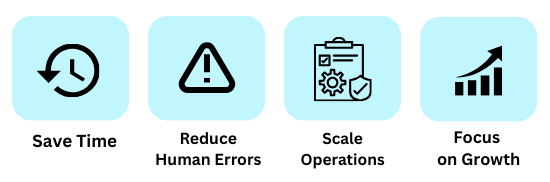
AI tools help you:
- Save time on repetitive tasks
- Reduce human errors
- Scale your operations without stress
- Focus on growth instead of routine work
Even if you’ve never used AI before, you can start small and see results quickly.
Final Takeaway
AI isn’t about replacing you—it’s about amplifying your productivity. Start small, experiment, and watch how these tools can:
- Save hours each week
- Reduce mistakes
- Improve customer satisfaction
- Help your business grow faster
Even integrating just one AI tool today can make a huge difference in your workflow.
For beginners, this article on 10 simple AI workflows every small business can automate today explains easy, no-tech ways to start using AI in daily business tasks.
FAQs
Q1: Do I need to be tech-savvy to use AI?
A: Not at all! Most AI tools for small businesses are beginner-friendly with simple interfaces. You can start in under an hour.
Q2: Can AI replace my employees?
A: No. AI is designed to handle repetitive tasks, freeing your team to focus on creative and strategic work.
Q3: How much does AI cost for small businesses?
A: Many AI tools offer free trials or affordable subscription plans, making them accessible for any budget.
Q4: What tasks should I start automating first?
A: Begin with repetitive tasks like email writing, scheduling, FAQs, lead tracking, or bookkeeping.
Q5: Is AI secure for my business data?
A: Reputable AI tools follow strict security and privacy guidelines. Always read the tool’s data policy before using it.