
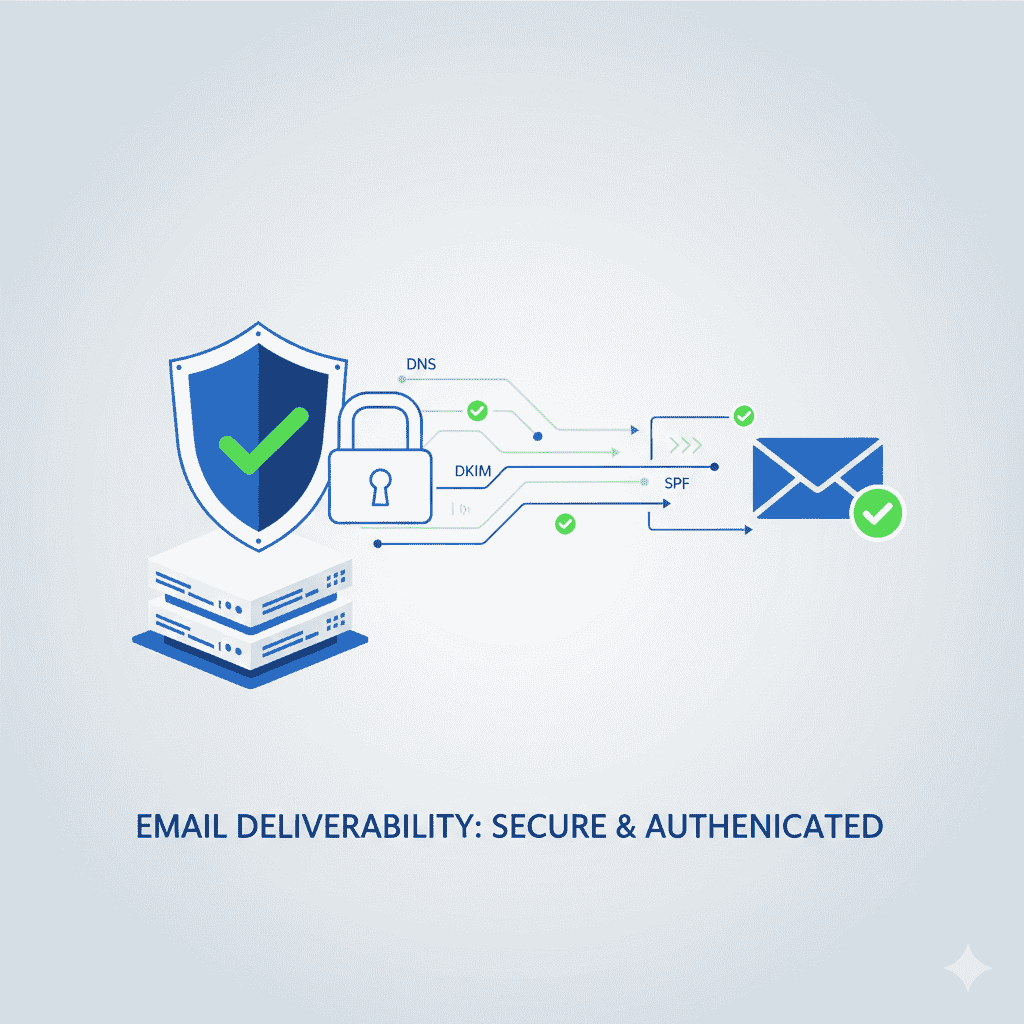
SPF, DKIM & DMARC Setup Guide (Step-by-Step Email Authentication System)
If your emails are landing in spam — even with great copy — chances are your email authentication is broken or missing.
Without SPF, DKIM, and DMARC:
❌ Inbox providers don’t trust your domain
❌ Spoofing and phishing risks increase
❌ Deliverability collapses
❌ Domain reputation deteriorates
❌ Warm-up efforts fail
The good news?
When configured correctly, SPF, DKIM, and DMARC dramatically improve inbox placement, sender reputation, and email security — and the setup is easier than most people think.
In this guide, you’ll learn:
- What SPF, DKIM, and DMARC actually do
- Why all three are mandatory (not optional)
- Step-by-step setup instructions
- Common mistakes that silently kill deliverability
- How to test and monitor authentication
- How to combine authentication with verification and warm-up for maximum inbox placement
Let’s lock down your domain — properly.
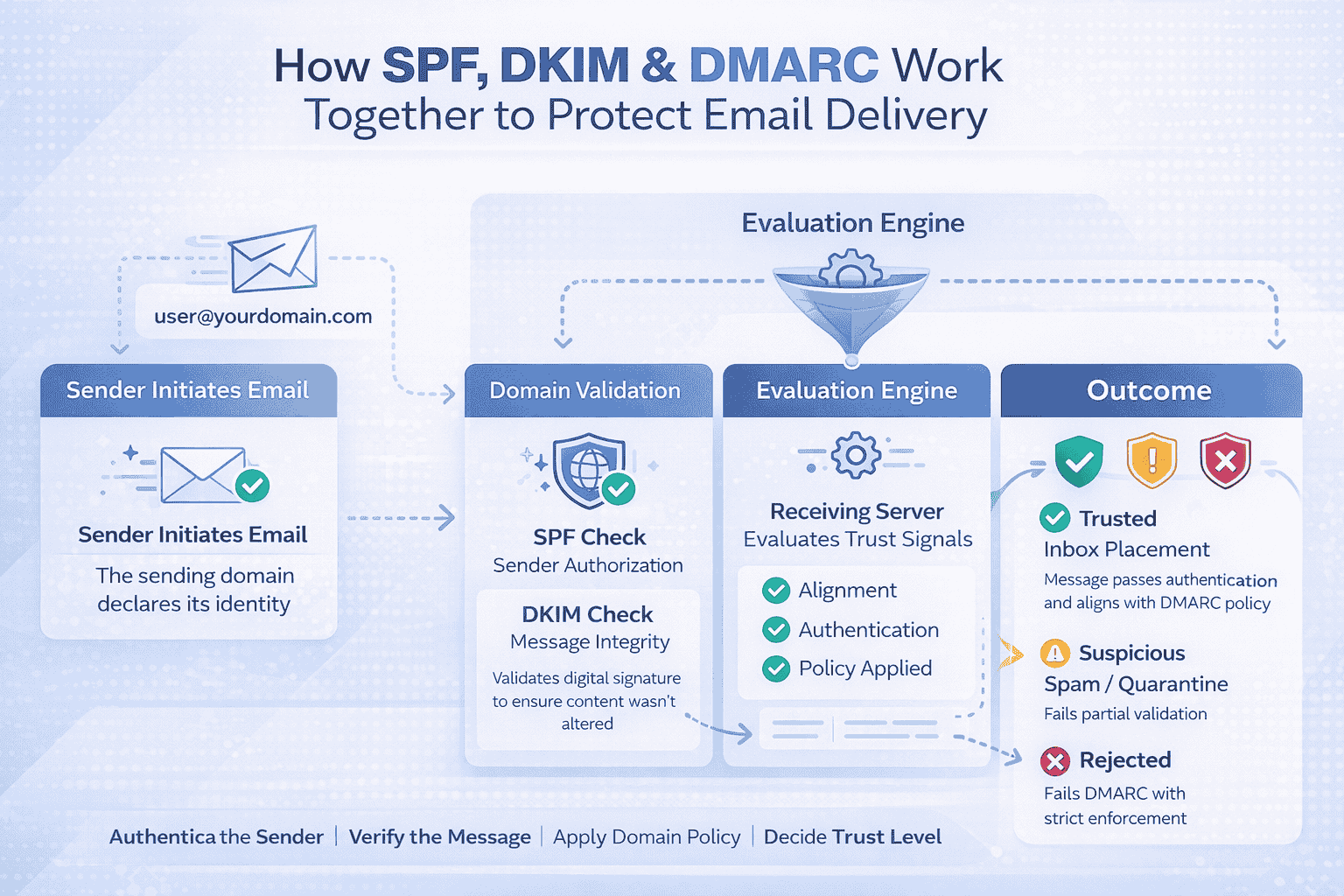
1. What Are SPF, DKIM, and DMARC?
Think of email authentication like airport security for your domain.
| Protocol | Purpose | What It Protects |
|---|---|---|
| SPF | Verifies sending servers | Prevents spoofed senders |
| DKIM | Signs emails cryptographically | Prevents message tampering |
| DMARC | Enforces policy + reporting | Prevents phishing and abuse |
Inbox providers require all three to trust your domain.
Missing even one weakens your deliverability foundation.
2. Why SPF, DKIM & DMARC Are Non-Negotiable in 2026
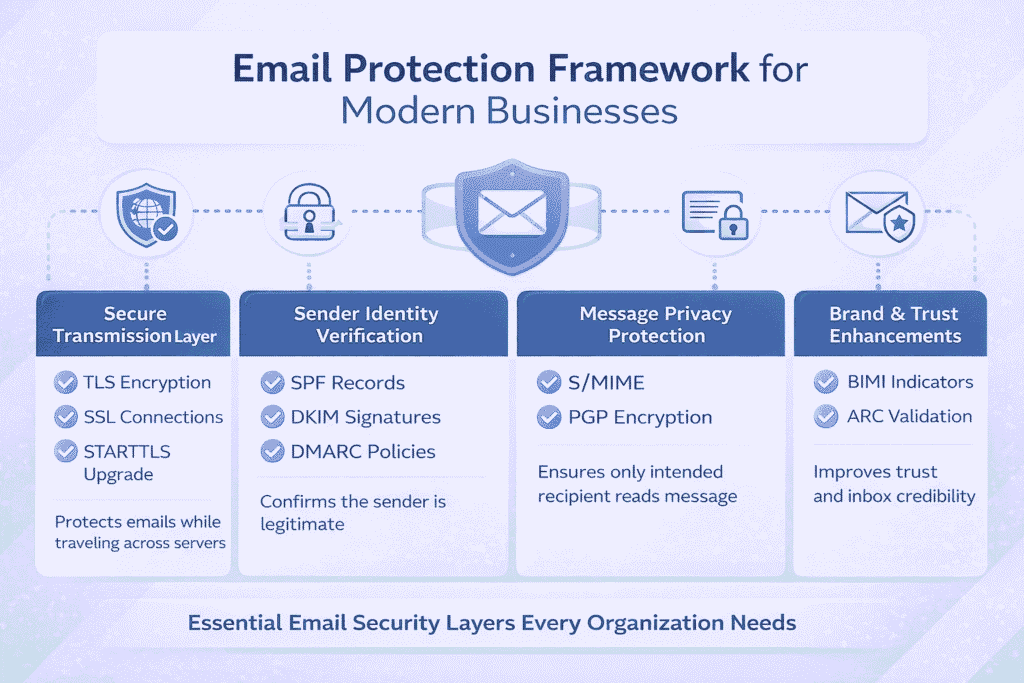
Inbox filtering is now AI-driven and ruthless.
Providers prioritize:
- Sender identity
- Authentication integrity
- Domain reputation
- Engagement signals
Without proper authentication:
- Your emails are more likely to land in spam
- Warm-up efforts won’t work
- Verification benefits get wasted
- Cold outreach becomes unstable
This is why SPF/DKIM/DMARC setup should happen before:
- Domain warm-up
- Cold email campaigns
- Marketing automation
- Transactional email scaling
2.1. How SPF Works (Sender Policy Framework)
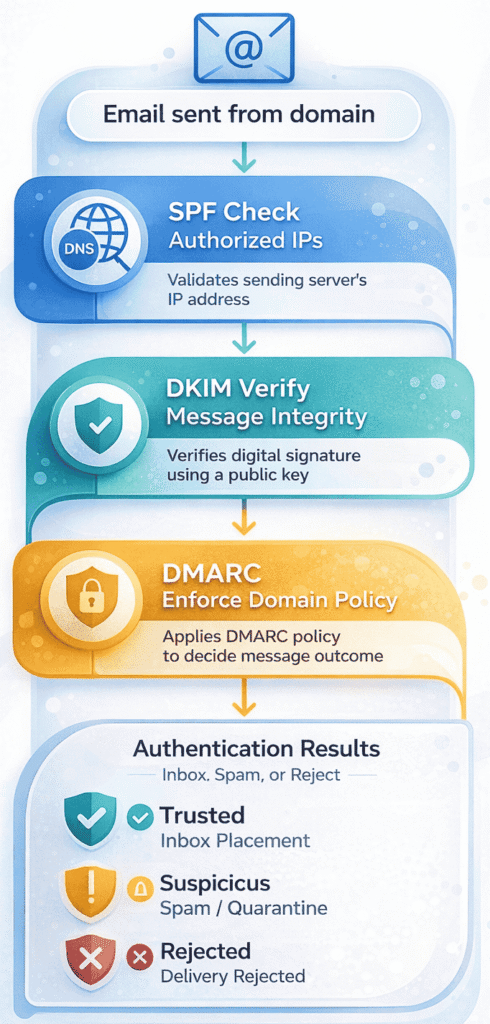
SPF tells inbox providers which servers are allowed to send emails on behalf of your domain.
When an email arrives:
Inbox provider checks:
→ Does this sending IP exist in the domain’s SPF record?
If yes → Pass
If no → Fail or Softfail
What SPF Prevents
- Domain spoofing
- Unauthorized sending
- Brand impersonation
SPF Example Record
v=spf1 include:_spf.google.com include:sendgrid.net ~all
This means:
- Google Workspace and SendGrid can send
- Others cannot
2.2. How DKIM Works (DomainKeys Identified Mail)
DKIM adds a cryptographic signature to each outgoing email.
Inbox providers verify:
→ Has the message been altered in transit?
If yes → Fail
If intact → Pass
What DKIM Prevents
- Message tampering
- Content injection
- Identity forgery
DKIM builds content integrity trust, which dramatically improves inbox placement.
2.3. How DMARC Works (Domain-Based Message Authentication)
DMARC ties SPF and DKIM together and tells inbox providers what to do if authentication fails.
DMARC answers:
- Should this email be delivered?
- Quarantined?
- Rejected?
- Reported?
It also sends forensic and aggregate reports to help monitor abuse.
3. Why You Need All Three (Not One or Two)
| Scenario | Result |
|---|---|
| SPF only | Partial trust, weak security |
| DKIM only | Partial trust, spoofing risk |
| SPF + DKIM | Still no policy enforcement |
| SPF + DKIM + DMARC | Full trust + deliverability boost |
Best practice: Always configure all three together.
3.1. Step-by-Step SPF Setup Guide
Step 1: Identify All Sending Sources
List every service that sends email on your domain:
- Google Workspace / Microsoft 365
- Email marketing tools
- Cold outreach platforms
- Transactional email services
Step 2: Generate SPF Record
Use your ESP or domain provider documentation.
Example:
v=spf1 include:_spf.google.com include:sendgrid.net include:mailgun.org ~all
Step 3: Add SPF Record to DNS
Add as:
- Type: TXT
- Host: @
- Value: SPF record
- TTL: Auto or 3600
Step 4: Test SPF
Use:
- MXToolbox
- Google Admin Toolbox
- Your ESP’s validation tools
Ensure result = Pass
3.2. Step-by-Step DKIM Setup Guide
Step 1: Generate DKIM Keys
In your email provider dashboard:
- Generate DKIM selector
- Get public key
Step 2: Add DKIM Record to DNS
Add:
- Type: TXT
- Host: selector1._domainkey
- Value: Provided DKIM key
Step 3: Activate DKIM
Enable DKIM signing in your ESP.
Step 4: Test DKIM
Send test email → check headers → confirm dkim=pass
3.3. Step-by-Step DMARC Setup Guide
Step 1: Create Initial Monitoring Record (Safe Mode)
Start with:
v=DMARC1; p=none; rua=mailto:dmarc@yourdomain.com; ruf=mailto:dmarc@yourdomain.com; fo=1
This:
- Enforces no blocking
- Sends reports
- Allows safe observation
Step 2: Add DMARC to DNS
- Type: TXT
- Host: _dmarc
- Value: DMARC record
Step 3: Monitor Reports (7–14 Days)
Use:
- Google Postmaster Tools
- DMARC Analyzer
- Postmark DMARC
- Valimail
Look for:
- Failed sources
- Unauthorized senders
- SPF/DKIM misalignment
Step 4: Upgrade to Quarantine or Reject
After clean results:
v=DMARC1; p=quarantine; pct=100; rua=mailto:dmarc@yourdomain.com
Then eventually:
v=DMARC1; p=reject; pct=100; rua=mailto:dmarc@yourdomain.com
This blocks spoofing completely.
4. SPF, DKIM & DMARC Best Practices (What Most Guides Miss These)
➤ Use one SPF record only (never multiple)
➤ Keep SPF under 10 DNS lookups
➤ Rotate DKIM keys annually
➤ Use DMARC alignment (strict) when stable
➤ Always start DMARC with p=none
➤ Use dedicated domains for cold outreach
➤ Monitor reports weekly
➤ Never use “+all” in SPF
➤ Avoid hard fail (-all) until fully confident
➤ Pair authentication with domain warm-up
5. Common SPF, DKIM & DMARC Mistakes That Kill Deliverability
❌ Publishing multiple SPF records
❌ Forgetting to include email tools in SPF
❌ Leaving DKIM disabled after setup
❌ Skipping DMARC entirely
❌ Using p=reject without testing
❌ Not monitoring DMARC reports
❌ Letting third-party tools send unauthenticated emails
These mistakes cause:
Spam placement, throttling, spoofing attacks, and reputation damage.
6. How SPF/DKIM/DMARC Affect Cold Email Deliverability
Cold email success depends on:
- Domain trust
- Authentication integrity
- Engagement behavior
- Bounce rates
Without authentication:
- Inbox providers distrust your domain
- Warm-up won’t stick
- Verification benefits get wasted
- Scaling fails
👉 Pair this guide with:
- How to Warm Up an Email Domain (Step-by-Step Deliverability Guide)
- How Email Verification Improves Deliverability
7. How to Test SPF, DKIM & DMARC (Quick Checklist)
Before sending campaigns:
- SPF = pass
- DKIM = pass
- DMARC = pass
- No unauthorized senders
- DMARC reports clean
- Alignment confirmed
- No spoofing alerts
Use:
- MXToolbox
- Google Admin Toolbox
- Mail Tester
- Postmark DMARC
8. Does SPF, DKIM & DMARC Guarantee Inbox Placement?
No — but they remove the biggest technical barriers.
Deliverability also depends on:
- Email verification
- Domain warm-up
- Sending behavior
- Content quality
- Engagement rates
Think of authentication as your foundation layer.
Authentication + Verification + Warm-Up = Inbox Power Stack
The highest-performing email systems always:
1️⃣ Verify email lists
2️⃣ Set up SPF, DKIM & DMARC
3️⃣ Warm domains slowly
4️⃣ Start low-volume
5️⃣ Build engagement
6️⃣ Scale responsibly
Final Checklist: SPF, DKIM & DMARC Setup
✅ SPF configured correctly
✅ DKIM signing active
✅ DMARC policy published
✅ Reports monitored
✅ Unauthorized sources blocked
✅ Authentication aligned
✅ Domain reputation protected
FAQs
1.What is SPF, DKIM, and DMARC?
They are email authentication protocols that verify sender identity, prevent spoofing, and improve inbox placement.
2. Do I need all three for email deliverability?
Yes. SPF, DKIM, and DMARC together create full authentication trust. Missing one weakens deliverability.
3. How long does SPF, DKIM & DMARC setup take?
Most setups take 15–30 minutes, but DMARC monitoring should run for 7–14 days before enforcement.
4. Does DMARC improve deliverability?
Yes. DMARC boosts trust, protects your domain from spoofing, and improves inbox placement over time.
5. Can I warm up a domain without SPF/DKIM/DMARC?
You shouldn’t. Warm-up without authentication usually fails and damages domain reputation.
6. What happens if SPF or DKIM fails?
Inbox providers may spam-filter or reject your emails entirely.
7. What is DMARC alignment?
It ensures the domain in SPF/DKIM matches the visible From domain, strengthening trust signals.
8. Should cold email domains use DMARC?
Yes — especially outreach domains, to prevent spoofing and protect sender reputation.