
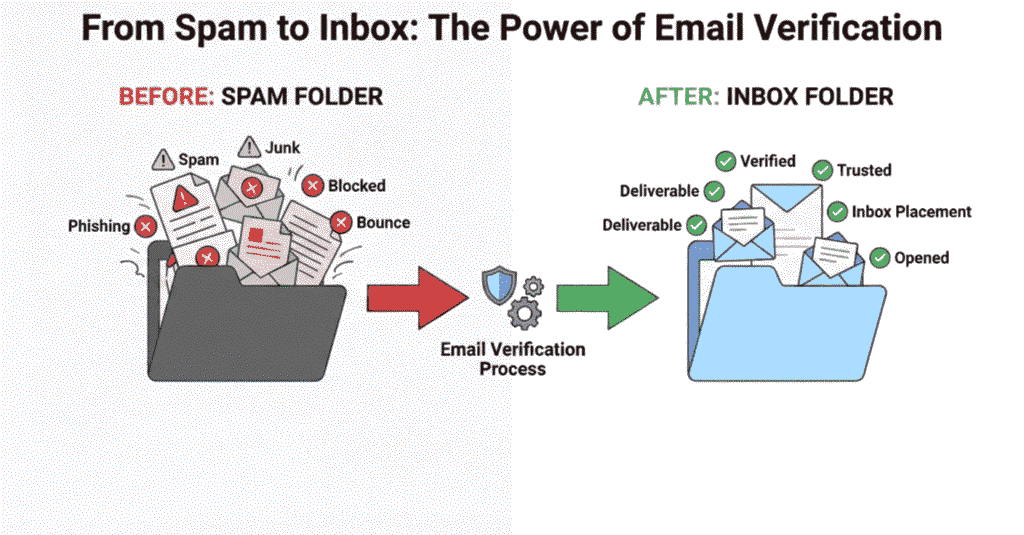
How Email Verification Improves Deliverability (Complete Beginner-to-Pro Guide)
Most cold email campaigns fail — not because of bad copy — but because emails never reach the inbox.
High bounce rates, spam complaints, and poor sender reputation quietly kill your outreach before prospects ever see your message.
That’s where email verification becomes a deliverability multiplier.
In this guide, you’ll learn exactly:
- What email verification is
- How it improves deliverability
- When to use it
- How to do it correctly
- The best tools
- How to combine it with domain warm-up for maximum inbox placement
Let’s break it down.
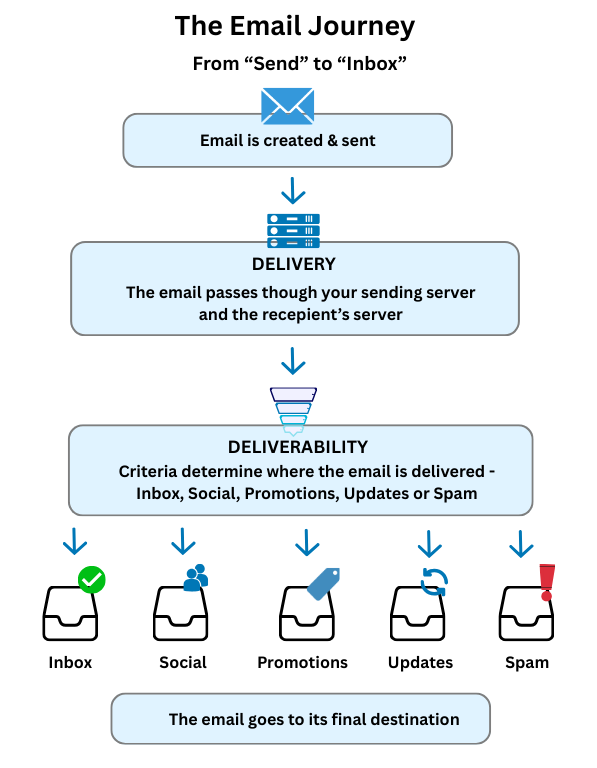
What Is Email Verification?
Email verification is the process of checking whether an email address is:
✔️ Real
✔️ Active
✔️ Able to receive emails
✔️ Not risky or spam-prone
Instead of guessing, verification tools validate addresses using:
- Domain checks
- Mail server (MX) validation
- SMTP pings
- Spam trap detection
- Disposable email detection
The goal: Remove bad emails before you send — not after deliverability damage occurs.
Why Email Verification Matters for Deliverability
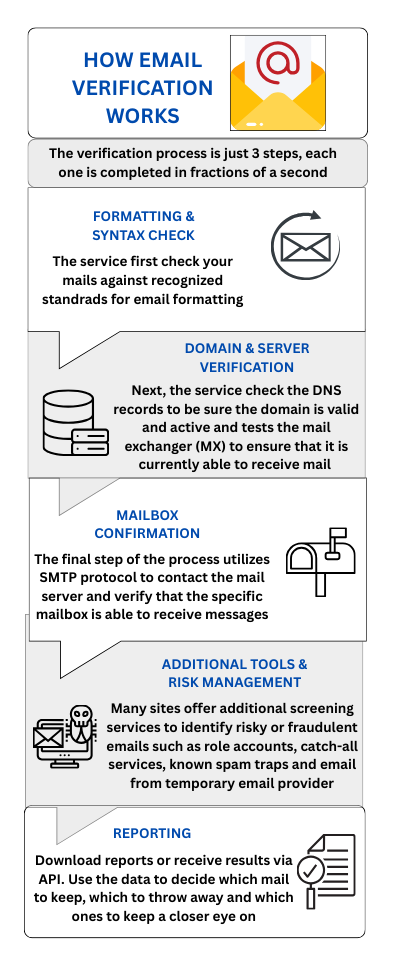
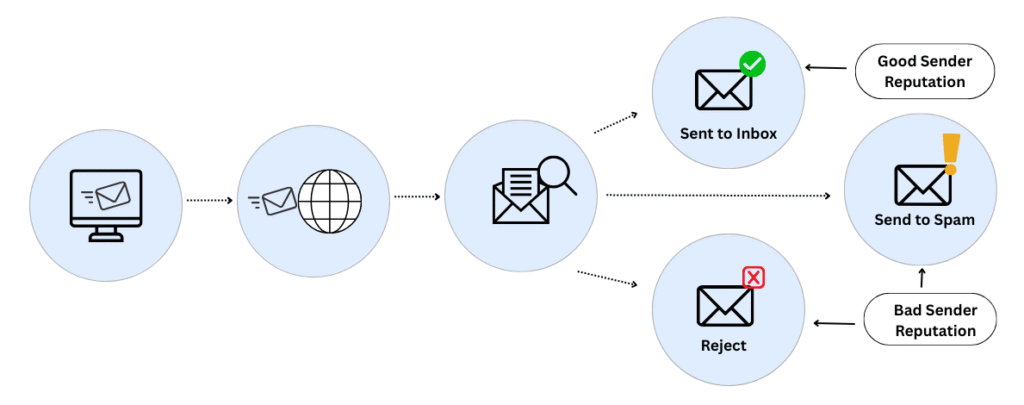
Inbox providers (Gmail, Outlook, Yahoo) evaluate senders based on behavior.
If you send to bad emails, they interpret that as:
🚩 Low sender quality
🚩 Possible spammer
🚩 Risk to users
Which leads to:
- Spam placement
- Throttling
- Domain reputation damage
- Blacklisting
Email verification acts as a defensive shield — protecting your sender reputation before damage occurs.
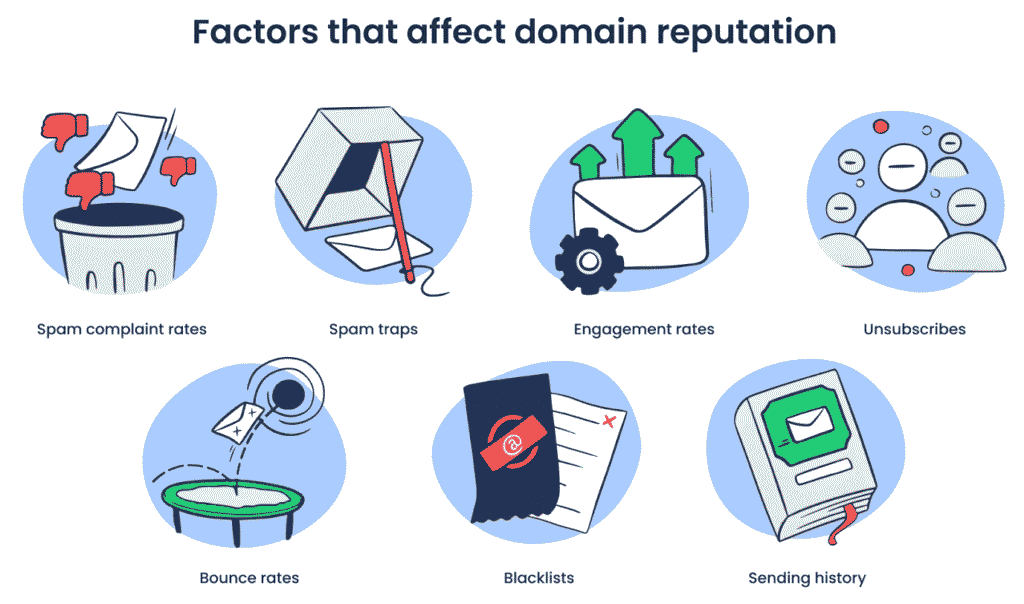
How Email Verification Improves Deliverability (Core Benefits)
1️⃣ Reduces Bounce Rates Instantly
Hard bounces are one of the strongest negative signals to inbox providers.
Verification removes:
- Nonexistent emails
- Typos
- Closed inboxes
📈 Result: Lower bounce rates = higher trust = better inbox placement.
2️⃣ Protects Your Domain Reputation
Every bad email weakens your sender reputation.
By sending only to valid addresses, you:
- Build consistent positive sending behavior
- Avoid ISP throttling
- Maintain long-term deliverability health
👉 This works especially well when paired with domain warm-up, which we explain in our guide:
How to Warm Up an Email Domain (Step-by-Step Deliverability Guide)
3️⃣ Prevents Spam Trap Hits
Spam traps are hidden addresses used by inbox providers to detect bad senders.
Hitting even one can:
- Trigger filtering
- Block entire domains
- Destroy campaign performance
Advanced verification tools detect:
- Pristine traps
- Recycled traps
- Honeypots
Result: Inbox safety and risk prevention.
4️⃣ Improves Engagement Rates
Cleaner lists = higher open rates, replies, and clicks.
Inbox providers reward:
- Opens
- Replies
- Reads
- Low deletions
Which further boosts:
- Inbox placement
- Sender reputation
- Campaign ROI
Deliverability isn’t just technical — it’s behavioral.
5️⃣ Prevents Blacklisting and Account Shutdowns
ESP providers (Google, Microsoft, SMTP services) monitor bounce and complaint rates.
Email verification:
- Keeps bounce rates below critical thresholds
- Reduces abuse complaints
- Prevents account suspension
This protects not just campaigns — but your entire sending infrastructure.
Types of Emails Email Verification Removes
| Type | Risk Level |
|---|---|
| Invalid addresses | ❌ Extreme |
| Typos (gmial.com) | ❌ High |
| Disposable emails | ❌ High |
| Role-based emails (info@, support@) | ⚠️ Medium |
| Catch-all domains | ⚠️ Medium |
| Spam traps | ❌ Critical |
When Should You Verify Email Lists?
✅ Before Every Cold Email Campaign
Never send without verifying — especially scraped or purchased lists.
✅ After Importing New Leads
Even CRM data degrades over time.
✅ Every 30–60 Days for Active Lists
Email decay averages 22% per year — verification prevents silent decay damage.
✅ Before Domain Warm-Up
If you’re warming a new domain, verification is mandatory.
Email Verification vs Email Warm-Up (Important Distinction)
| Aspect | Email Verification | Domain Warm-Up |
|---|---|---|
| Purpose | Clean your list | Build sender reputation |
| Happens | Before sending | Before scaling |
| Prevents | Bounces & spam traps | Spam placement & throttling |
| Protects | Email list quality | Domain trust |
👉 Best practice: Verify first → Warm up → Scale campaigns
How to Verify Email Addresses (Step-by-Step)
Step 1: Export Your Lead List
From your CRM, scraping tool, or spreadsheet.
Step 2: Upload to a Verification Tool
Most tools accept CSV uploads and bulk processing.
Step 3: Run Verification Scan
The tool checks:
- Domain existence
- MX records
- Mail server responsiveness
- Spam trap likelihood
Step 4: Filter Risky Emails
Remove:
- Invalid
- Disposable
- Spam trap
- Role-based addresses
Optional: Send carefully to catch-all addresses.
Step 5: Upload Clean List to Outreach Tool
Now your campaign runs on deliverability-safe infrastructure.
Best Email Verification Tools (Deliverability-Safe Picks)
Here are tools widely trusted for accuracy and inbox safety:
- NeverBounce
- ZeroBounce
- Hunter Verify
- Bouncer
- Clearout
- Kickbox
If you’re running cold email, combine verification with tools reviewed in our:
👉 AI cold email tools review
👉 Best email outreach software
Manual vs Automated Email Verification
| Method | Best For | Risk Level |
|---|---|---|
| Manual (Regex, Basic syntax) | Tiny lists | ❌ High |
| Automated tools | Cold outreach | ✅ Low |
| CRM auto-verification | Lead capture | ✅ Medium |
👉 For cold email: Always use automated verification tools.
Common Email Verification Mistakes That Kill Deliverability
❌ Verifying only once
Lists decay constantly — verify regularly.
❌ Sending to catch-all domains at scale
These inflate unknown bounce risks.
❌ Skipping verification before domain warm-up
This can permanently damage new domains.
❌ Trusting form validation alone
Frontend checks don’t detect spam traps or inactive inboxes.
❌ Buying email lists
Even verified purchased lists damage deliverability.
👉 For deeper protection, see:
How to avoid spam filters in cold email
Does Email Verification Guarantee Inbox Placement?
No — but it removes the biggest deliverability risk factor.
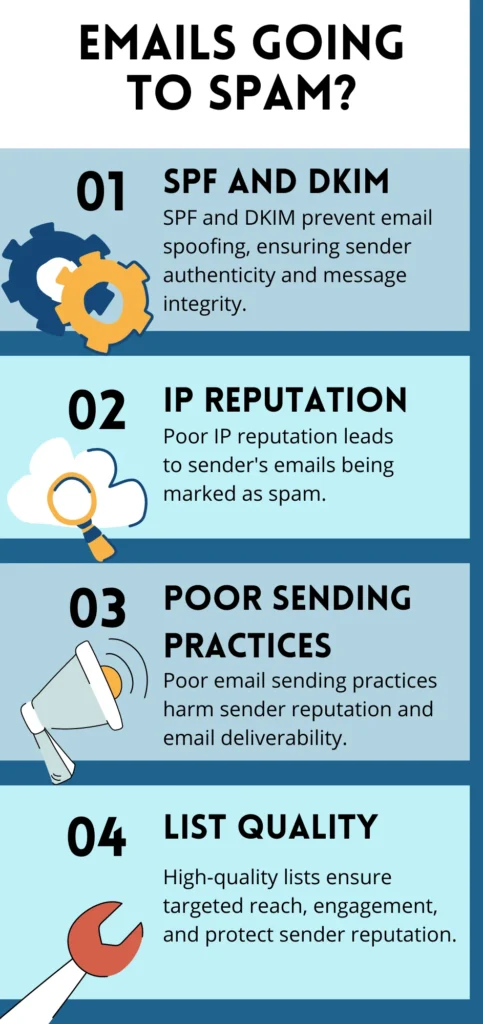
Deliverability depends on:
- List quality (verification)
- Domain reputation (warm-up)
- Content quality
- Sending patterns
- Engagement signals
Think of email verification as your foundation layer.
Email Verification + Domain Warm-Up = Deliverability Power Stack
The highest-performing cold email systems always:
1️⃣ Verify every list
2️⃣ Warm every domain
3️⃣ Start low-volume
4️⃣ Build engagement
5️⃣ Scale responsibly
Final Checklist: Email Verification Best Practices
✅ Verify before every campaign
✅ Remove invalid, disposable & spam trap emails
✅ Limit role-based addresses
✅ Reverify lists every 30–60 days
✅ Pair verification with domain warm-up
✅ Monitor bounce rates continuously
FAQs
- What is email verification?
Email verification is the process of validating email addresses to ensure they are real, active, and safe to send to, improving deliverability and protecting sender reputation.
2. How does email verification improve deliverability?
It reduces bounce rates, prevents spam trap hits, protects domain reputation, improves engagement rates, and increases inbox placement success.
3. Should I verify emails before cold outreach?
Yes. Verifying emails before cold outreach is essential to avoid bounces, spam complaints, and deliverability damage.
4. How often should email lists be verified?
Lists should be verified before every campaign and reverified every 30–60 days for ongoing use.
5. Does email verification prevent spam placement?
It significantly reduces spam risk but should be combined with domain warm-up and quality sending practices for best results.
6. Is email verification necessary if I already warmed my domain?
Yes. Warm-up builds sender trust, but sending to bad emails can still destroy deliverability.
7. What happens if I skip email verification?
You risk high bounce rates, spam filtering, domain reputation damage, blacklisting, and poor campaign performance.
8. Are catch-all emails safe to send to?
They’re risky and should be used cautiously, especially in cold outreach campaigns.